Mining Help
TDP power mode settings do not work in Rig Manager?
Setting TDP Power Mode only works when the next 2 conditions are met:
- NiceHash Miner is running under Administrator Rights.
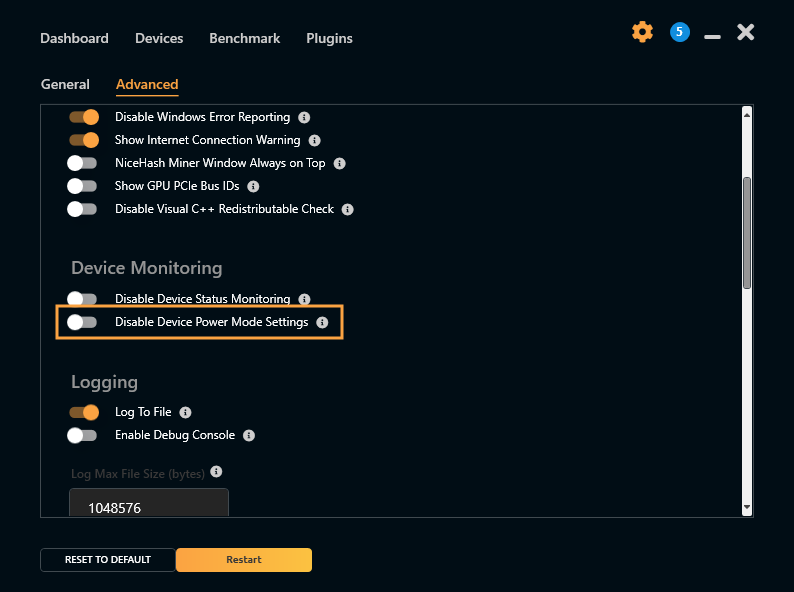
- Disable Device Power Mode Setting option is disabled inside the NiceHash Miner.
Run NiceHash Miner as Administrator
To run NiceHash Miner as an administrator you must right-click on the NiceHashMiner.exe or its shortcut and select Run as administrator.

Disable Device Power Mode Setting option is disabled inside NiceHash Miner
Follow these steps to disable Disable Device Power Mode Setting:
- Open NiceHash Miner.
- Navigate to Settings > Advanced.
- Disable toggle next to Disable Device Power Mode Settings.
- Click on the Restart button in the left bottom part of NiceHash Miner.
Note: This feature was replaced by Bundles, which offer better customization options in NiceHash Miner 3.1.0.6 and newer.
Mining
This website uses cookies to ensure you get the best experience on our website.