Mining Help
How to enable hashrate splitting (hotel fee)?
NiceHash Firmware allows up to 3 pool groups for hashrate splitting. Each group has a different hashrate split percentage, pool, worker name and password setting.
You can enable hashrate splitting via NiceHashTools (recommended) or via ASIC browser dashboard.
Follow these steps to enable hashrate splitting via NiceHashTools:
- Install NiceHashTools by following the installation guide.
-
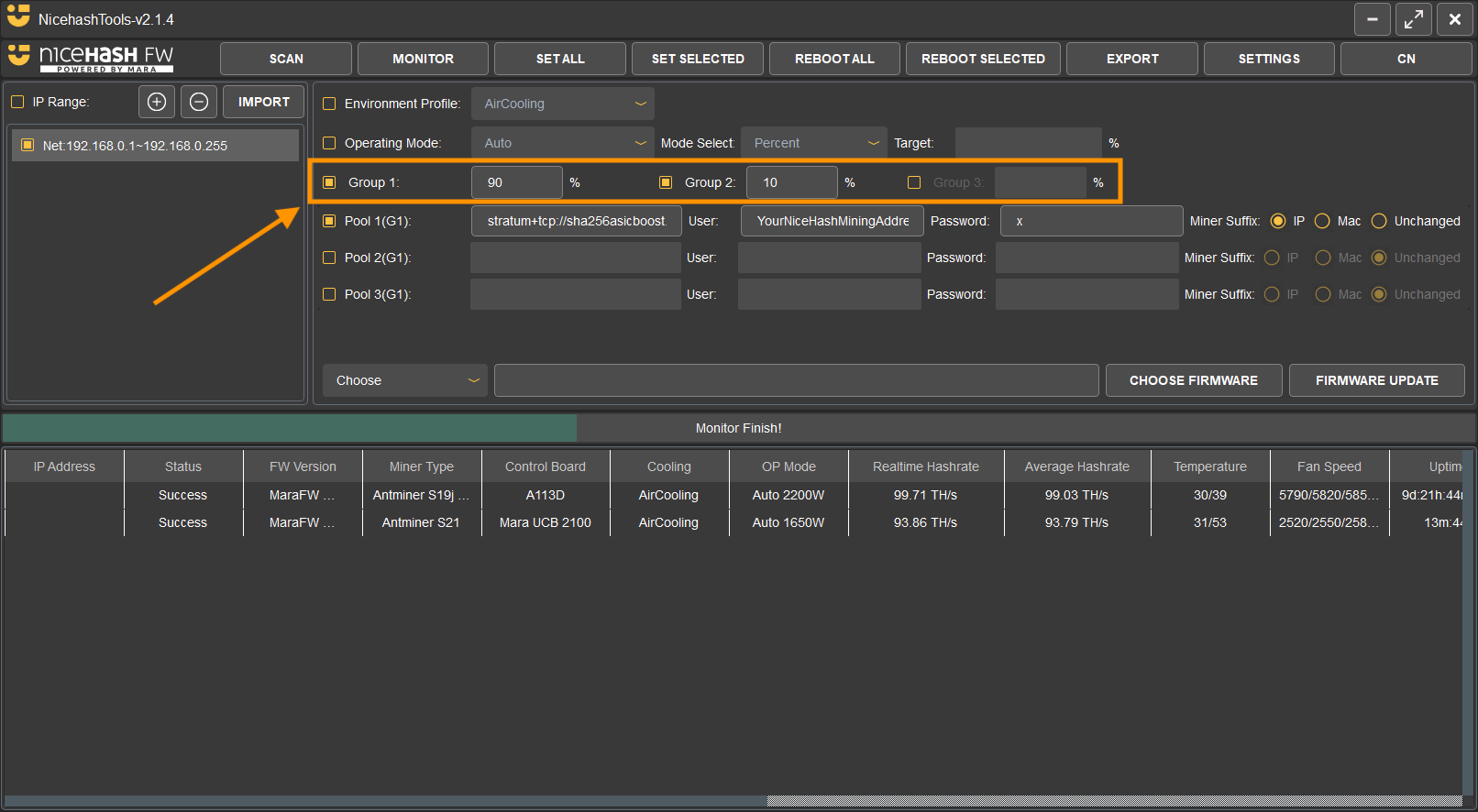
Enable Groups:
- Enable Group 1 and Group 2 for splitting the hashrate into two parts.
- For splitting the hashrate into three parts, enable Group 3 as well.
- Set preferred percentage for each Group.
- Configure each group by setting a unique pool URL, Worker Name, and password.
- You can also use the same pool URL across all groups and only modify the Worker Name.
- Select the machines you want to configure for hashrate splitting.
- To save the settings, click on either SET ALL or SET SELECTED button.
Tip: To switch between groups, click on the group name in the interface.
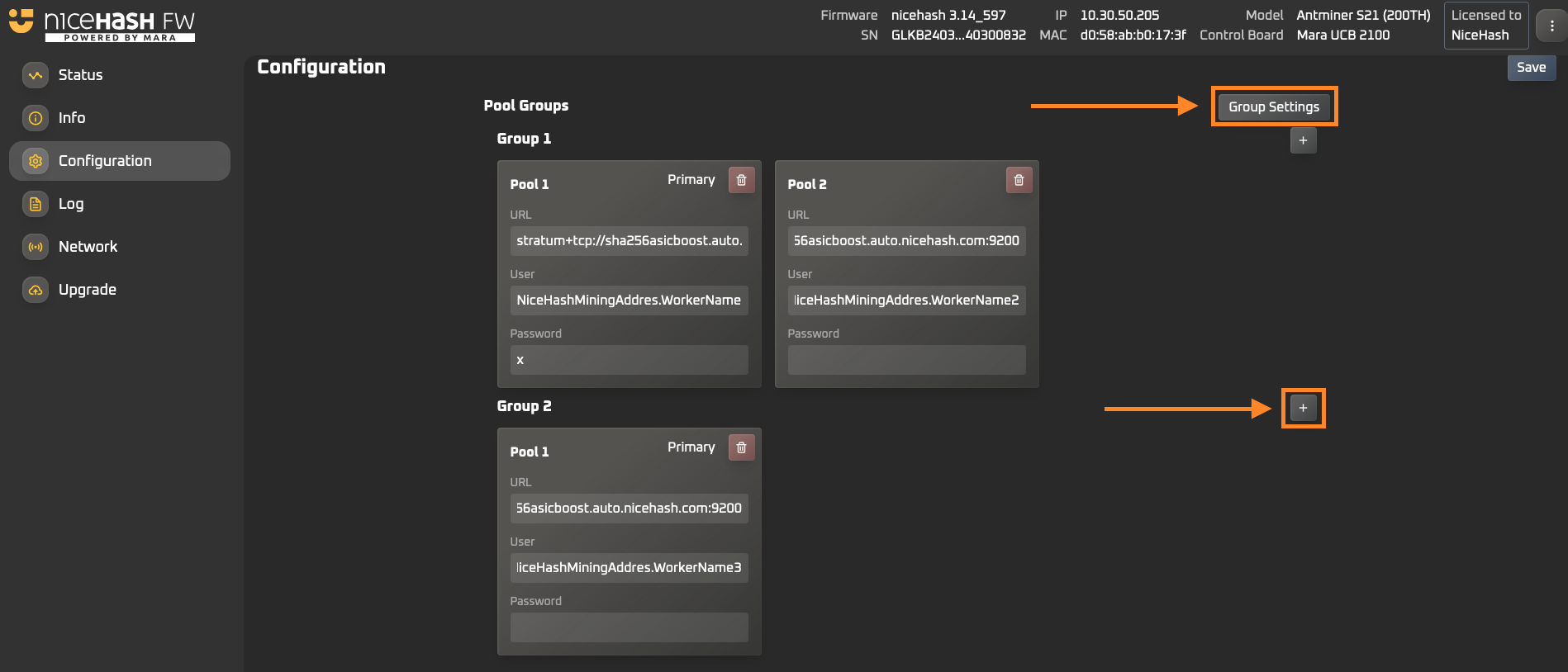
Follow these steps to enable hashrate splitting via the ASIC browser dashboard:
-
Open your ASIC browser dashboard by entering your ASIC machine's local IP address in the browser.
- Use "root" as both the username and password to log in.
- Navigate to the Configuration tab on the left side.
- To create a new group, click on Group Settings.
-
In the Group Settings popup:
- Set up new groups by clicking the "+" button.
- Adjust the percentage of the hashrate split for each group.
- Close the popup once you’ve completed the setup.
- To add a new pool settings to a group, click the "+" sign next to Group 2 or Group 3.
- Click the Save button located at the top-right corner of the dashboard.
Mining
This website uses cookies to ensure you get the best experience on our website.