Mining Help
Apply for reverse VAT as a miner
Sellers (miners) and buyers of hashrate in selected countries can now apply for VAT returns on hashrate mining and hashrate order fees and service charges.
Note that VAT returns are only available in the following countries/regions:
- European Union
- Australia
- Ukraine
How does it work?
When a seller (miner) is selling its hashing power to NiceHash, the service charge gets automatically deducted from the payout. If the seller is registered as a business and has completed the VAT registration, then a part of these charges (depending on your country) is returned to the seller at the end of the month.
The seller will receive an invoice at the end of the month into his NH account.
How to apply for VAT returns?
1. Complete KYB
First, you need to complete the KYB. Make sure that you filled out the company detail in the Profile settings. Follow these steps to complete KYB:
- Log in to your NiceHash profile.
- Go to your profile settings.
- Navigate to Account Limits.
- Click the VERIFY button.
- Follow the instructions on the screen.
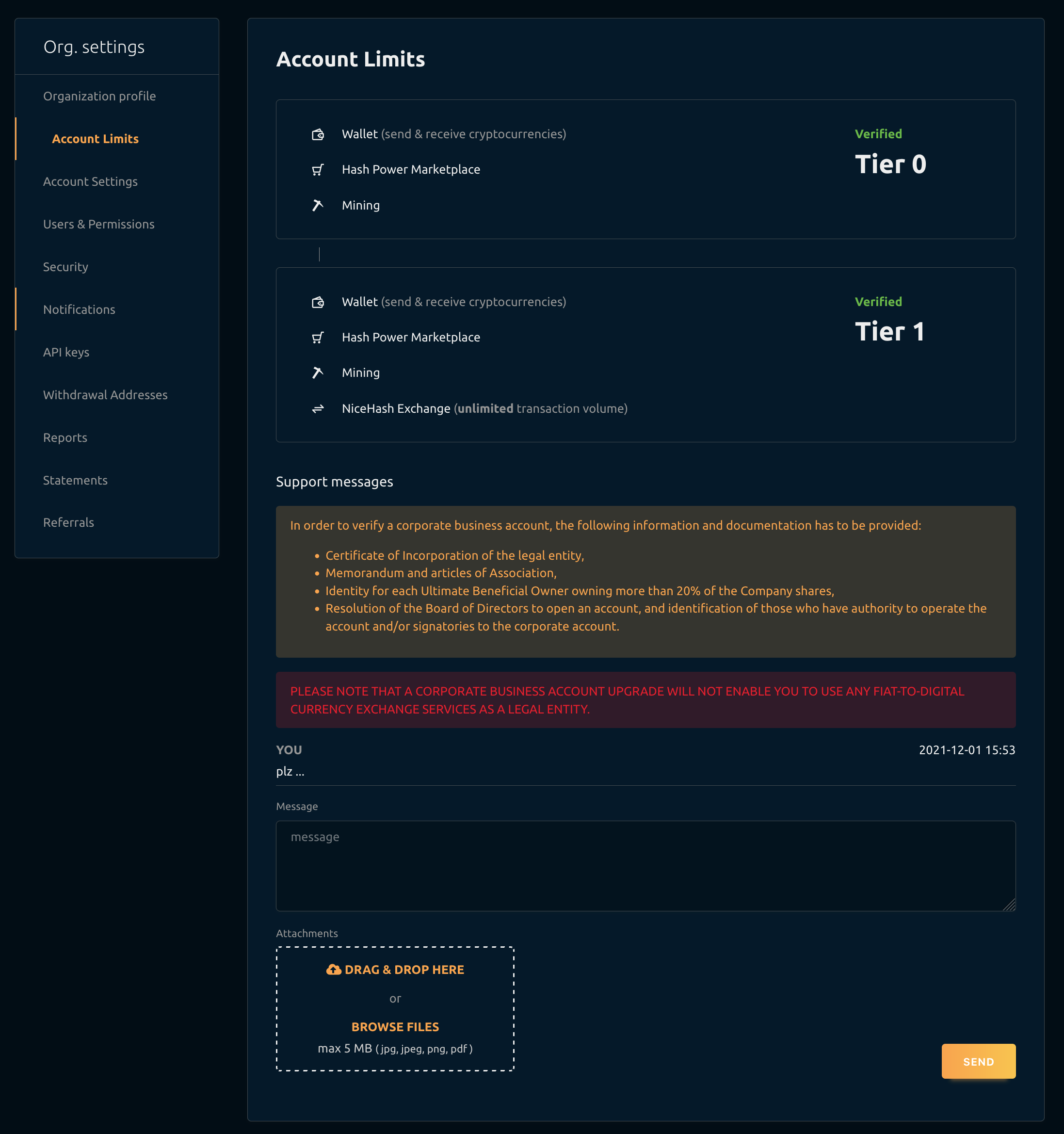
Once your account is verified you will see a green "Verified" status for the desired tier.
2. Open a support ticket
Once verified, open a support ticket and apply for VAT returns.
- Navigate to the new support ticket page.
- Select Service bug report and suggestion topic
- Select Request for vat exemption subtopic
- Write your VAT number and company information then submit the ticket.
When will I get the VAT return and invoice?
You will receive an invoice at the end of each month in your NH account.
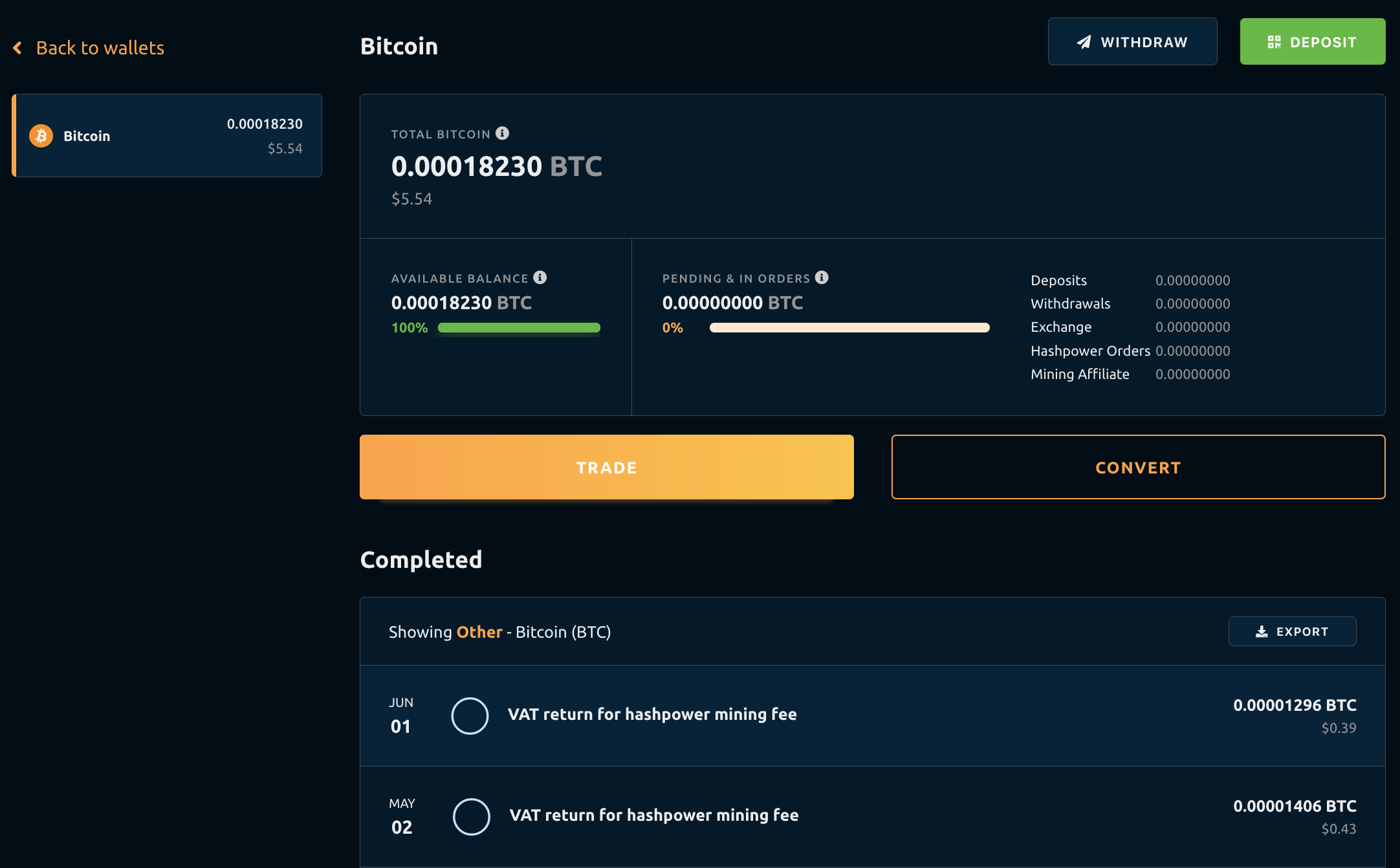
You can inspect the VAT return for hashrate mining fee transactions in the Bitcoin transaction history inside the NiceHash platform.
Where can I download past invoices?
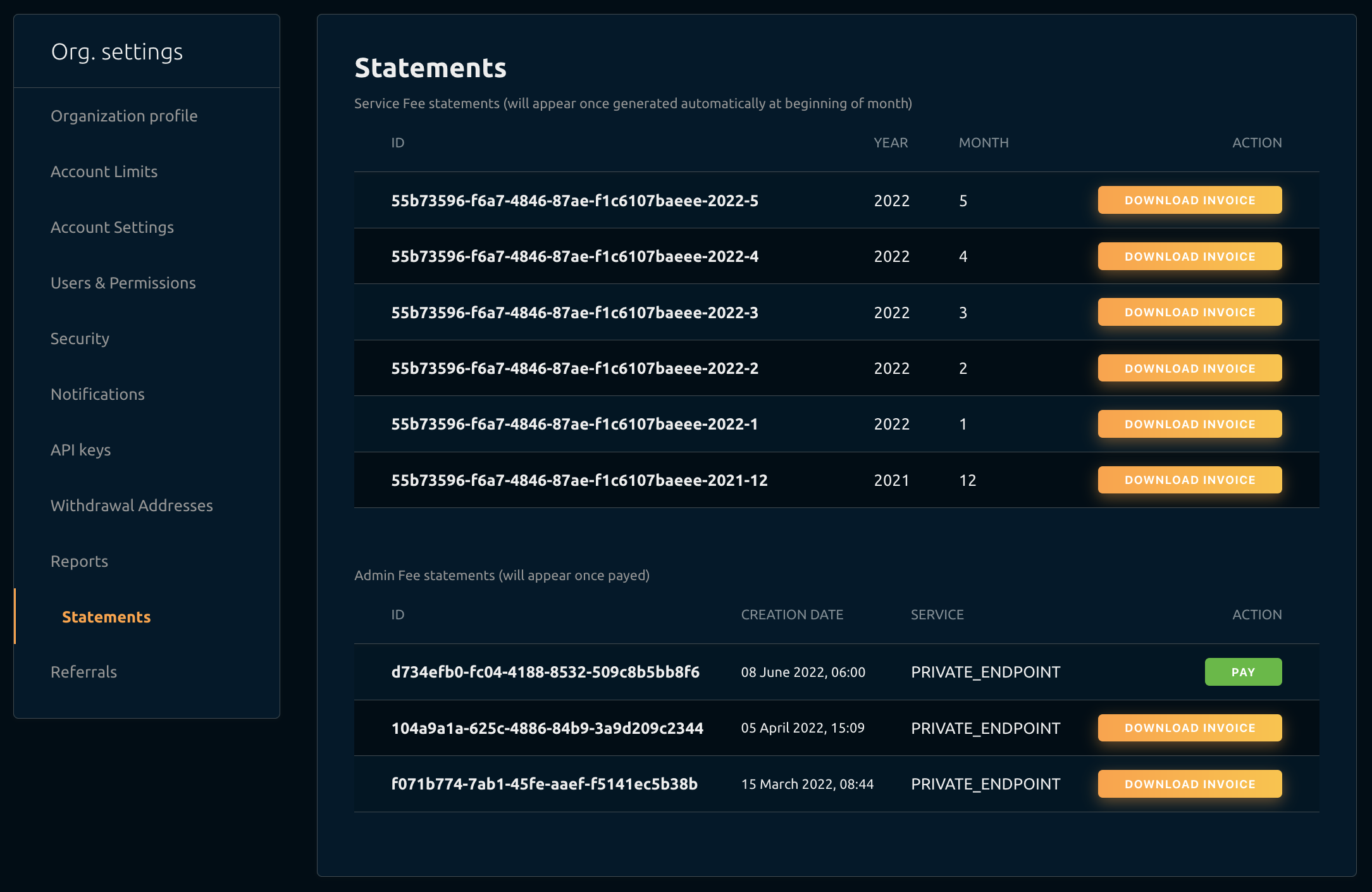
You can download past invoices in the Settings > Statements.