Aide Pour Minage
How to connect ASICs using NiceHash Firmware?
ASICs using NiceHash Firmware can be configured by using NiceHashTools or by logging into the ASIC via a browser.
If you are looking for how to install NiceHash Firmware, find the instructions here.
Option 1: Using NiceHashTools
Follow the steps below to configure the ASIC using NiceHashTools:
- Download NiceHashTools from the Download Center.
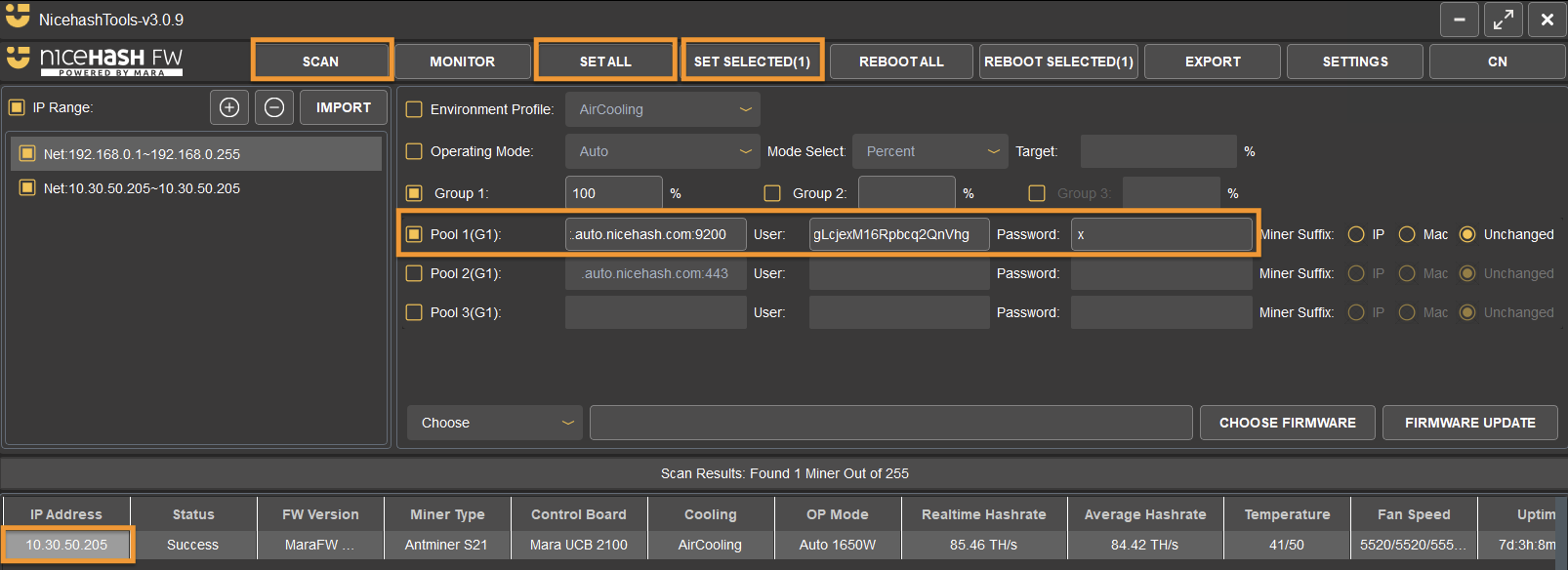
- Run NiceHashTools and Scan the network.
- Use the Pool 1 checkbox (or more) to enable the pool settings and enter your data.
Pool 1: Stratum, User: Mining address, Password: x - Click Set All or Set Selected to apply the configuration to all detected ASICs or to select individual ones by clicking on the ASICs IP.
Option 2: Via browser
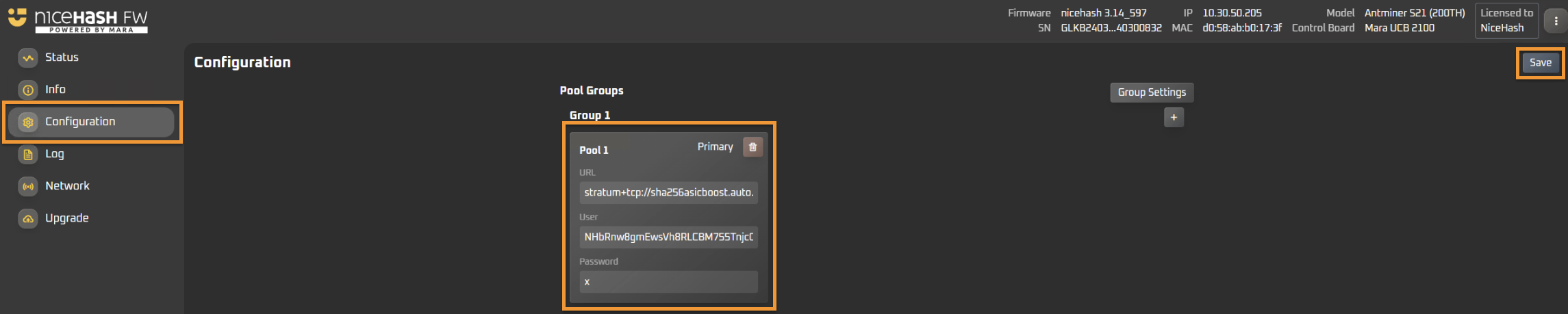
- Find your ASICs IP on your local network. This can be done by scanning with NiceHashTools or by connecting to your router, navigating to DHCP and looking up for the ASIC IP.
- Copy/paste the IP address in your browser.
- Enter the username and password.
The default is root/root - Navigate to the configuration tab and enter the stratum and mining address data.
- Click SAVE.
Minage
Ce site Web utilise des cookies pour vous garantir la meilleure expérience sur notre site Web.