Aide générale
Comment effectuer un retrait de Bitcoin Vierge ?
NiceHash offre aux utilisateurs la possibilité de choisir s'ils souhaitent retirer des Bitcoins classiques ou des Bitcoins vierges (Premium) lors du retrait de fonds depuis leur compte NiceHash. Cela offre une plus grande flexibilité et un meilleur contrôle sur leurs fonds, tout en permettant aux institutions et aux collectionneurs de retirer des Bitcoins vierges ou Premium.
Suivez les étapes ci-dessous pour retirer des Bitcoins vierges :
Étape 1 - Accédez à la section du portefeuille BTC.
Étape 2 - Cliquez sur le bouton Retirer.
Étape 3 - Sélectionnez l'option Virgin Coins dans le sélecteur de la fenêtre de retrait.
Veuillez noter que les retraits de Virgin Coins ne peuvent être effectués qu'à partir de votre solde disponible.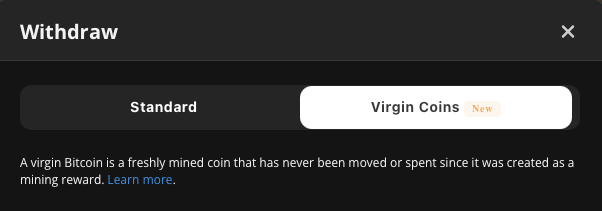
Étape 4 - Sélectionnez l'adresse de retrait.
Étape 5 - Cliquez sur le bouton Parcourir et sélectionner afin d'afficher tous les UTXO disponibles.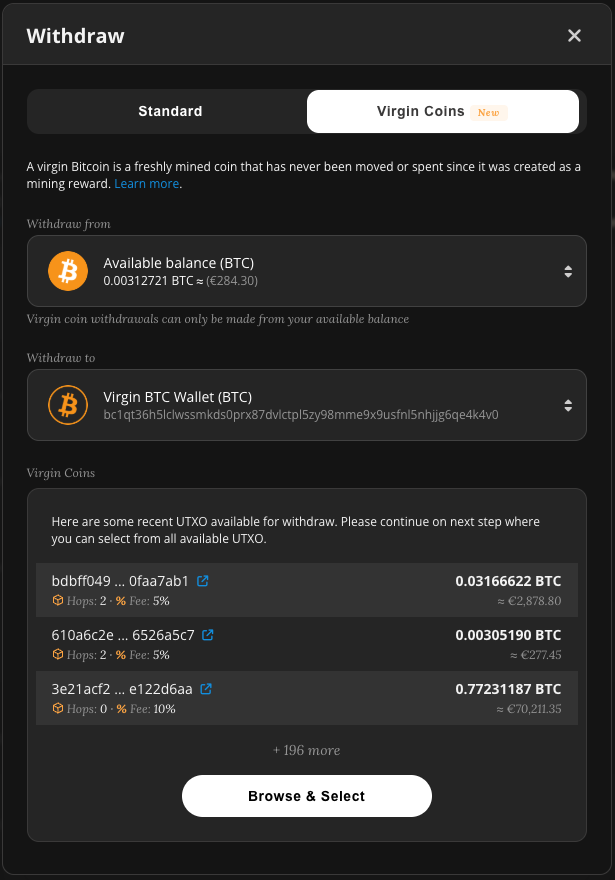
Étape 6 - Sélectionnez les UTXO souhaités, puis cliquez sur Vérifier le retrait.
Remarque : plusieurs UTXO peuvent être sélectionnés simultanément.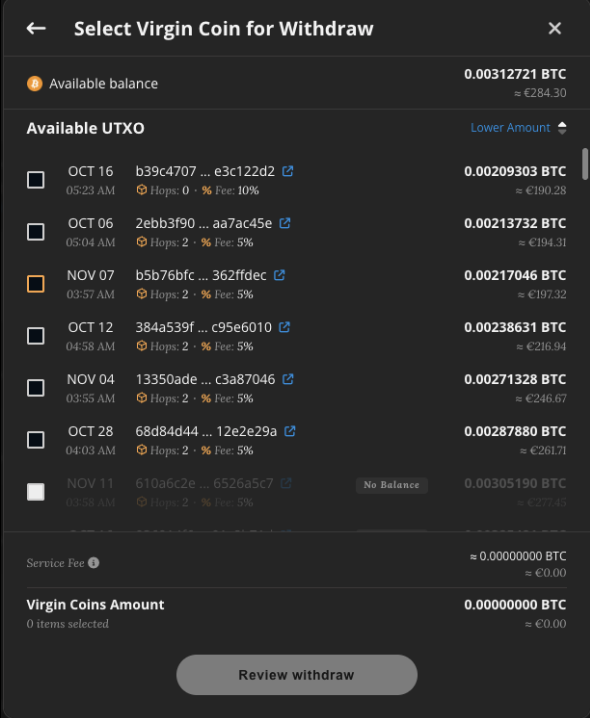
Étape 7 - Vérifiez les informations relatives au retrait et confirmez la transaction en cliquant sur le bouton Retirer.
REMARQUE : Les retraits de Bitcoins vierges sont proposés moyennant une prime et sont destinés aux institutions, aux utilisateurs expérimentés et aux collectionneurs.