General Help
How to add new withdrawal address?
Withdrawal is the process of moving the funds from your NiceHash wallet to some external wallet address. Blockchain and Lightning network withdrawals are supported. Withdrawals are subject to fees.
Please follow these steps to add a new withdrawal address:
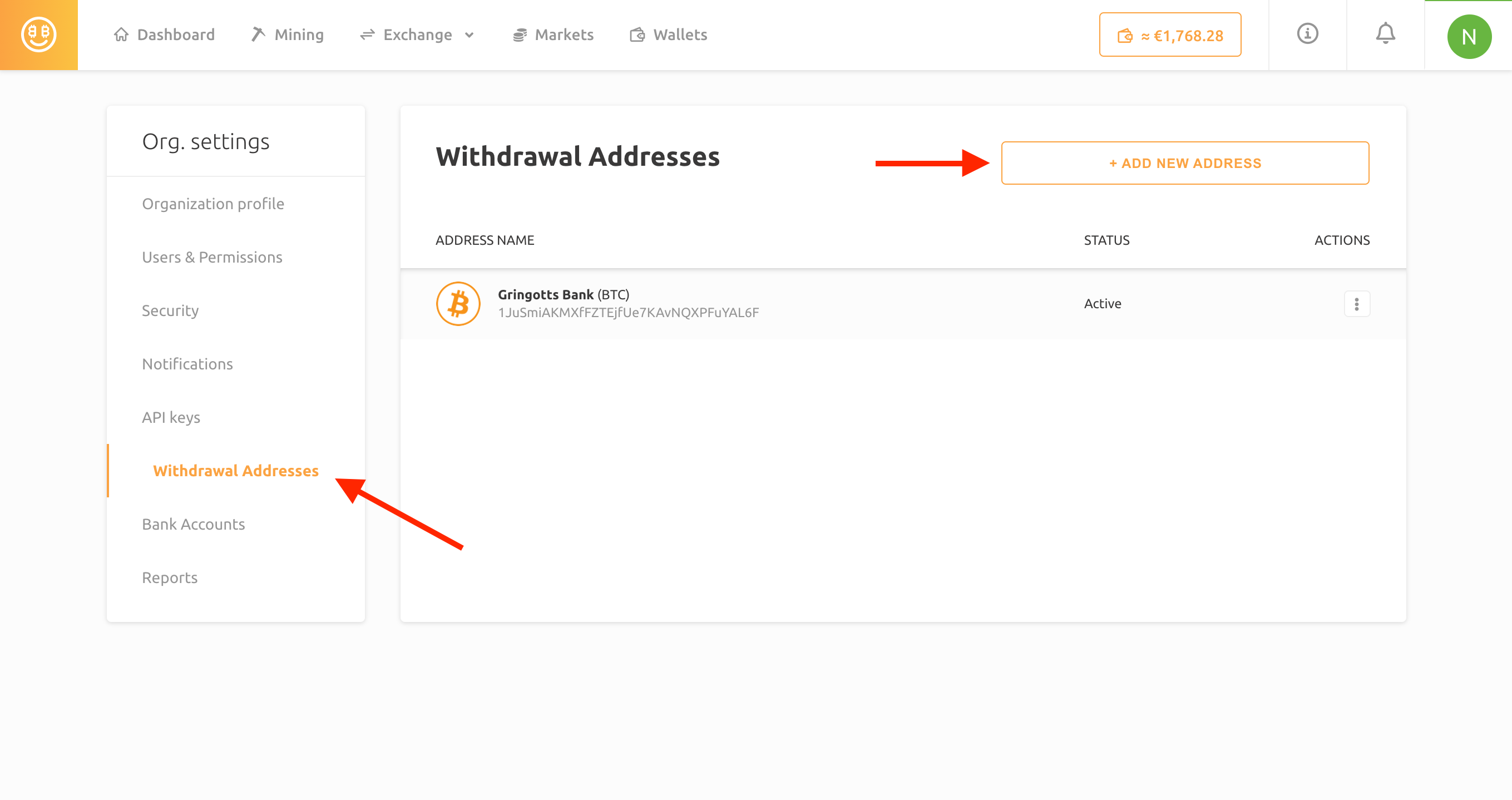
- Navigate to your profile settings and click the Withdrawal Addresses tab.
- Click the “Add new address” button.
- Enter the withdrawal address and give this address a name for easier recognition. You must use Latin characters without any special characters for the wallet's name.
- Enter the Travel Rule data by following this guide.
- Enter your 2FA code when prompted. Learn how to enable 2FA here.
- Due to security reasons, you must verify this withdrawal address. Check your email for the verification code.
- You can now use this withdrawal address when withdrawing funds from your wallet.
PLEASE NOTE: withdrawing to the incorrect address might result in an irreversible loss of funds! Always double-check if your withdrawal address is correct.
General
This website uses cookies to ensure you get the best experience on our website.