General Help
How to sign a wallet using Wallet Signature Proof?
You can sign a self-custodial wallet when adding a new withdrawal address or resolving a withheld deposit by providing the Travel rule data.
Follow the steps below to sign a wallet using Wallet Signature Proof.
1. Select Wallet Signature Proof when prompted.
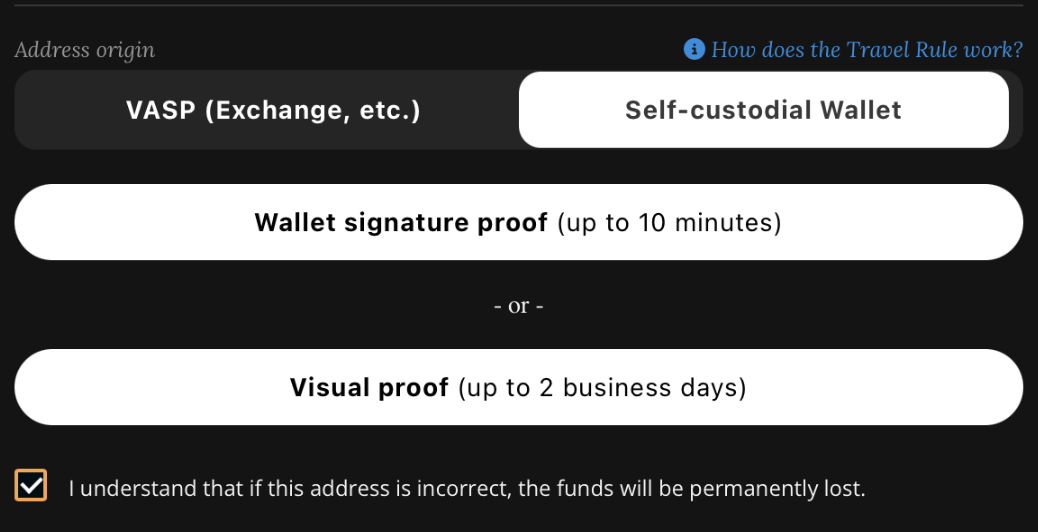
2. Confirm that the wallet you are signing is correct.
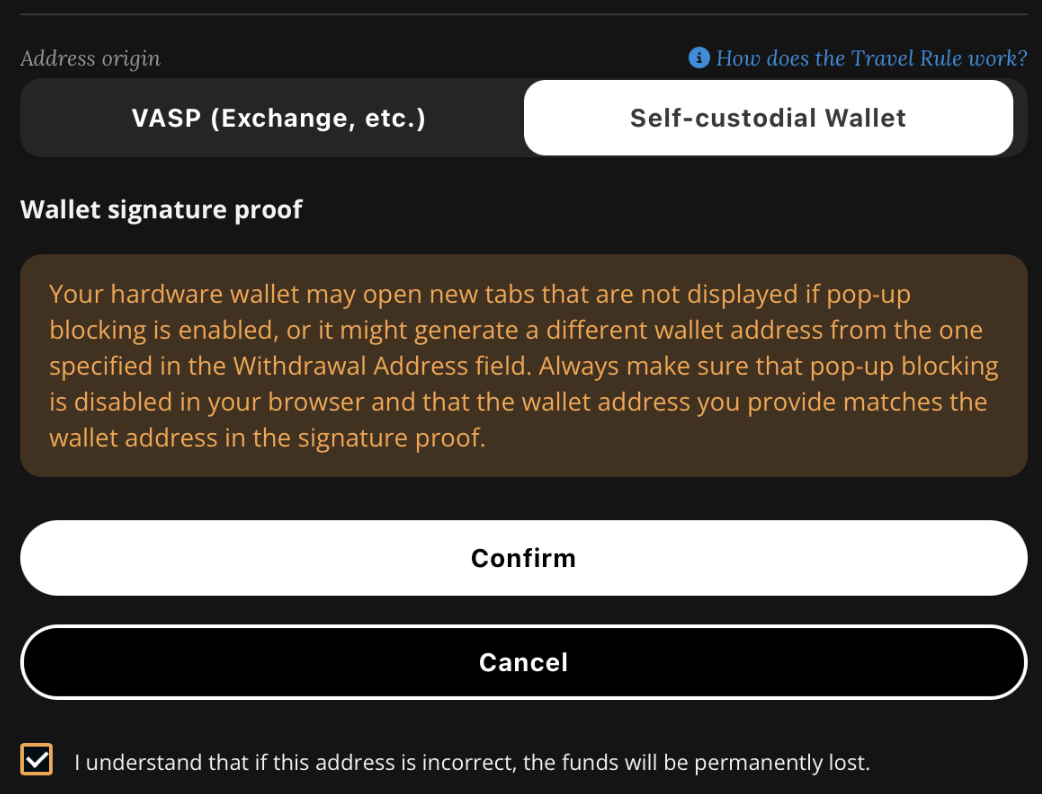
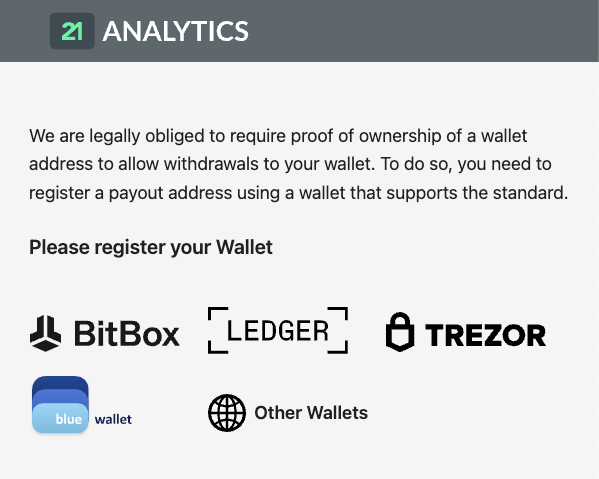
3. Select the wallet you wish to register from the options (in this guide we will be using the Sparrow wallet).
Note: When using hardware wallets like Ledger or Trezor make sure they are connected to the same device/PC.
Note: For more info on how to sign a wallet reach out to your wallet provider.
Note: Some wallets do not have the option to sign. In such cases you can import a wallet into a different wallet provider that does support signing.
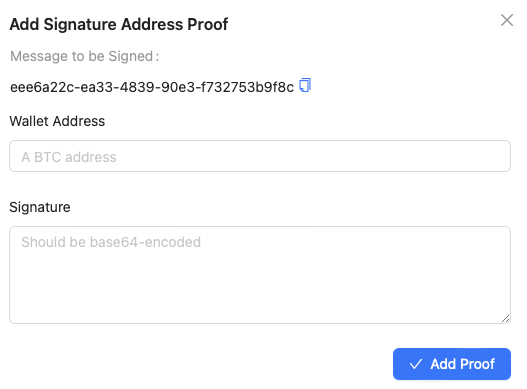
4. Copy the Message to be Signed.
5. Open your Sign/verify message Tool in your wallet.
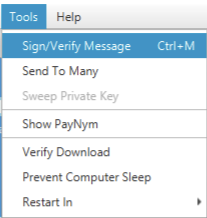
6. Paste the address and Message you wish to sign and click Sign.
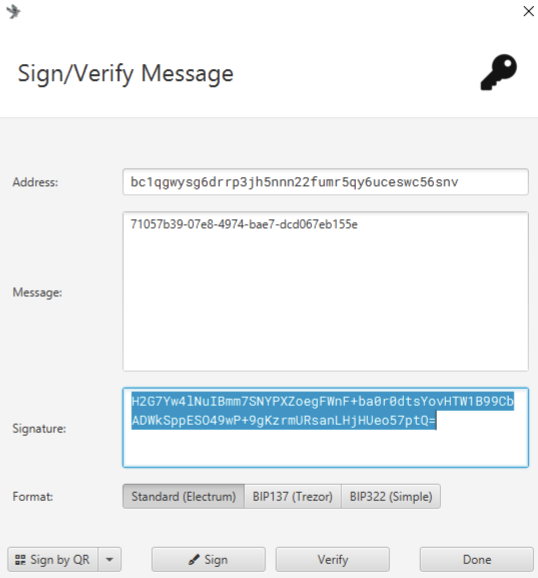
7. Copy the Signature and paste it into the Signature field.
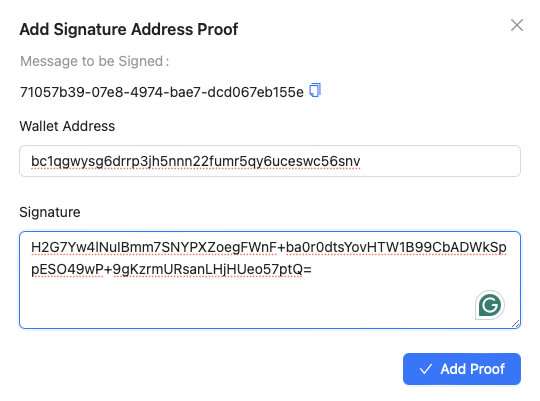
8. Click Add Proof.
9. Wait for the Verification successful window and close it.
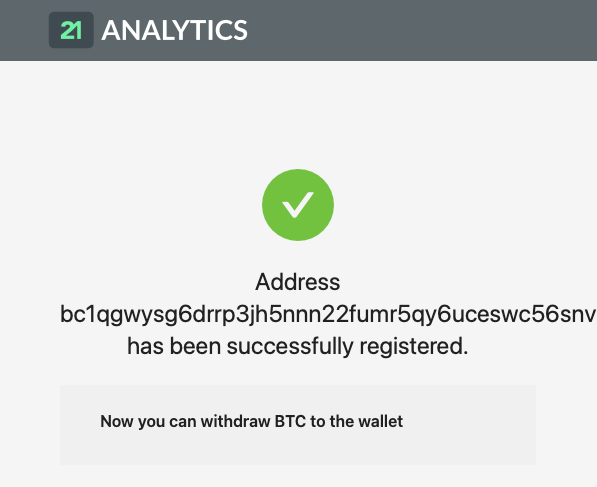
10. Confirm the data is correct and click Verify.
11. Enter 2FA when prompted.
12. Enter email confirmation when prompted.