General Help
How to complete KYB process?
Things to Know Before You Start the KYB Process:
- You must have completed the KYC process in your personal organization.
- You must be an owner or authorized representative of the business entity.
- You must create a new sub-organization specifically for your business.
Note: To complete the KYB process, you must first create and verify a personal account through the KYC process. KYB cannot be completed without first completing KYC in your personal profile.
How to Create a Sub-Organization for Business
Only sub-organizations can be registered as business entities. Make sure you have completed the KYC process in your personal organization before starting the KYB process. Follow these steps to set up a business entity on NiceHash:
- Log in to your NiceHash account;
- Click on your profile picture in the top menu bar;
- Open "My Settings";
- Select the "My Organizations" tab;
- Select Create new organization button;
- Select "I want to use new organization as a legal entity" and enter your company details.
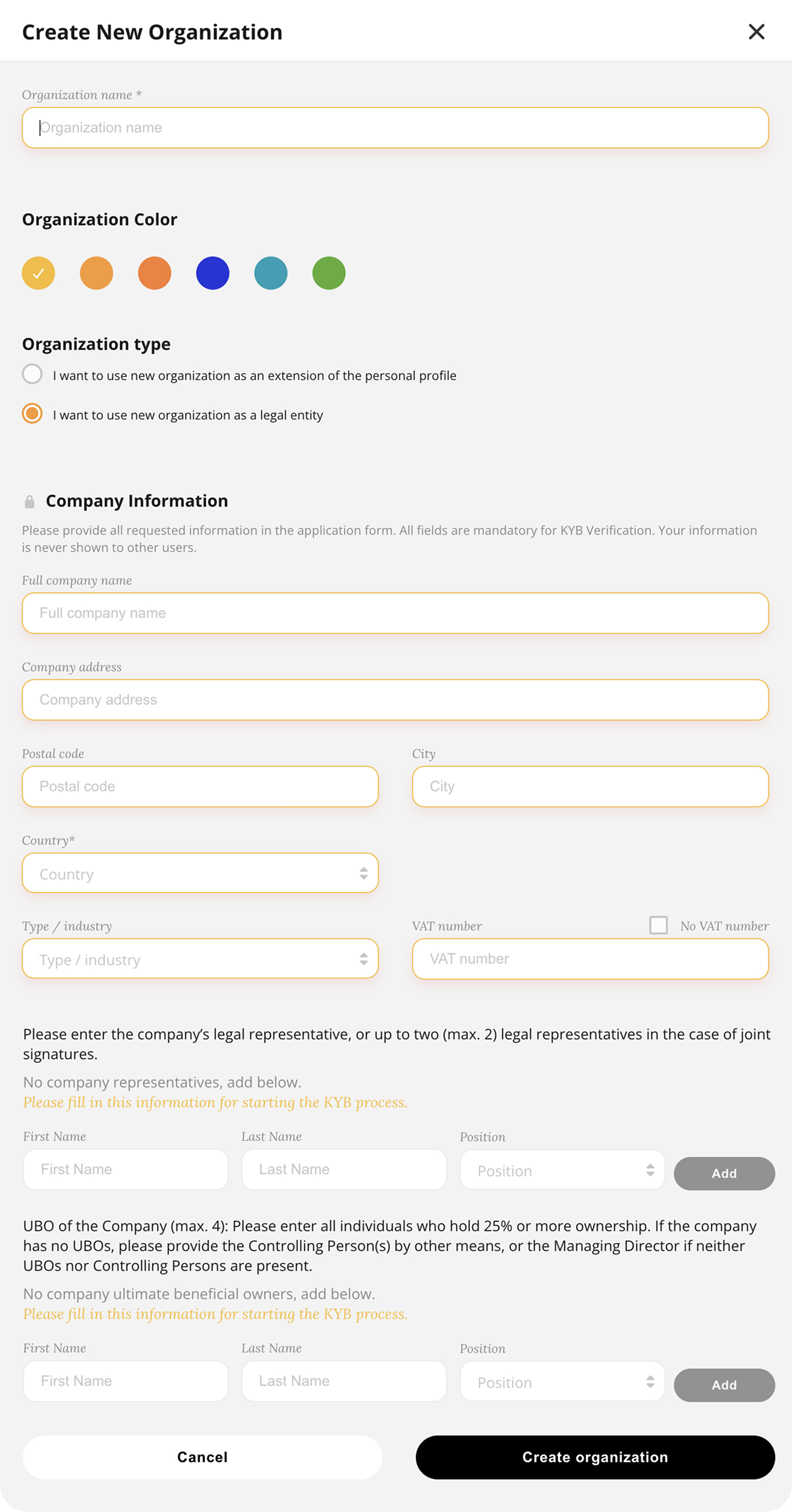
Full instructions available here.
Where to find/start the KYB Process
To start or check the status of the KYB process, go to your sub-organization's Account Limits settings. Here’s how to navigate to the KYB section:
- Log in to your NiceHash account;
- Click on your profile picture in the top menu bar;
- Select "Manage different account" and choose the company organization you previously created;
- Click on your profile picture in the top menu bar again;
- Open "My Settings";
- Select the "Account Limits" tab;
- Start the verification process.

General
This website uses cookies to ensure you get the best experience on our website.