General Help
Adding NiceHash as a trusted sender to Microsoft Outlook
To prevent Hotmail or Microsoft Outlook from banning important messages as spam please follow these steps:
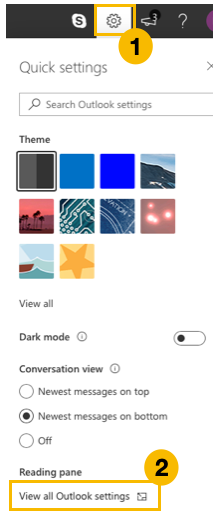
- In outlook.live.com click the configuration button.
- Click "View all Outlook settings".
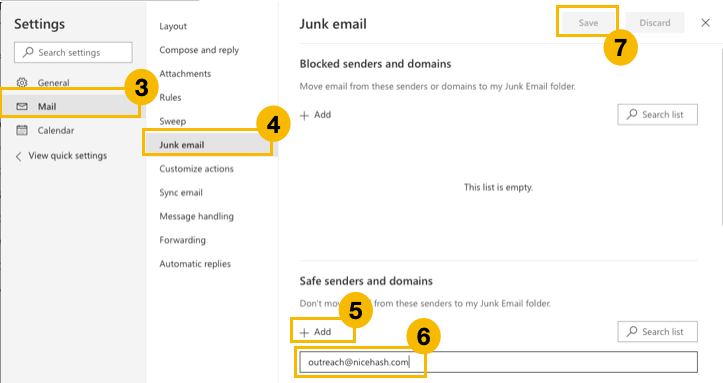
- In the settings menu select "Mail".
- Now select "Junk email".
- In Junk email settings go to "Safe senders and domains" section and click "Add" button.
- Type the following: platform@nicehash.com and press enter. Repeat steps 5-6 with the following email addresses: bounce@nicehash.com.
- Save new settings by pressing the "Save" button.
General
This website uses cookies to ensure you get the best experience on our website.