General Help
NiceHash Travel Rule Guide
When depositing or withdrawing funds from NiceHash, users need to provide Travel Rule information. More about the Travel Rule can be found here.
Adding new withdrawal address on NiceHash
When adding a new withdrawal address user has 3 options:
Option 1 - I'm using Travel Address
Use your Travel Address from a platform that you are withdrawing the balance to. If the platform does not support the Travel Rule and/or Travel Address, use option 2.
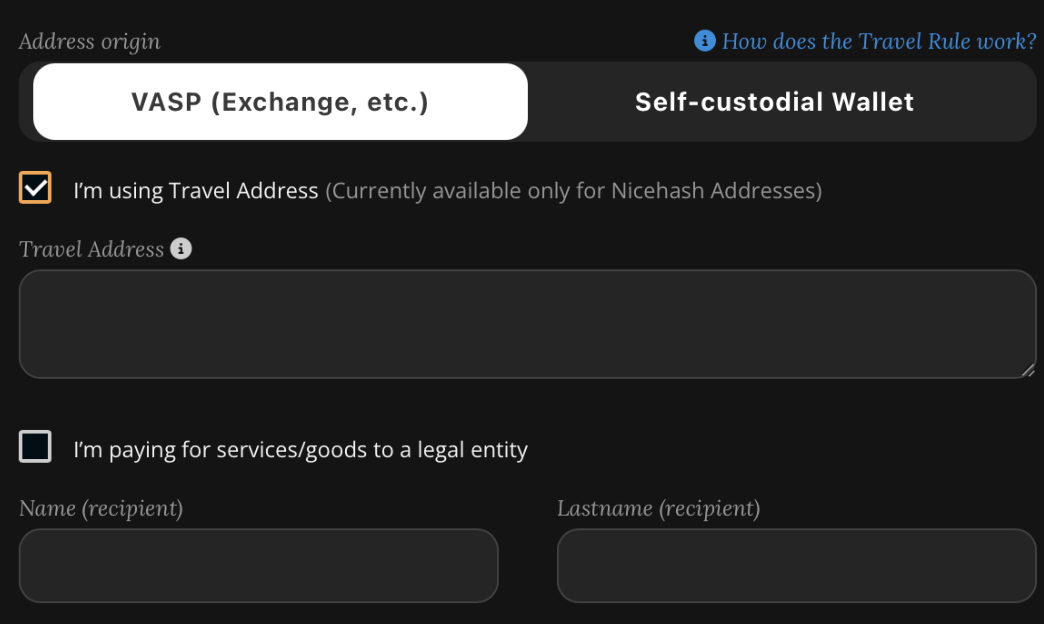
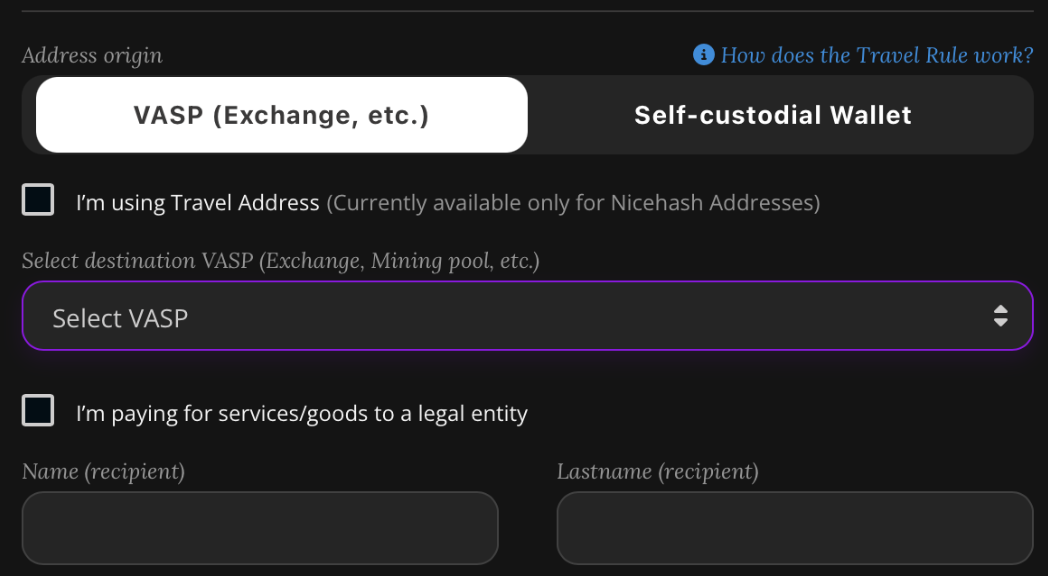
Option 2 - I'm not using Travel Address
If you haven’t received the Travel Address, simply select the platform you are depositing to from the dropdown menu and input the recipient’s name and last name.
If the platform is not listed in the dropdown menu, please write to support@nicehash.com.
Option 3 - Self-custodial Wallet
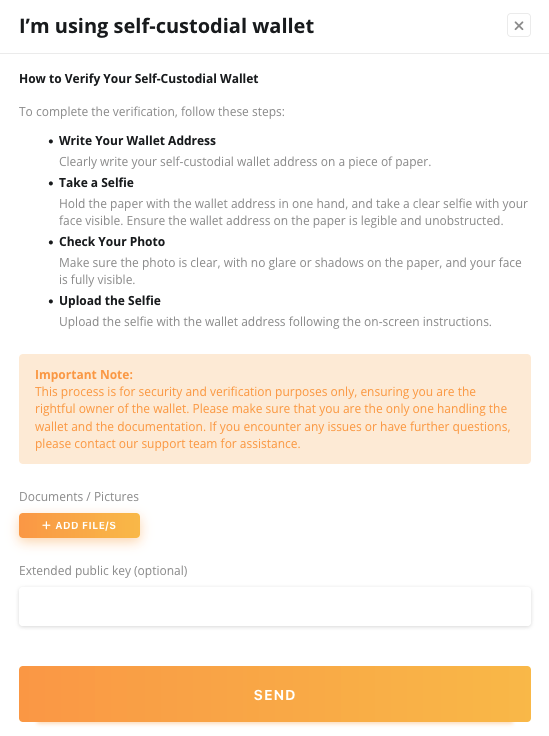
If you use a self-custodial wallet you should provide a Wallet Signature Proof or Visual Proof.
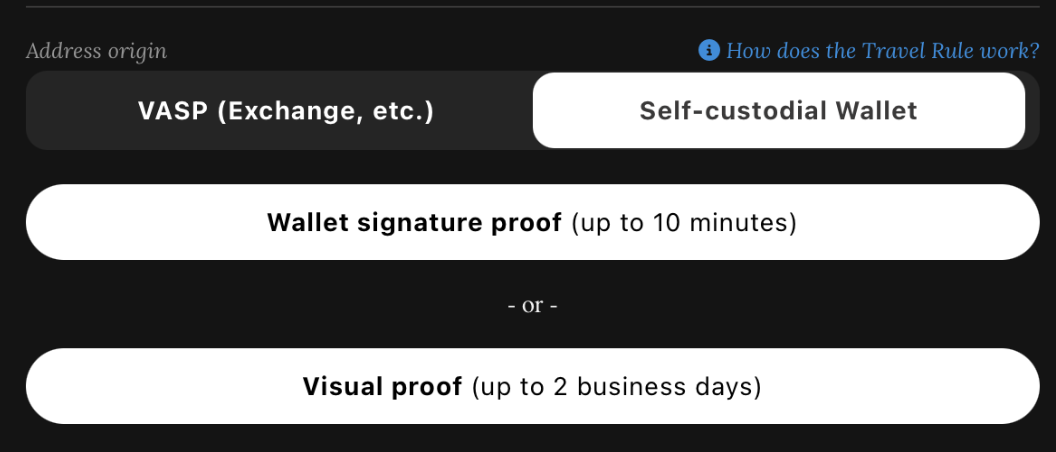
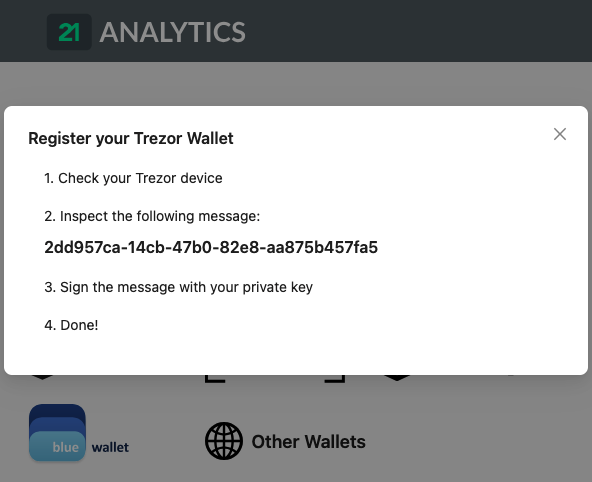
Opting in for Wallet Signature Proof is a faster method and it is recommended.
Once you input the Bitcoin Withdrawal Address and Name, click on WALLET SIGNATURE PROOF button to open a new browser window and follow the instructions.
Visual Proof
Visual Proof can be uploaded to NiceHash by clicking the VISUAL PROOF button. Proceed to upload the selfie with the previously inputted WITHDRAWAL address written on the piece of paper.
Keep in mind that visual proofs are manually reviewed and might take longer to confirm it.
Depositing funds to NiceHash - Travel Rule
When depositing to NiceHash, you can also use the Travel Address generated by NiceHash for you. Use this Travel Address on 3rd party platforms like Kraken, Bitstamp, or other platforms that support Travel Rule with use of Travel Address.
Be aware that some browsers may block pop-up windows or new tabs when clicking on links. If the link doesn't open, check your browser settings.
Deposit stuck or withheld?
If your deposit is stuck or withheld, you can resolve it by providing necessary information. Navigate to your Wallet tab -> Bitcoin and click on the pending transaction.
You have two options to provide necessary information:
- Transaction was sent from VASP
- Transaction was sent from Self-custodial wallet
Option 1 - Transaction was sent from VASP
VASP stands for Virtual Asset Service Provider. Select the platform from where you made the deposit from the dropdown menu and input the recipient’s name and last name.
If the platform is not listed in the dropdown menu, please write to support@nicehash.com.
Option 2 - Transaction was sent from self-custodial wallet
If you have sent the transaction from a self-custodial wallet you should provide a Wallet Signature Proof or Visual Proof. The process is identical to Option 3 in Adding a new withdrawal address section.