EasyMining
How do I buy a package with USDT?
To buy an EasyMining package, you need a NiceHash account, completed KYC (identity verification), and the "Buying Hashrate" feature enabled in your account settings.
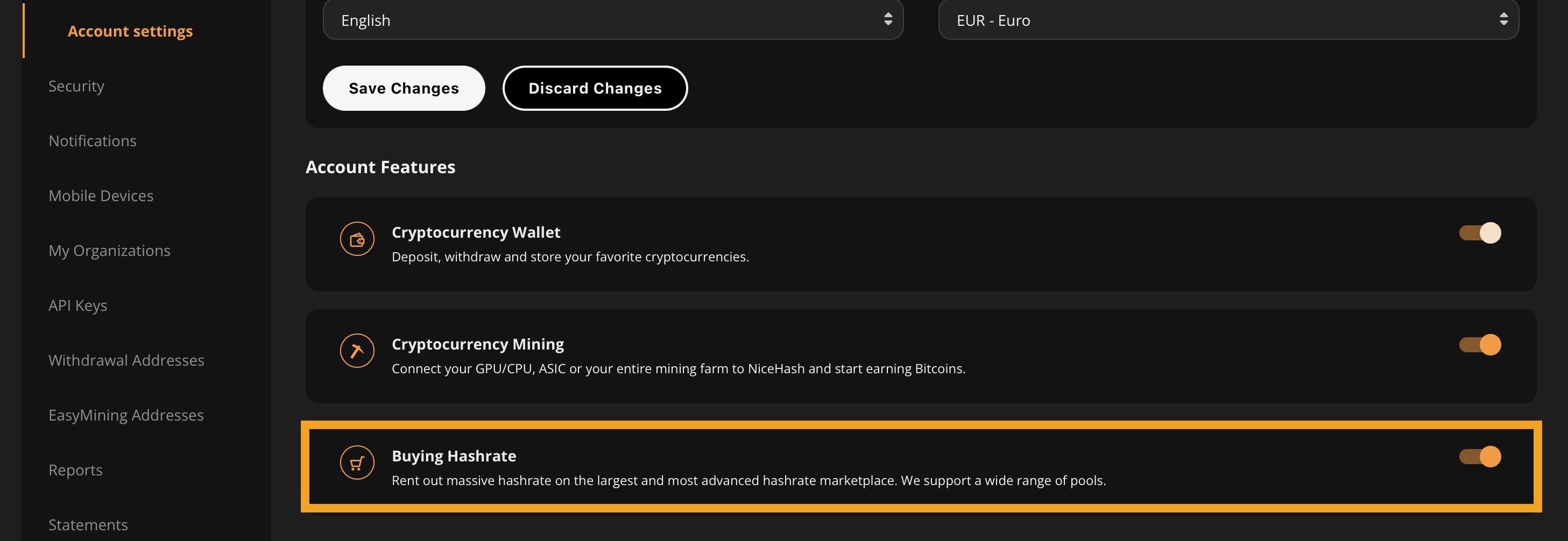
Before you buy a package, you will also need some Tether (USDT) in your NiceHash wallet. If you're already mining with NiceHash, you may already have a balance. If not, you can deposit USDT from an external wallet, or buy USDT through our partner Banxa.
Once you've signed up, or if you already have a NiceHash account, navigate to your Dashboard and select the 'EasyMining' tab. You will have an option to choose between SoloMining or TeamMining. For the purposes of this article, we will select SoloMining. Learn more about TeamMining here.
You will also be able to choose between paying with BTC or USDT. Learn how to buy a package with BTC here.
From here, you will be able to see the packages available for purchase:
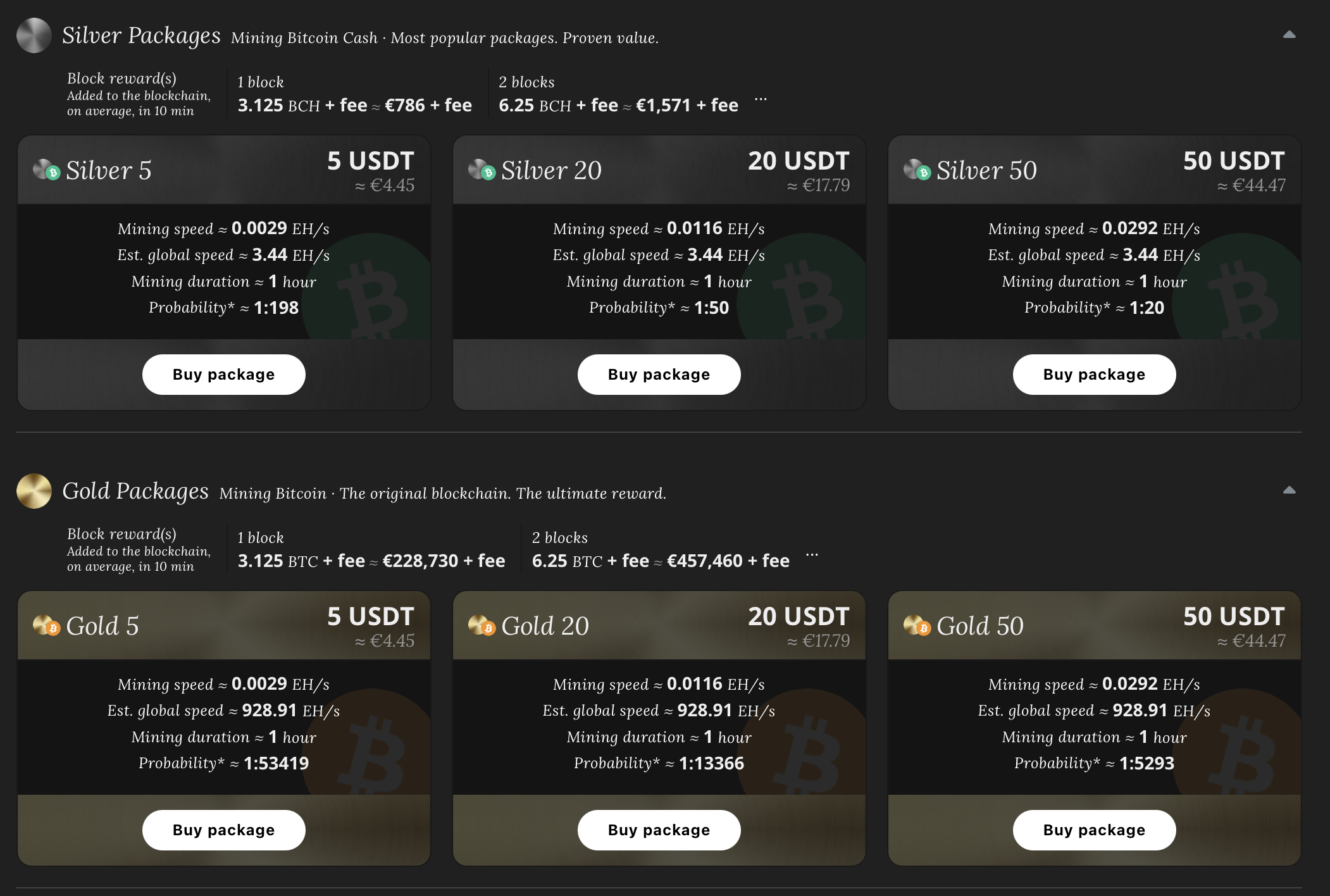
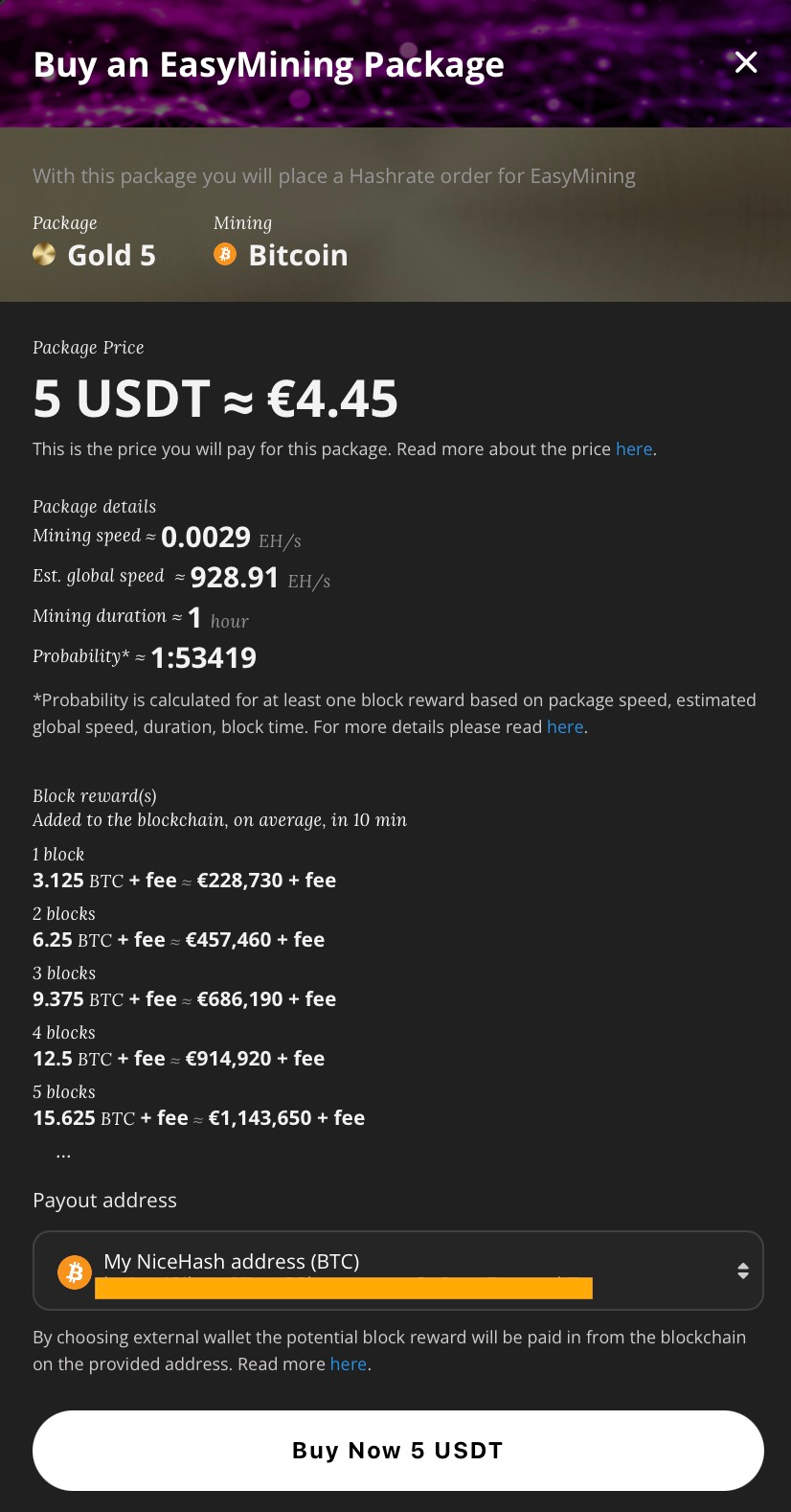
Select a package to see which coin it mines. Available coins currently include Bitcoin (BTC) and Bitcoin Cash (BCH). Select the package you want to buy, enter the wallet address where you will receive the reward and click 'Buy Now'.
Double-check that the wallet address is correct. Entering a wrong wallet address can result in lost rewards.
Once you've purchased the package, it will show in the 'Active Packages' section. Every package buys you a fixed amount of hashrate.
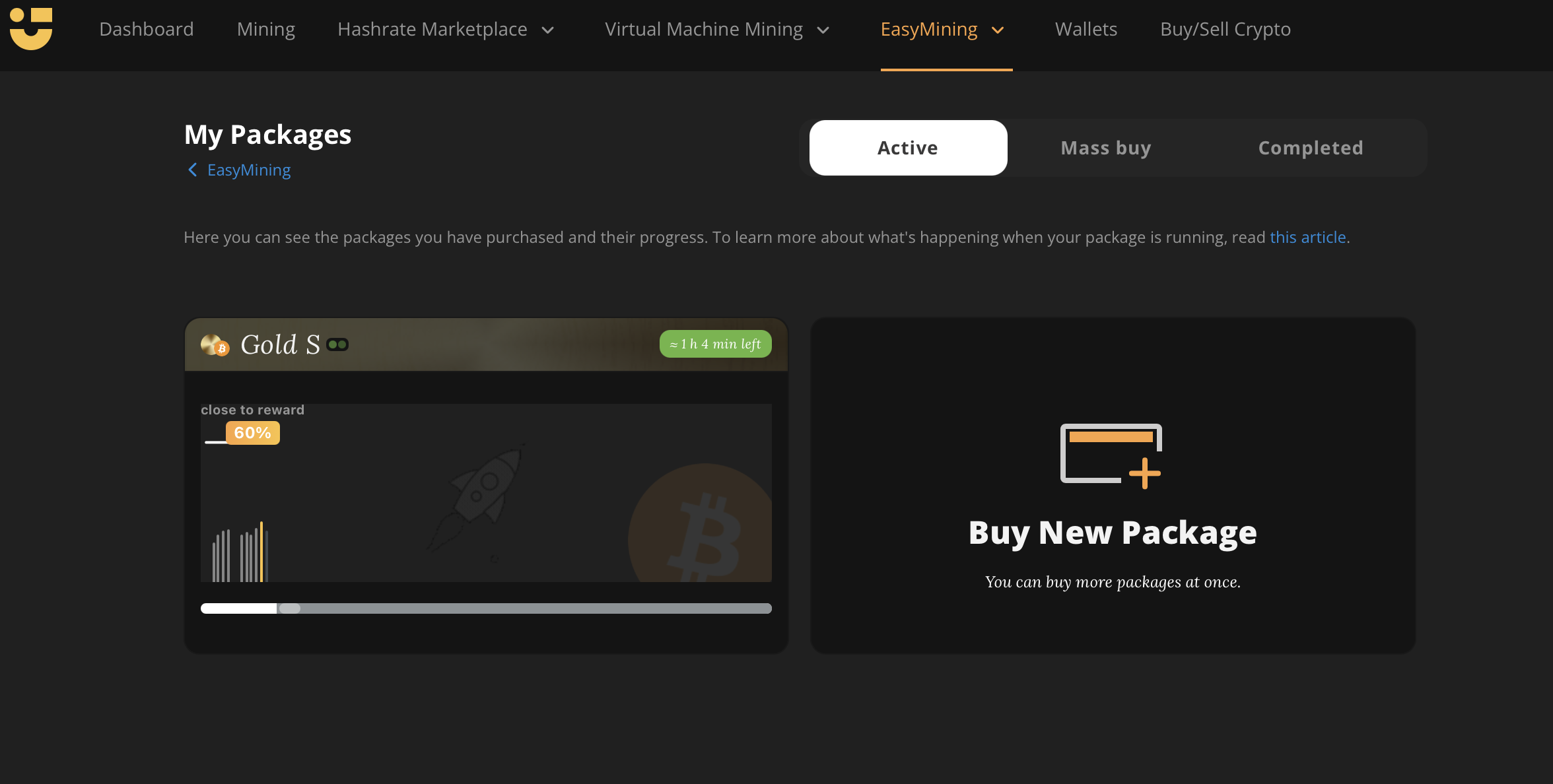
Click on the package to see your package's progress and other order details.
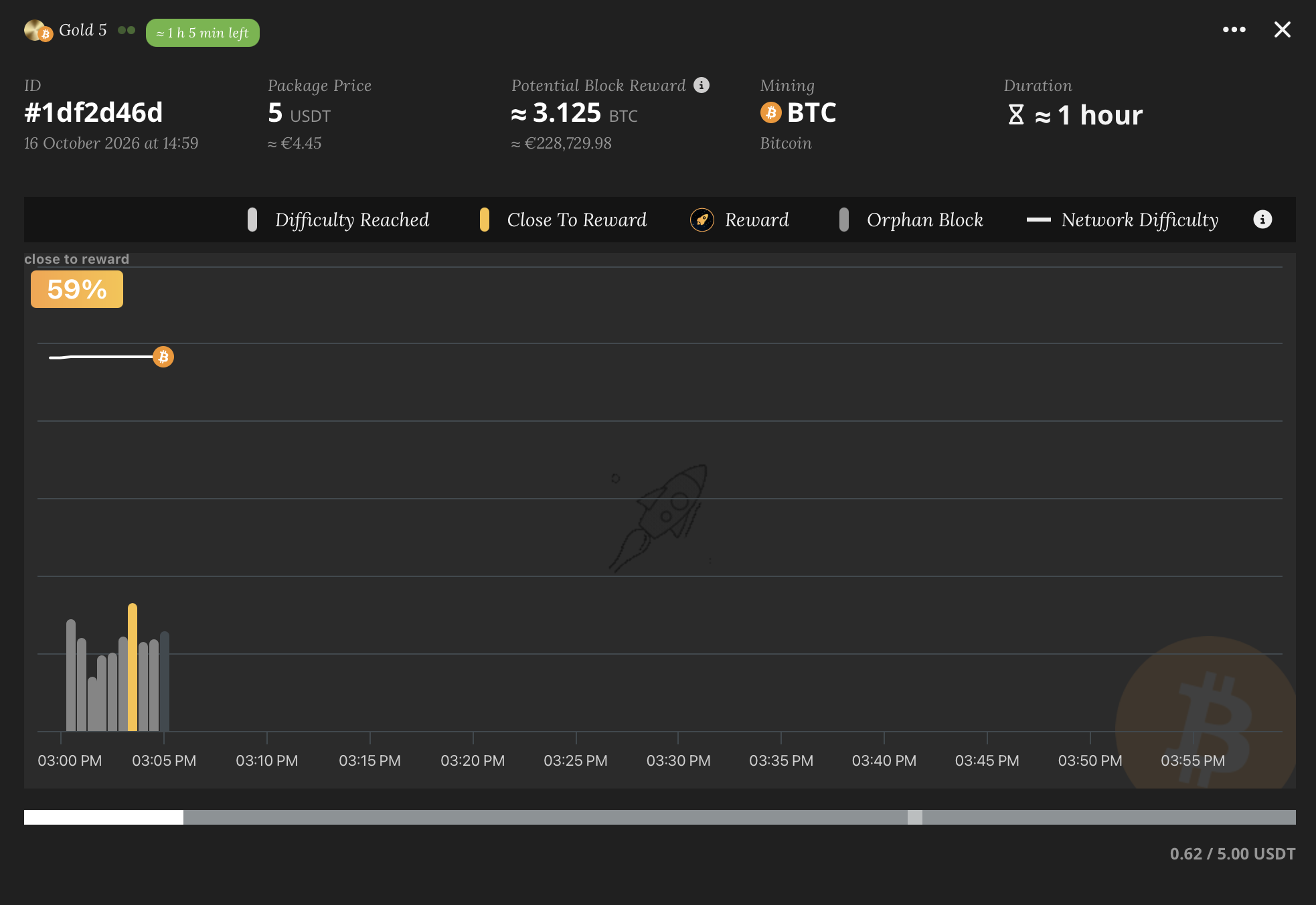
The line at the top of the chart represents the Global Network Difficulty while the percentage indicates how close you are to mining a block (you can read more about difficulty and how EasyMining works here). At the bottom, you'll see a grey progress bar that advances as time passes. For more information on the chart, click here.
If your package successfully mines a block, you will see a "Mined Block!" message. Once the package ends the reward will be sent to your selected wallet address!
For details on our fees and pricing, visit our fees page.