How to buy Bitcoin at NiceHash using Banxa
This guide will show you how to buy Bitcoin at NiceHash using our partner service Banxa. It's easy to buy and sell Bitcoin, and the feature is available in your dashboard as soon as you register as a user.
Note that this guide is on desktop, the steps for mobile devices are the same but the interface will look different. If you want to SELL (exchange) Bitcoin to fiat currency using this service, check out this guide.
Step 1
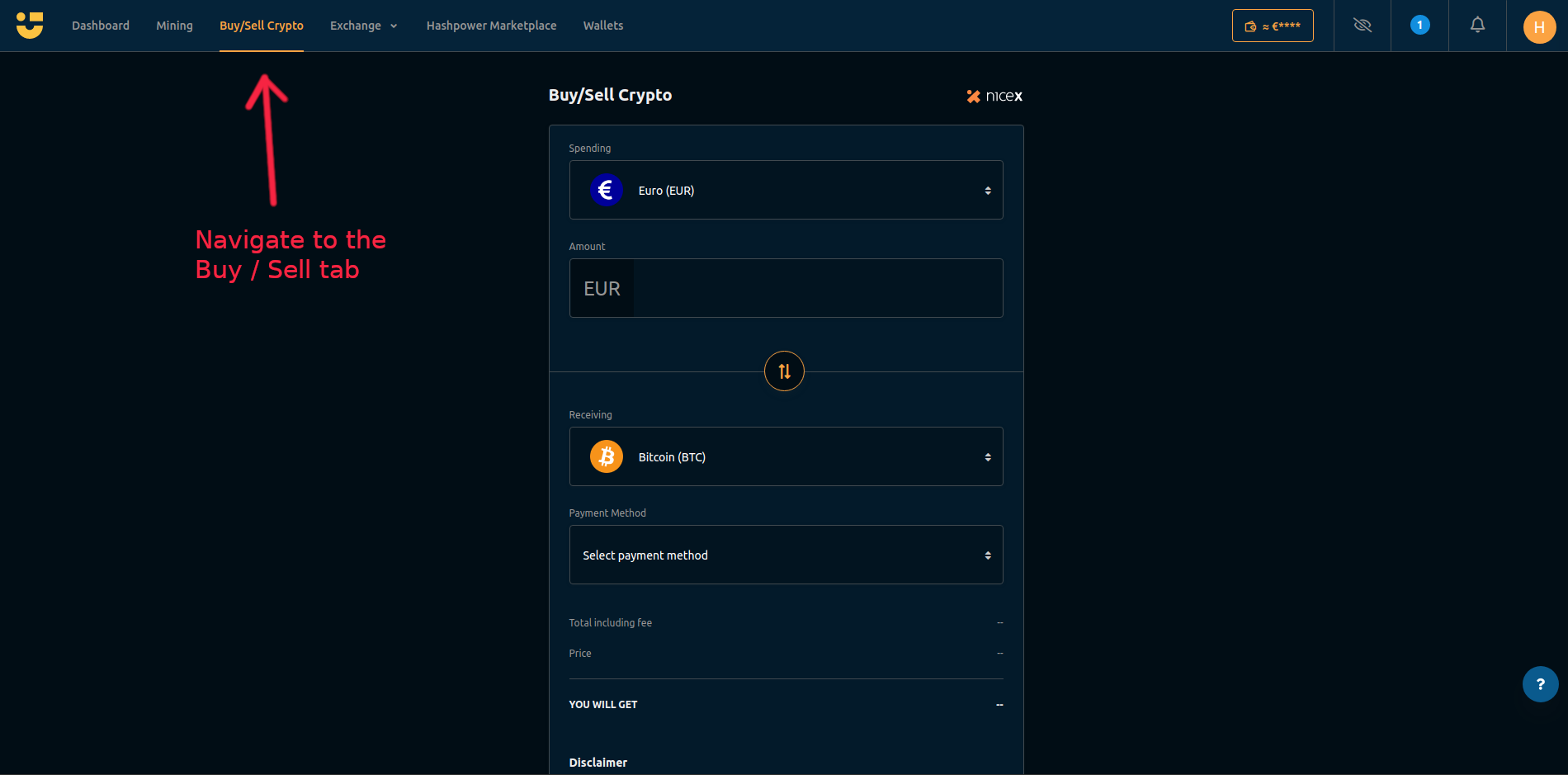
Login to your NiceHash account and navigate to 'Buy/Sell Crypto' in your dashboard.
Step 2
In the drop down menu, select the fiat currency you wish to pay with. (Currently you can pay with these currencies: USD, EUR, AUD, RUB, DKK, CZK, CAD, GBP, HKD, NOK, PLN, SEK, TRY)

Step 3
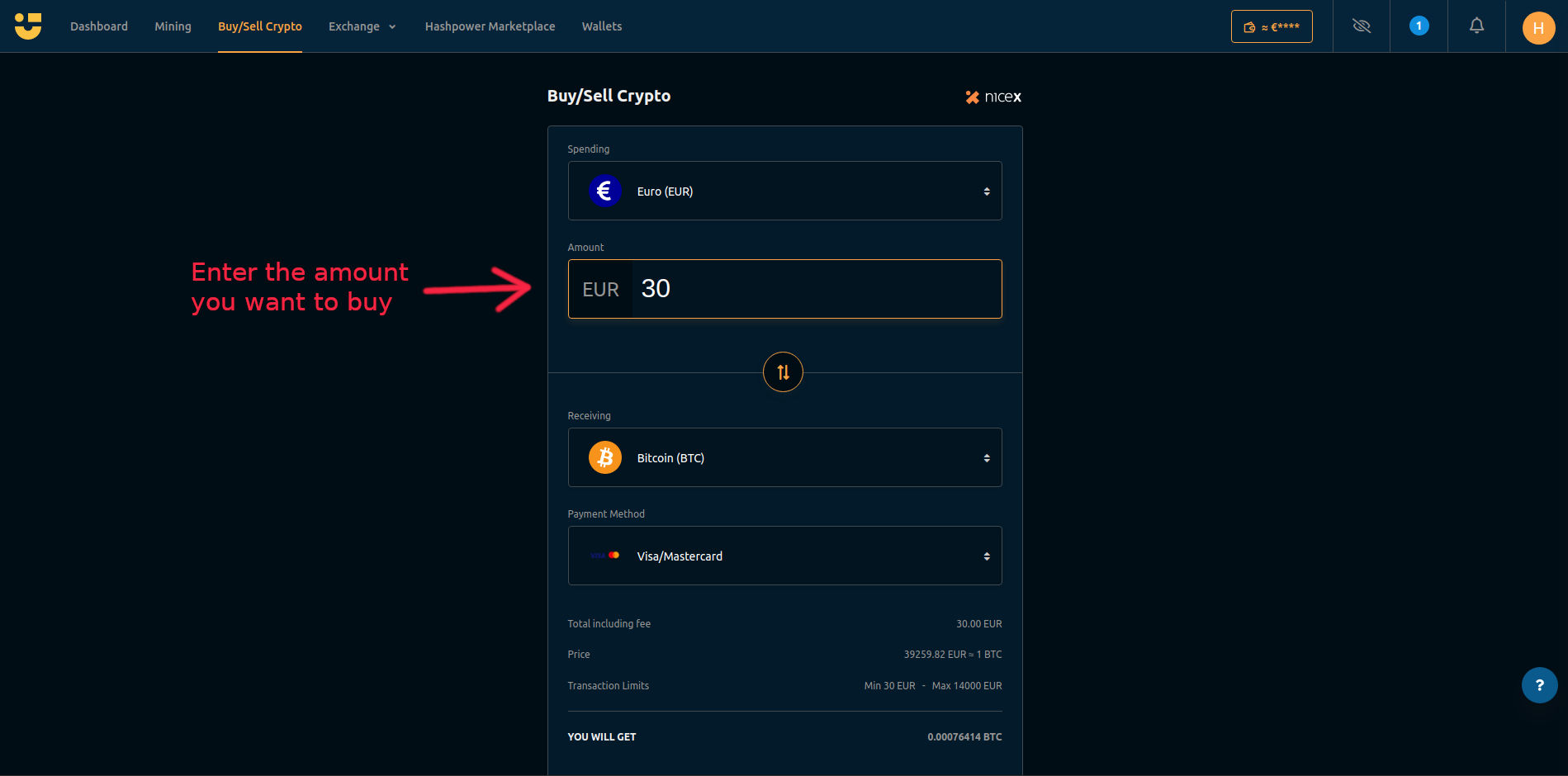
Enter the amount you wish to buy (in fiat value). The minimum is 30 Euros / Dollars.
Step 4
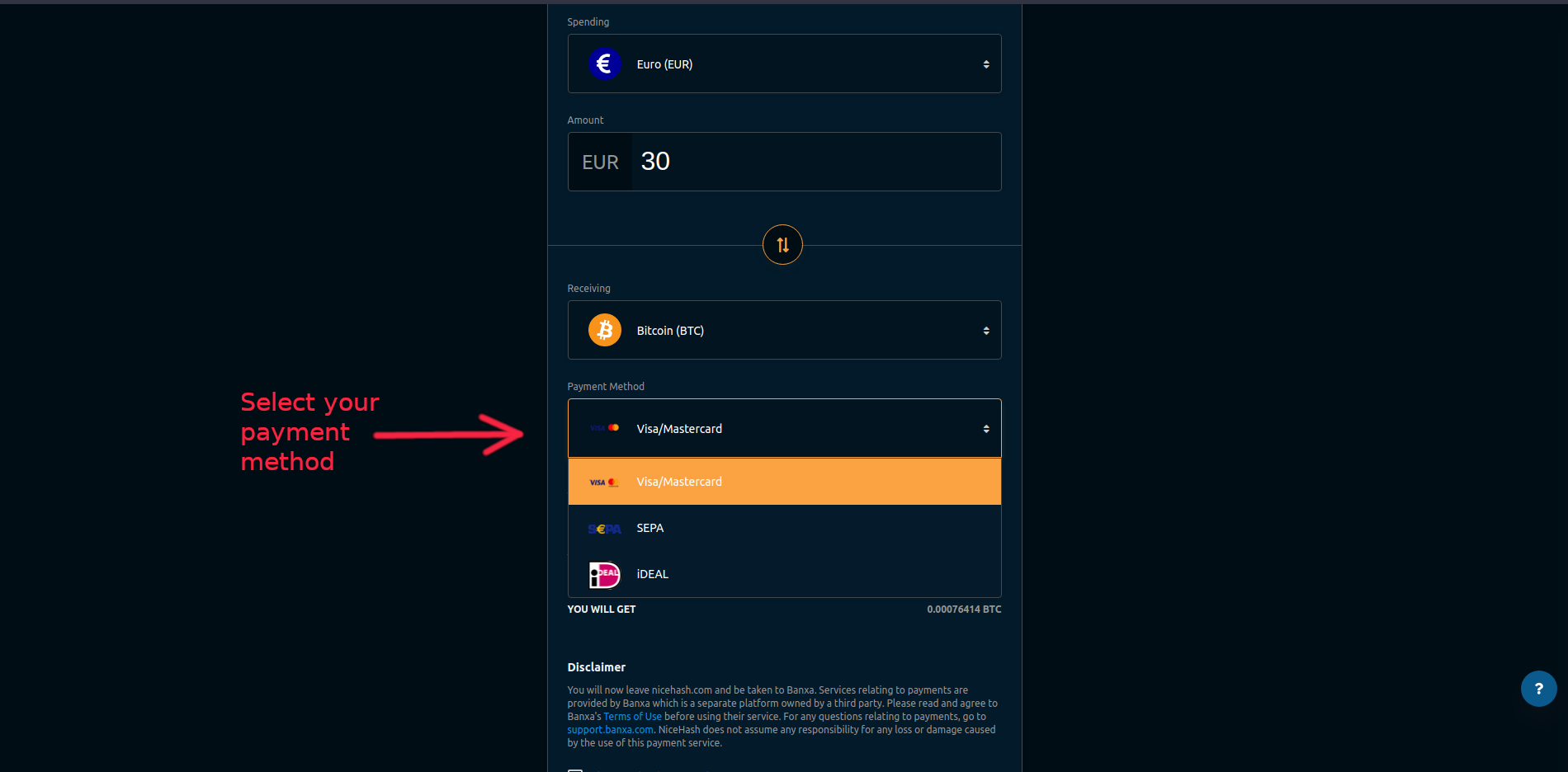
Next select your payment method. The options available will depend on the currency you are paying with, but Credit and Debit card, bank transfer, iDeal, ApplePay and other methods are supported.
Step 5
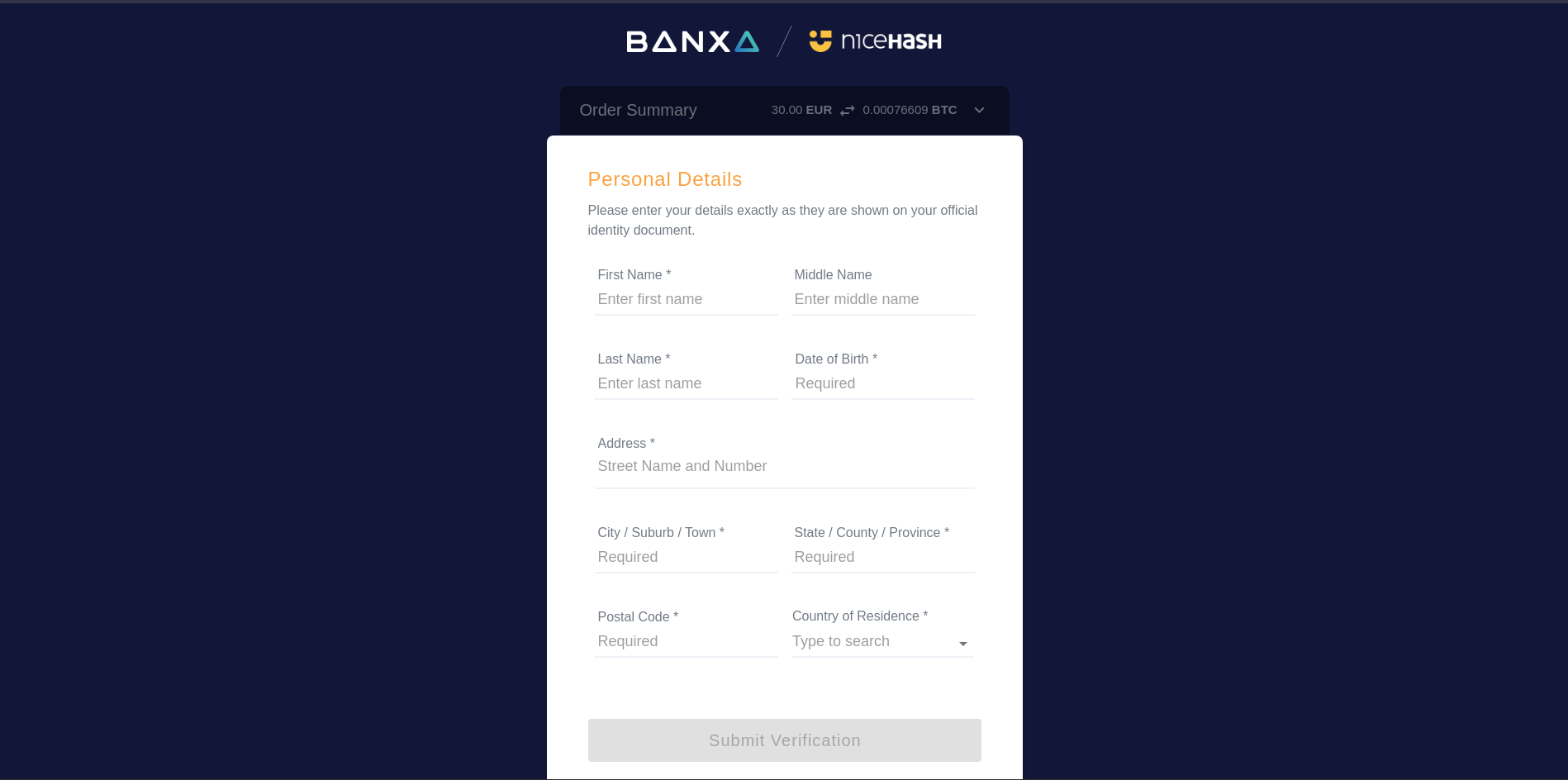
Then you will be asked to fill in your details, such as name and billing address. Make sure these match your payment method. You only need to do this step the first time you buy with Banxa, then it will be saved to your account for easy checkout next time.
Step 6
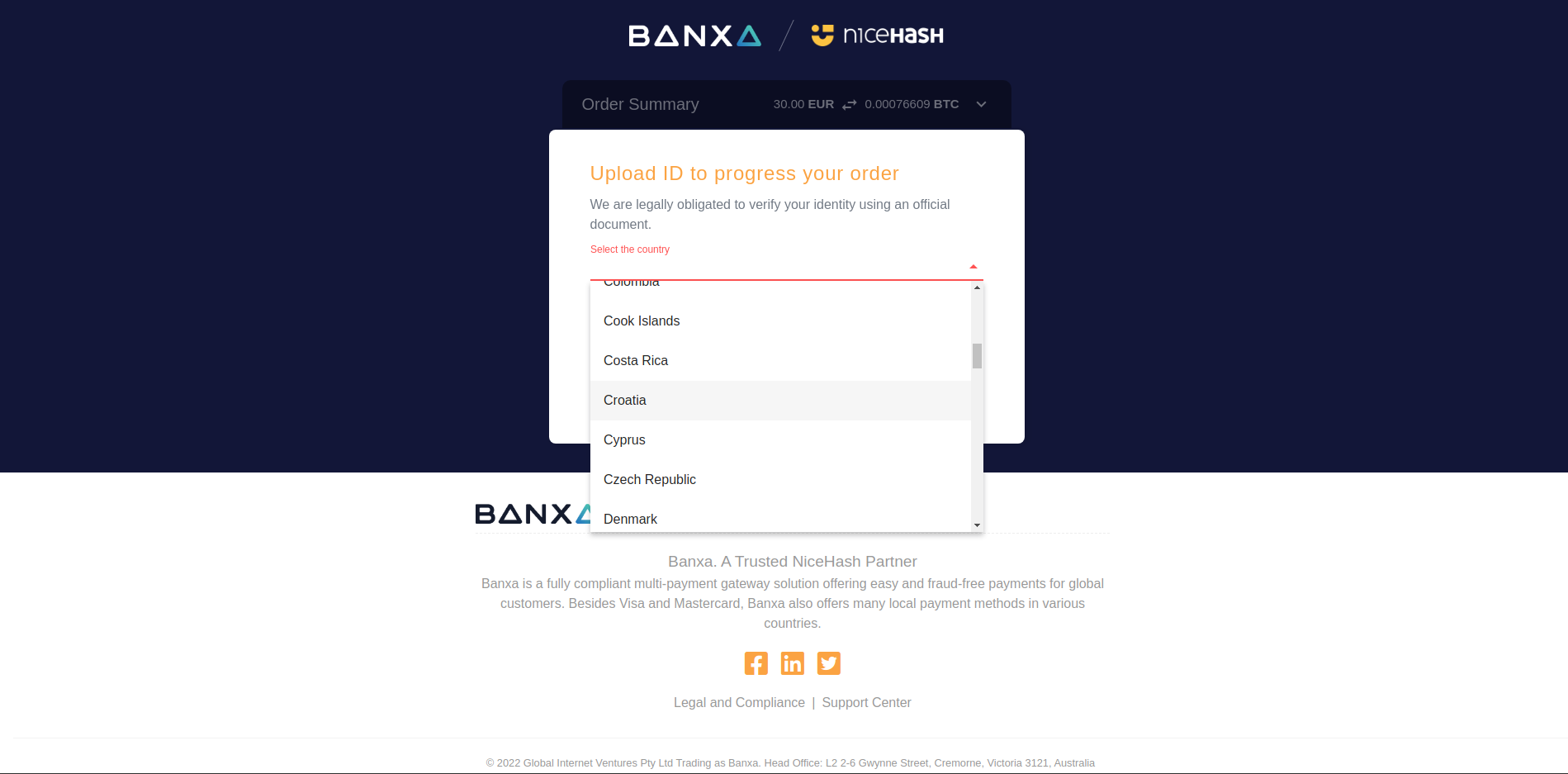
The first time you use Banxa, you will need to do a KYC check. This is to verify your identity, and is commonly required for all crypto/fiat transactions by most platforms in the crypto industry in order to comply with local regulations. You only need to do this once. Select the country your document is issued from, then proceed to the next step.
Step 7
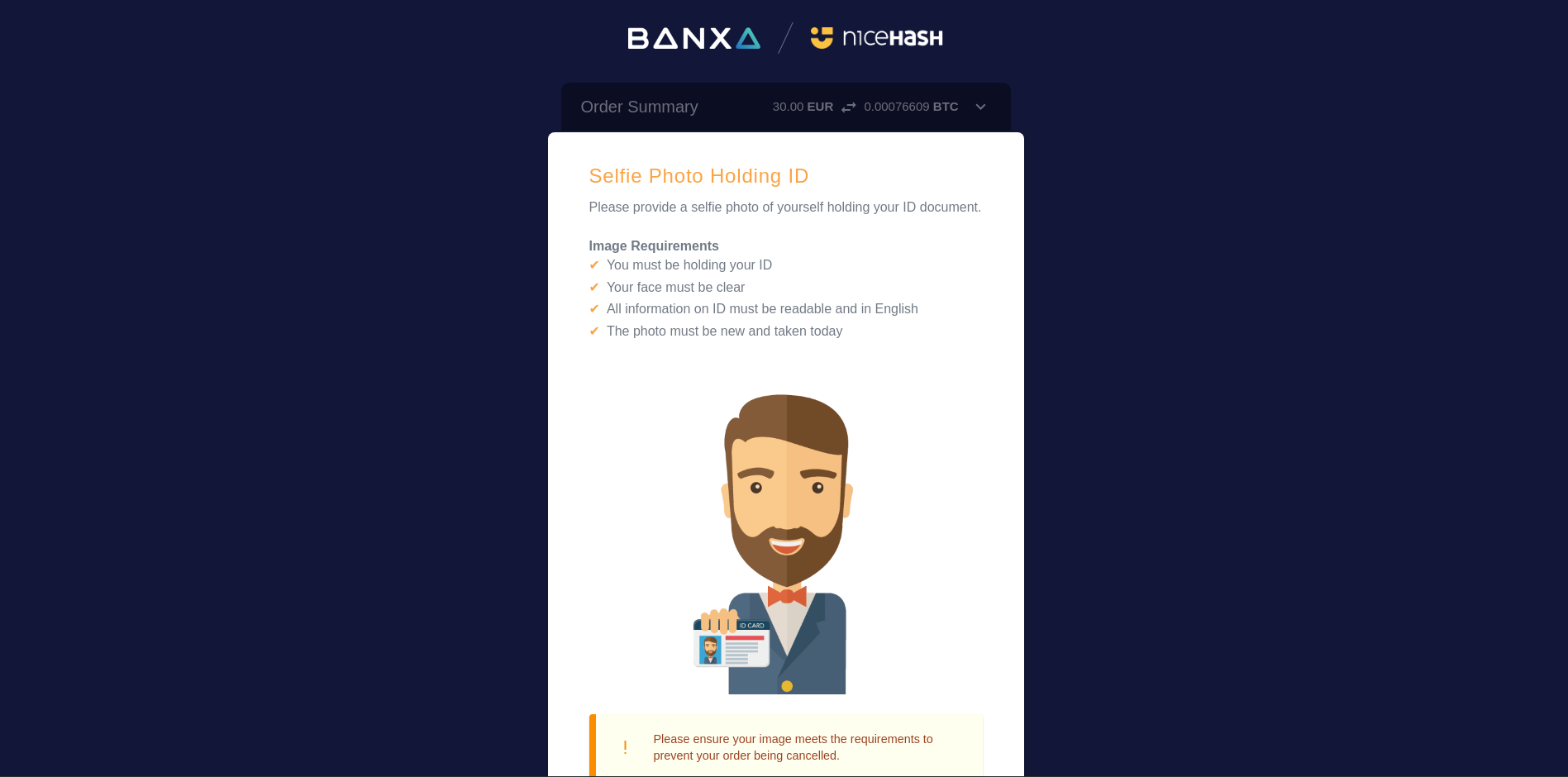
Then proceed to upload the requested document, usually a passport, ID card, or drivers licence. Next, you'll be asked to submit a photo of yourself holding your ID, to prove you have physical ownership of the document (this is an extra security feature to prevent a hacker impersonating you).
Step 8
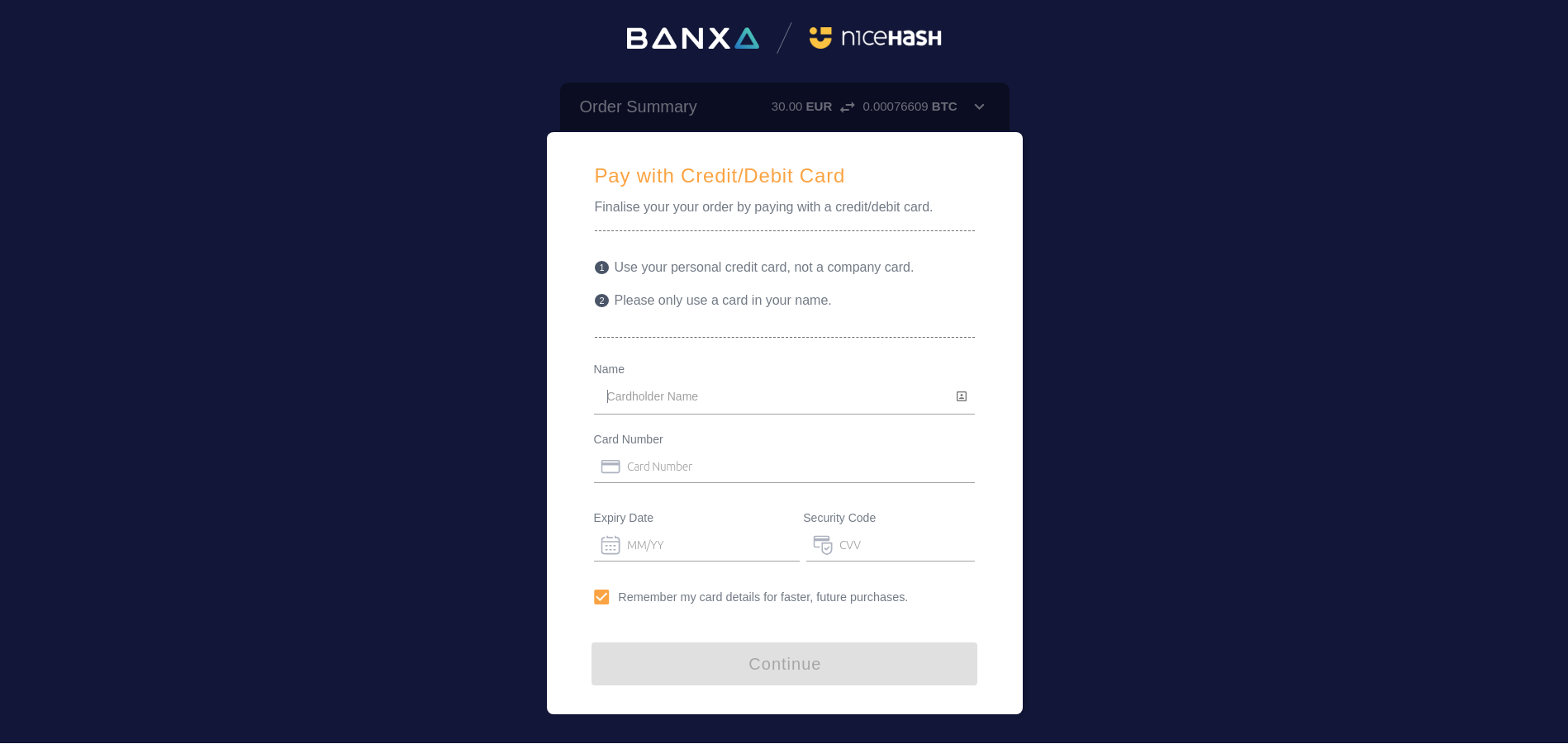
Once you have verified your identity, you can enter your card details to make the payment. (Or the account details for a SEPA or bank transfer will be shown to you for the next step).
Step 9
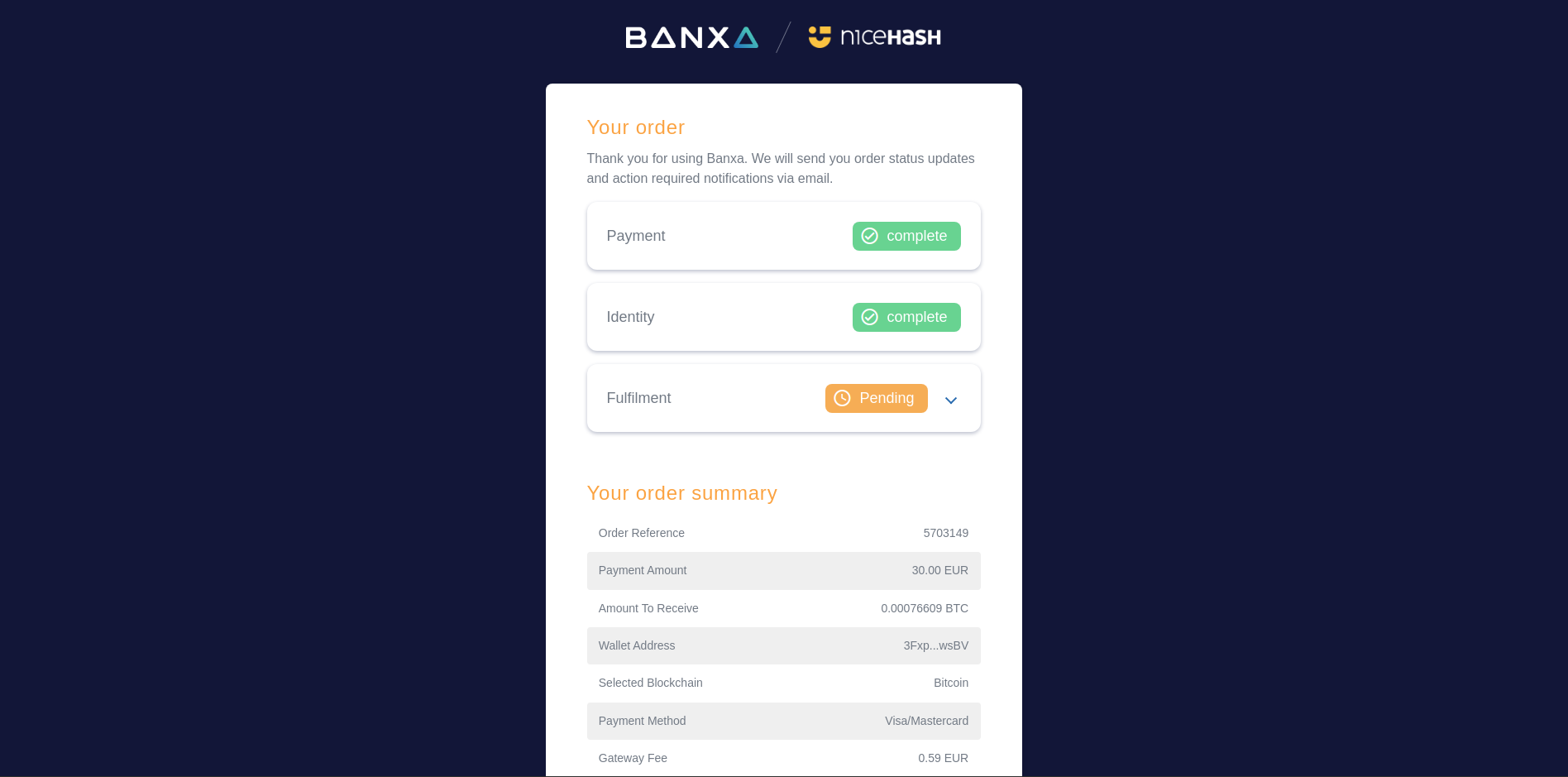
After the payment has processed, you will see your order summary and completion on the next page. Here you will see 'pending' in the fulfillment section, as it can take about 15 to 20 minutes for you to receive the purchased Bitcoin, depending on blockchain conditions.
Step 10
Then you can click 'Return to wallet' and you will be taken back to your NiceHash wallet, where you can see the transaction pending. Here you can check back and see when the Bitcoin will arrive on your account.
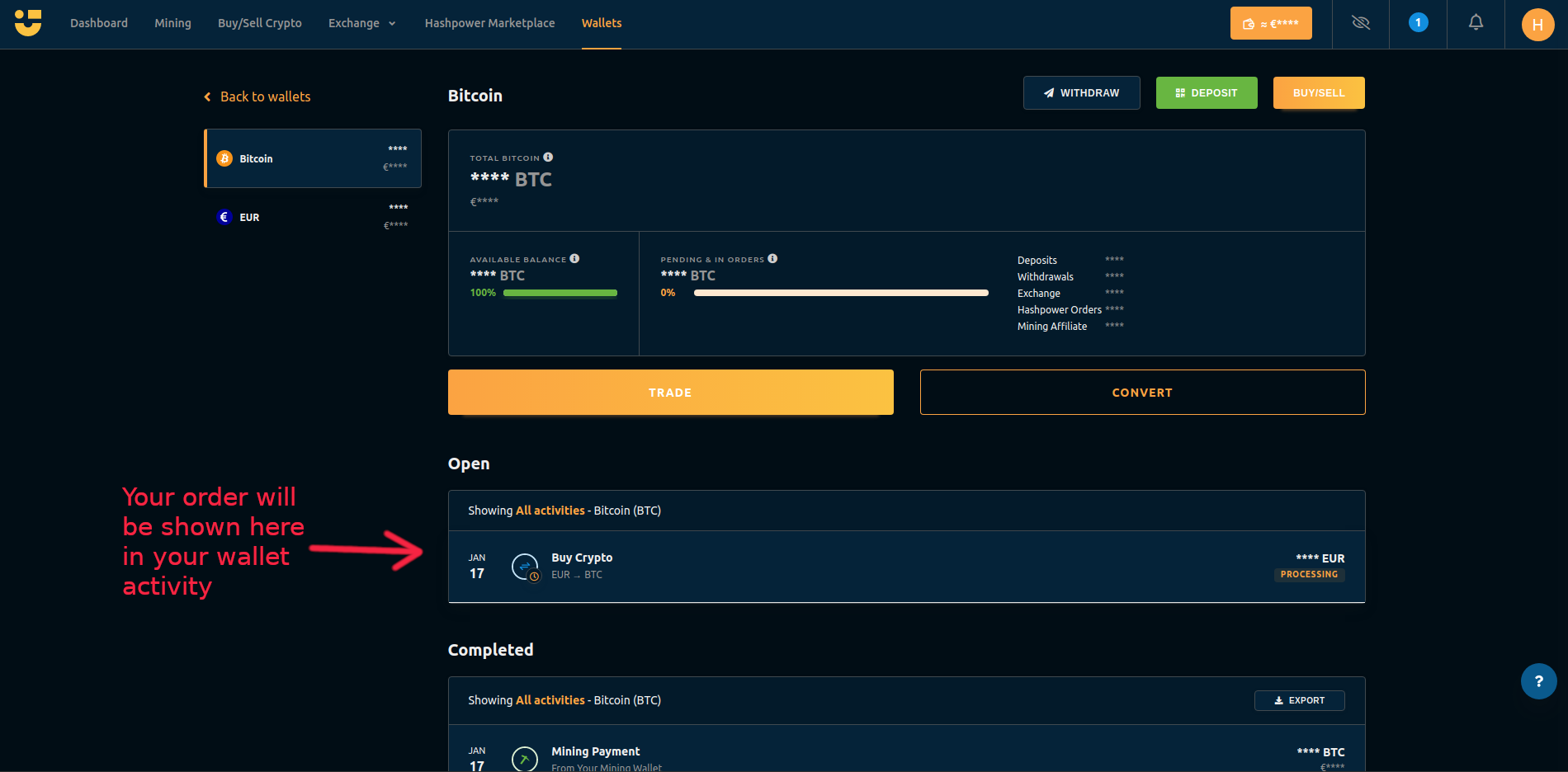
That's it, you have bought some Bitcoin!
Please note that it usually takes about 20 minutes for the transaction to receive all the confirmations, but can be longer depending on blockchain conditions.
If you need any help you can always reach out to our support agents in 9 different languages, 7 days a week, and they will be happy to assist you.