EasyMining
How do I buy a package?
To buy a package to try EasyMining, you first need to sign up for a NiceHash account, enable hashrate Orders and complete the KYC. You can sign up here, and enable this in your settings.

Before you buy a package, you will need to make sure you have some Bitcoin (BTC) on your NiceHash wallet. If you are already mining with us, then you probably have some balance. If not, you can see how to transfer from an external wallet here, or buy Bitcoin with debit/credit card or bank transfer here.
Once you sign up (or if you are already a NiceHash customer) you can navigate to your Dashboard and click on 'EasyMining'. From here, you will be able to see the packages available for purchase:
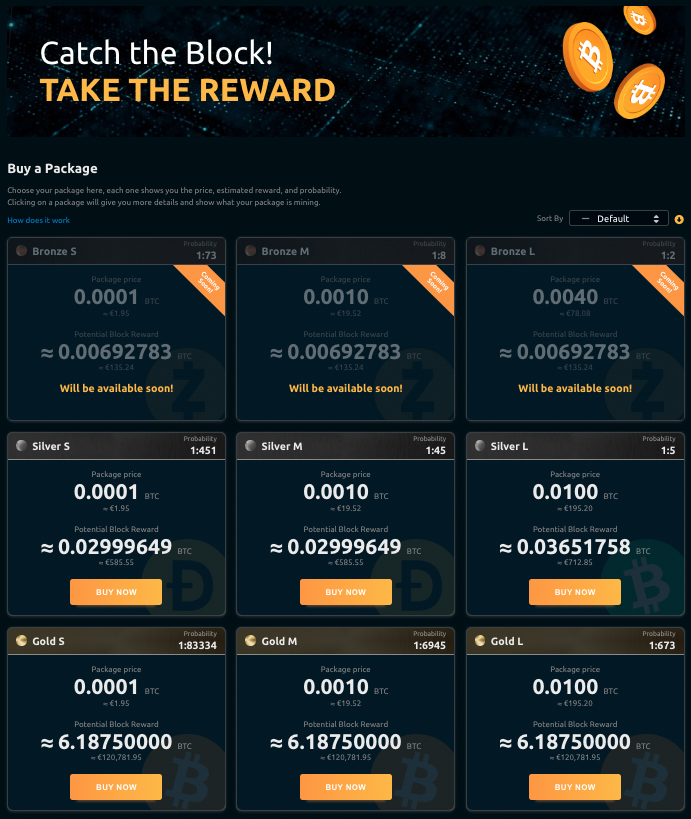
You can filter packages by price, probability, and reward as well as switch between Single and Team mining packages.
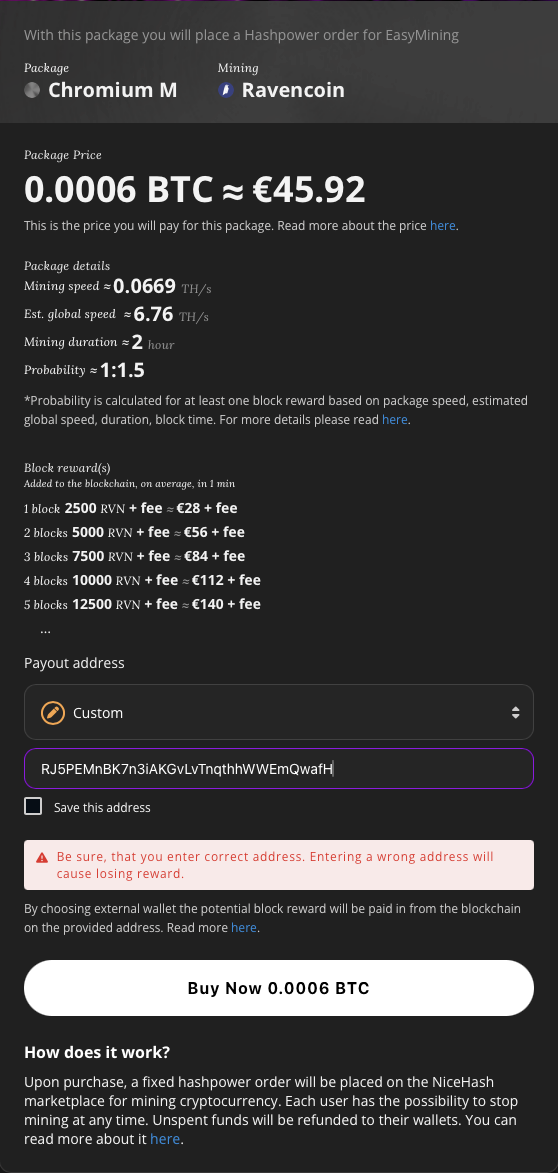
Click on a package, and you can see what coin it is mining. Currently this can be Bitcoin (BTC), Bitcoin Cash (BCH), Litecoin (LTC), Dogecoin (DOGE), Ravencoin (RVN) or Kaspa (KAS). Choose the type of package you want to try mining, enter the wallet address where you want to receive any block rewards and click 'Buy Now'.
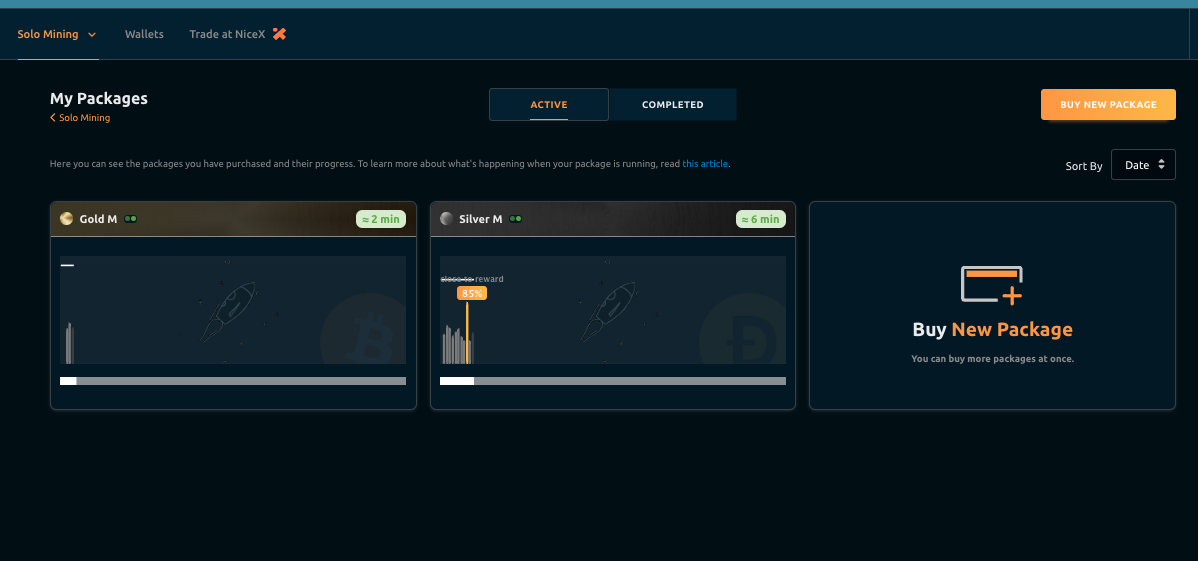
Once you purchased the package, it will show at the top of the 'Active Packages' section. Every package buys you a fixed amount of hashrate and can last between 1 hour up to 4 hours depending on your package, and the progress bar will show you how close you are to mining a block.
You can click on this and it will open up your mining package. Here you can see the progress of your order, and various information about what's happening
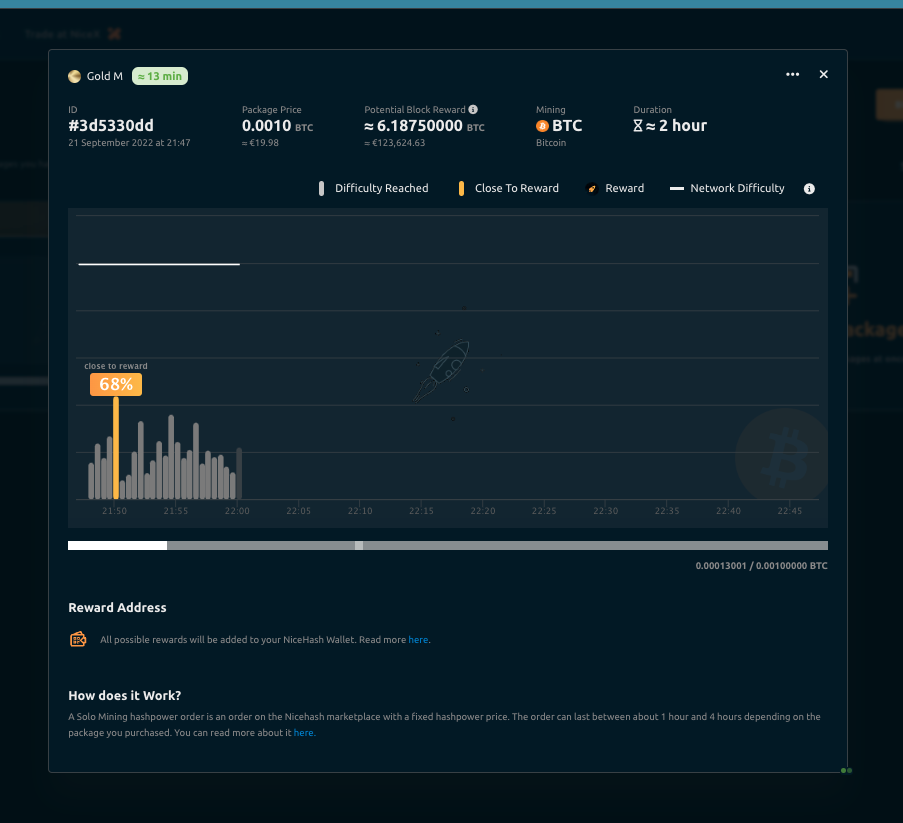
The black line at the top is the Global Network Difficulty, you can read more about difficulty and how EasyMining works here. Underneath, you will see a grey progress bar which will advance as the time passes. This progress bar show you the hashrate (or 'speed') of your package. If the bar turns yellow, this indicates you are close to mining a block, and the percentage will show how close you were. If you mine one, you will see a rocket icon on top of the yellow bar. For more information on the chart, click here.
If you mined a block, you will see "Mined Block!", and once the packet ends you will receive the reward to your external address!
For details on our fees and pricing, visit our fees page.