How to keep the GPUs from overheating in summer?
Brace yourself, summer is coming. The temperatures in the upcoming months will increase and your mining rig will not help to keep your room or house cold. But since we are miners, we do not care about that, we are happy as long as GPU temperatures are low enough.

When does the GPU overheat?
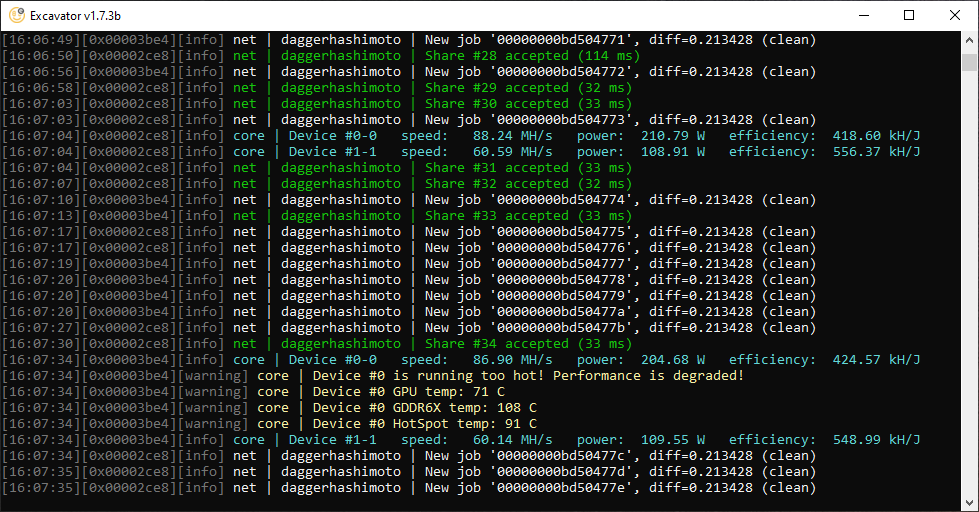
But before deciding to cool down the GPUs, you must know when the GPU is actually running too hot. For all it matters, the room temperature might be relatively high but the GPU itself might not necessarily be overheating. We already wrote about optimal GPU temperature in this article.
Usually, the GPU starts to overheat and thermal throttle with a:
- Core temperature above 70°C or,
- VRAM temperature above 95°C
The HotSpot sensor should have the highest temperature measured on the GPU. Under normal circumstances, the HotSpot temperature should stay bellow 95ºC.
Note that not all GPUs thermal throttle at the same temperature. Some can start throttling at 70ºC and others can do so at 80ºC. Nowadays, it is really hard to damage a GPU by overheating it, since the GPU will start to reduce its performance before damages occur.
You can also tell if the GPU is overheating and therefore thermal throttling by using NiceHash QuickMiner or Excavator. They will warn you about thermal throttling which is a sign of overheating GPU. Unfortunately, both of these only support NVIDIA GPUs.
How to keep the mining GPUs cold-ish?
There are two economical and reasonable ways to cold down the GPUs:
- Lowering the power usage
- Removing the disposed heat
Using air-conditioning is not recommended as it uses a lot of energy, meaning that it is neither economic nor environmentally friendly.

1. Lowering the power usage
Lowering the power usage will enormously lower the heat generated by the GPU. This should be done even if you have no issues with overheating.
Most of the GPU power usage in Watts is converted into heat. Running a 1000 Watt mining rig is practically the same as running a 1000 Watt heater. By lowering the power usage by 20%, we are not only saving on our electricity bill and contributing to a cleaner environment, but also lowering the heat output of your rig by 20%. Not to mention that most NVIDIA cards do not mind lowering the power limit by 20%. Some GPUs are even fine with a 40% decrease (3070 and 3060 Ti for example). Learn how to lower the power limit in QuickMiner or NiceHash Miner by reading this article.
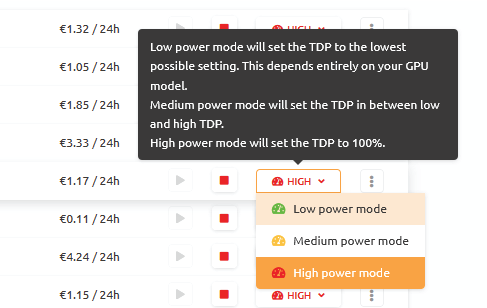
AMD GPU owners should focus on lowering the Core Voltage instead. We will create a guide about AMD downclocking in the future.
2. Removing the disposed heat
The basic principles for cooling down GPUs are always the same. The key for a GPU to not overheat is to remove the heat away from it and allow fresh air to pass through the GPU. If the hot air, already used to cool down the GPU is not disposed of (moved away from the GPU), there is a high likelihood of the same, already hot air, passing through the GPU again which will lower the cooling efficiency.
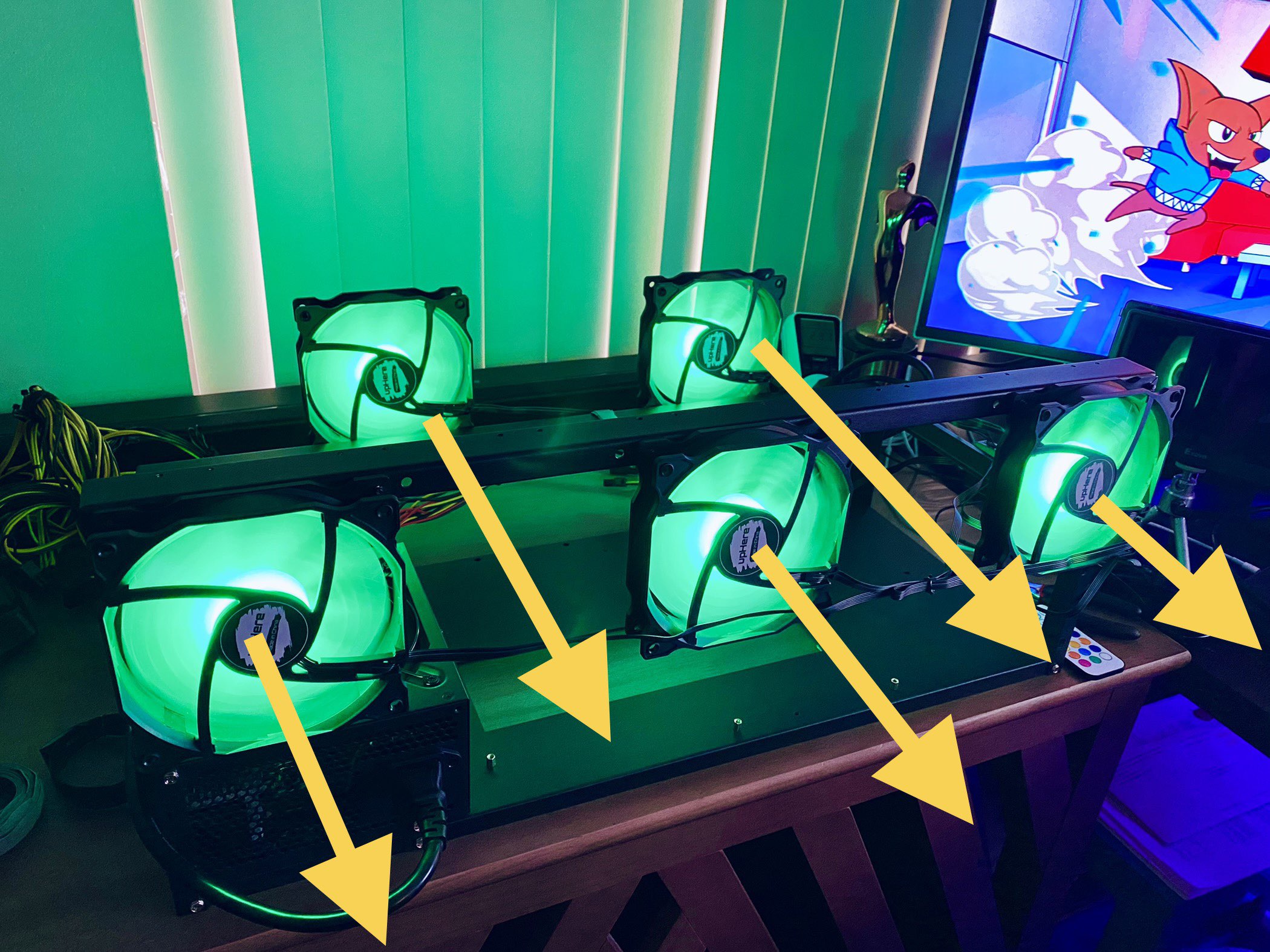
To solve the airflow problem, make sure that the hot air is removed by installing enough fans around the GPU. If you are using a PC case, you can open a side panel.
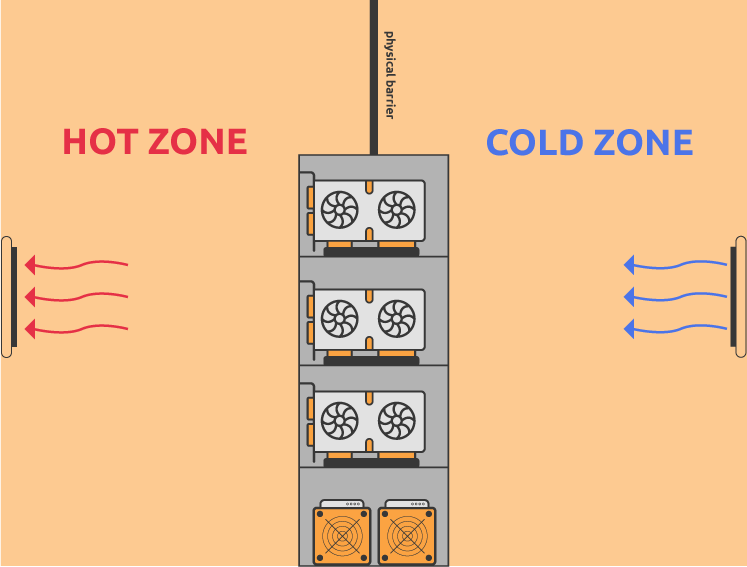
Alternatively, if circumstances allow, create a cold and hot zone. The cold zone is a part where the fresh, colder air is. The fresh air is then pushed through the rig to the other side where the hot air is. This prevents the hot air from mixing with the fresh air.
If you are using an RTX 3080 or 3090 where VRAM temperatures are high by default, we suggest reading this article.