Virtual Machine Mining Help
How do I see my package statistics?
All statistics for a package are in its details. In My Packages, open the Action menu (•••) next to the package and choose Details.

The Action menu of a package: Details and Cancel order.
Package overview
The top of the details shows the state of your package at a glance.
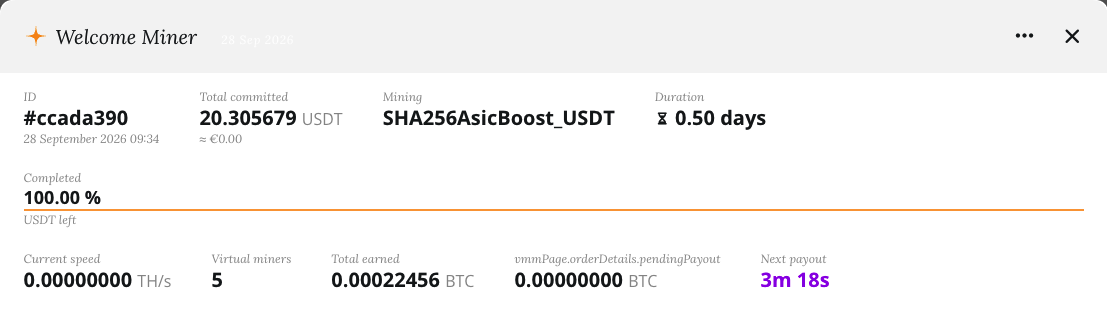
| Field | What it shows |
|---|---|
| Completed | How much of the package has been used, and how much USDT is left. |
| Current speed | The speed your virtual miners are mining at right now. |
| Virtual miners | How many virtual miners the package uses. |
| Total earned | BTC paid out to your wallet so far. |
| Pending payout | BTC earned since the last payout, paid with the next one. |
| Next payout | Time left until the next payout. |
Package history stats
The chart shows how your package mined and earned over time. Every point on the chart is one minute. Choose a timeframe (6H, 1D, 1W or 1M) and drag the slider under the chart to zoom in.
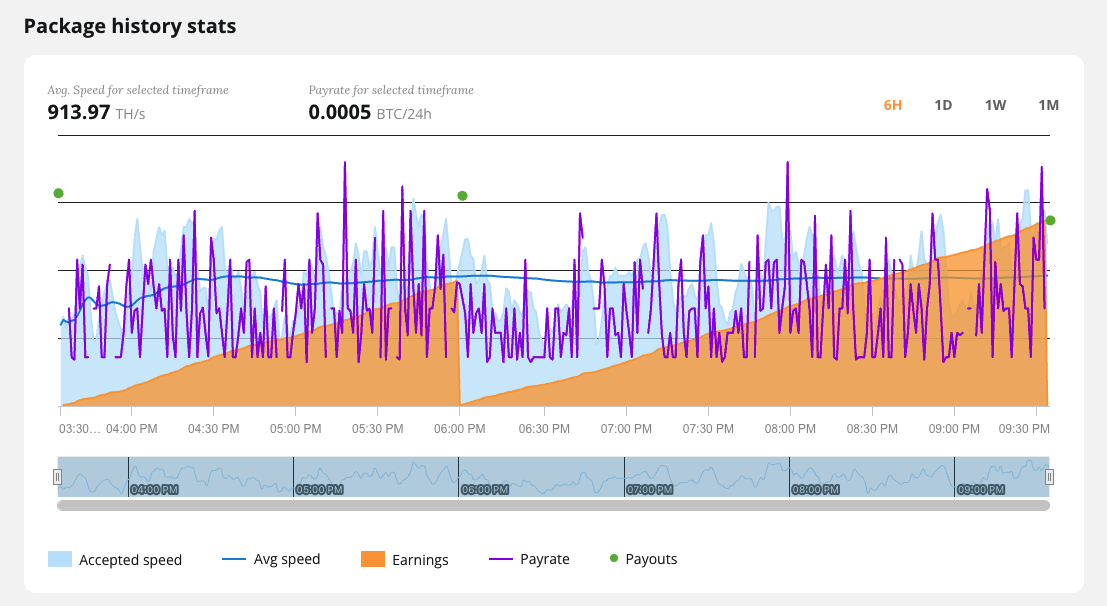
| Line | What it shows |
|---|---|
| Accepted speed | The speed your virtual miners delivered to the pool. |
| Avg speed | The average speed over the selected timeframe. |
| Earnings | BTC earned since the last payout. It drops back to zero at every payout. |
| Payrate | The BTC you actually earned in that one-minute interval. |
| Payouts | The moments your earnings were paid to your wallet. |
Note: You are paid for the shares your virtual miners deliver to the pool, and a share is only delivered when it meets the target set by the pool. In some minutes no share reaches that target, so nothing is delivered or earned in that minute. This shows as a gap in the payrate curve and a dip in speed. Over a few hours it evens out, so look at the average speed rather than single minutes.
Transactions and payouts
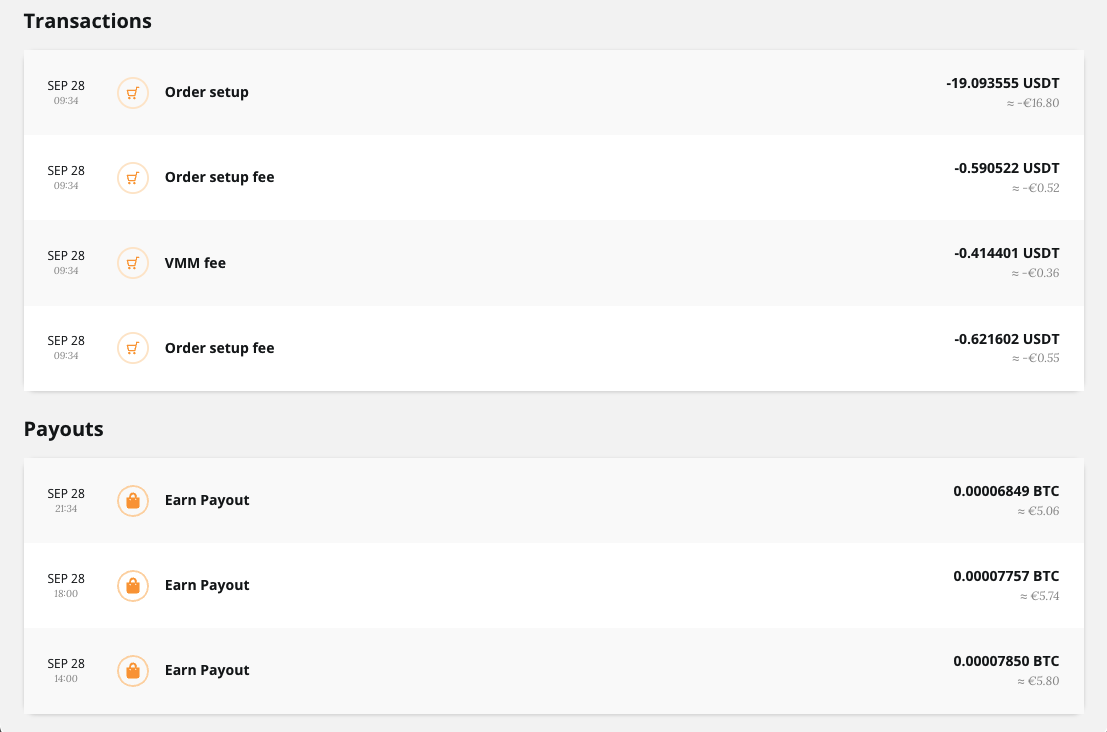
Transactions show the payment for your package: the part that buys hashrate and the setup fees, as described in What does the package price include? Payouts list every BTC payout to your wallet: one every 4 hours, and a final one as soon as the package ends. Together they add up to Total earned.
Note: Earnings and payouts are shown only for packages on the NiceHash pool. With your own pool, check your pool dashboard.
仮想マシンマイニング
本ウェブサイトではお客様に最適なサービスを提供できるよう、クッキーを使用しています。