Why should you check accepted speed and not local speed?
I have talked about accepted shares and the difference between local and actual speed before. In this article, I will post mining results on NiceHash via QuickMiner (Excavator) and Gminer directly.
I decided to run a test. I will be comparing mining speed on NiceHash with QuickMiner versus Gminer. I set up RTX 2080 Ti for testing purposes and used stock overclock settings.
Gminer local speed was 51.24 MH/s.
Excavator (QM) local speed was 50.63 MH/s.
Locally Gminer performs better for 1.34%.
Gminer actual pool speed was 51.44 MH/s.
Excavator (QM) actual pool speed was 51.88 MH/s
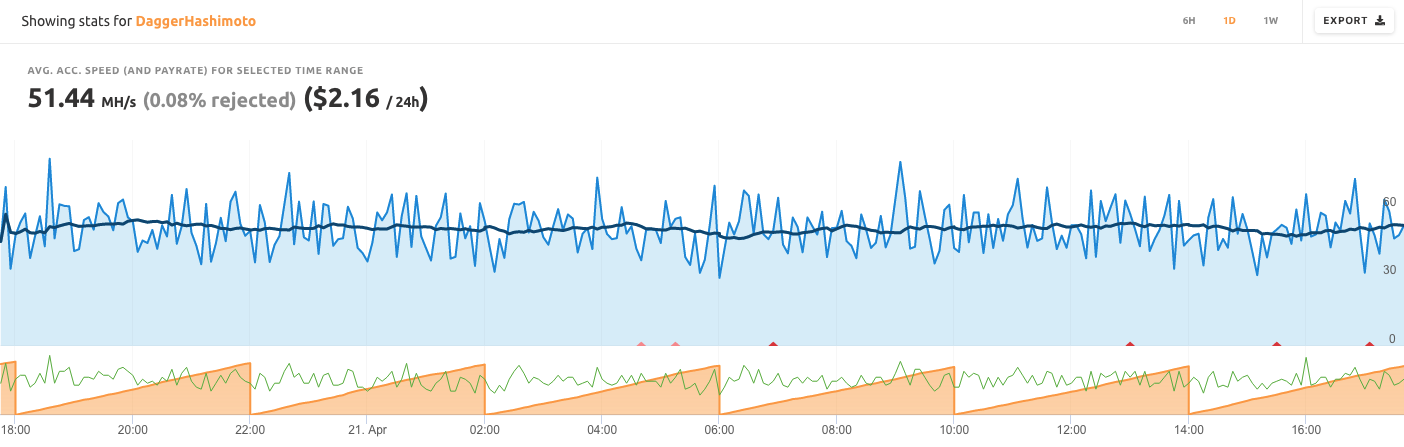
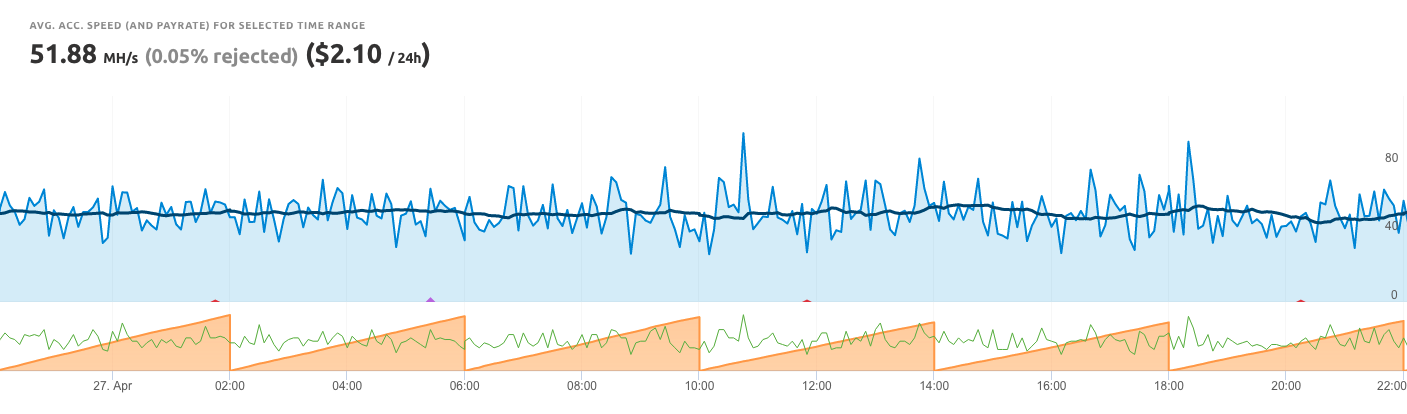
| Dev FEE | Local speed | ACCEPTED SPEED (POOL) | |
|---|---|---|---|
| Excavator | 0% | 50.63 MH/s | 51.88 MH/s |
| Gminer | 1% | 51.24 MH/s | 51.44 MH/s |
The pool speed is the only speed that matters as it is calculated based on the accepted shares sent to the pool. A miner gets paid only for the amount of accepted shares sent to the pool. A miner is not paid based on the local speed.
While Excavator speed locally was 0.6 MH/s lower than Gminer’s, the actual accepted speed was 0.44 MH/s higher on pool side. This is why you should never check the hashrate at the miner software itself. You should always check the actual accepted hashrate.
How to check the actual accepted hashrate on NiceHash?
- Navigate to the Rig Manager
- Click on rig and so that you can see the rig details
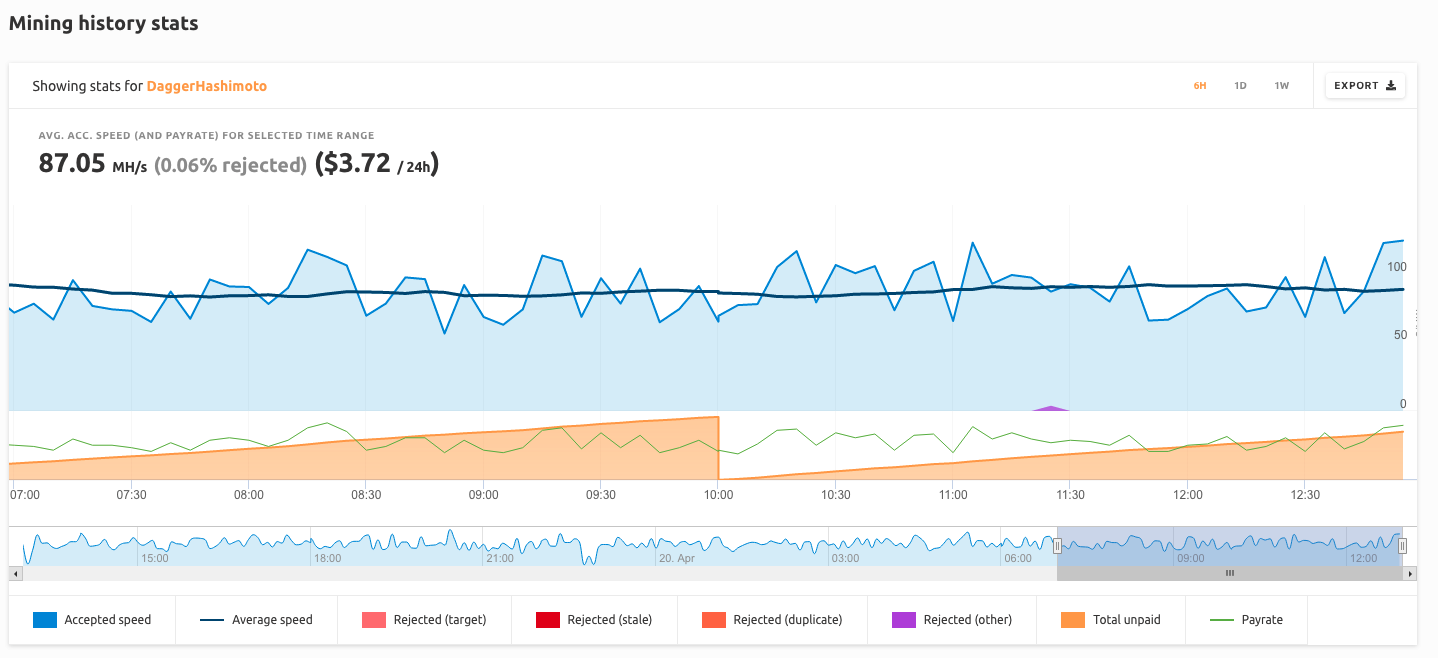
- Scroll down a bit and look for a graph which says Showing stats for All Algorithms
- Click on All Algorithms and change the view to show only one algorithm.
- You can see the average speed over a given time period.
As always, feel free to join our Reddit page and Discord server!