Why you should overclock your mining graphics card?
Overclocking means increasing clock and memory speeds to higher than their official speed grades. We strongly recommend overclocking your GPU cards as it will increase your profits.
Increasing the Core clock and Memory clock frequencies will increase your GPU hashrate. The base core clock of RTX 2060 runs at 1365 MHz. In other words, this means that the electricity pulses through the GPU chip at a rate of 1365000000 times per second. Increasing this number will increase the rate at which the electricity will be able to pass through the chip.
Additionally, you can lower the power consumption of the GPU. This will lower your electricity costs. Apart from lower electricity costs, lowering electricity consumption will also lower the GPU temperatures as there will be less energy converted to heat.
The best way to demonstrate this is to show you some examples of overclocking. We will use the NVIDIA RTX 2060 and we will only measure DaggerHashimoto algorithm mining (Ethereum).
You can use MSI Afterburner for overclocking which is one of the most popular tools to overclock GPUs.
First, we tested the GPU with default settings (+0 Core Clock / +0 Memory Clock)
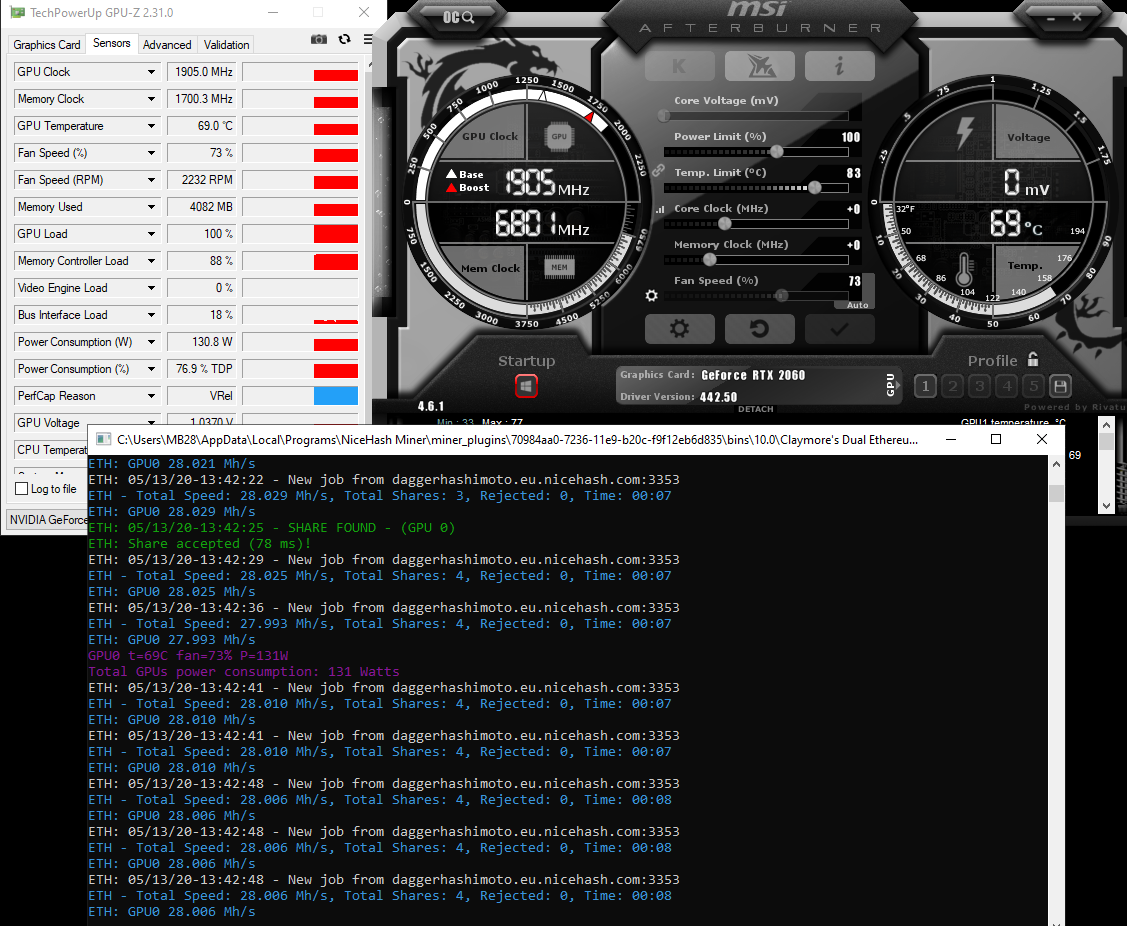
As seen from the picture above, the RTX 2060 hashed at around 28 MH/s with a power consumption of 130 W and runs at 69°C.
Next, we used the recommended NVIDIA RTX 2060 overclock settings for mining the DaggerHashimoto algorithm. (+0 Core Clock / +600 Memory Clock)
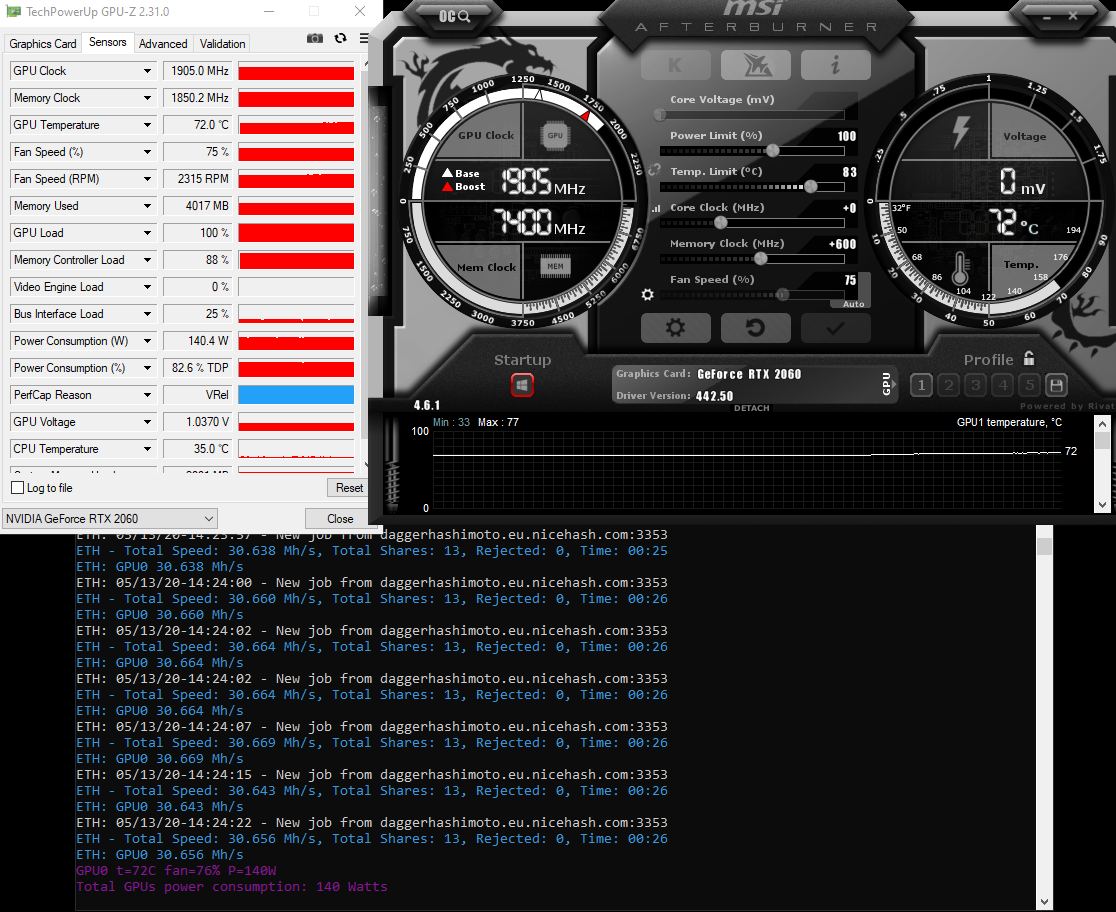
As seen from the picture above, we have increased the performance by 2.5 MH/s - almost 9%! But the temperature rose to 72°C and the power consumption is now 140 W. That is why we need to lower the Power Limit to at least 75%.
Note that the power limit can be lowered even more, but eventually, it will affect the hash rate. It is up to you to find the sweet spot.
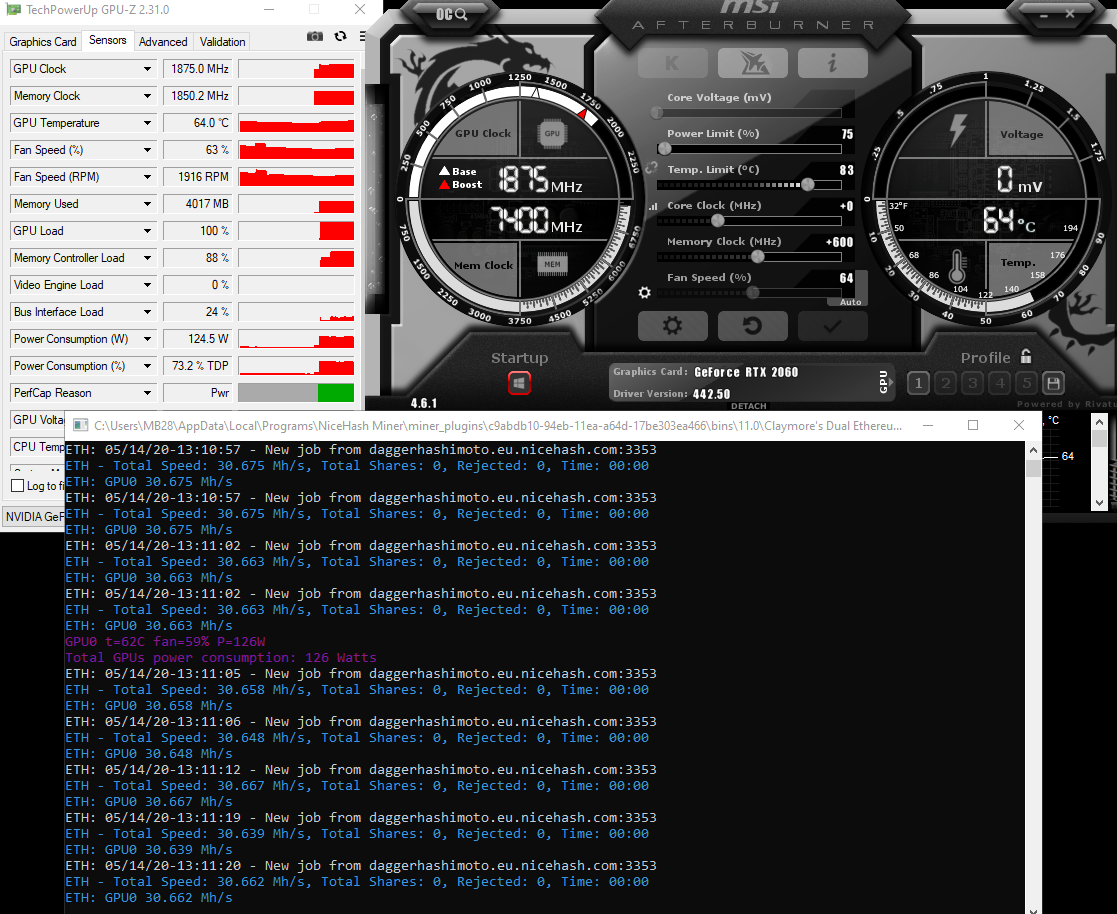
As seen from the picture above, the power consumption lowered to around 124 W, the temperature was lowered to 68°C while the hash rate remained untouched.
Let’s review the final results
At stock settings with 130 W power usage and 28MH/s. We would earn around 0.46 EUR/day gross or 0.15 EUR/day with an electricity price of 0.1 EUR/kWh.
Overclocking the GPU resulted in 124 W of power usage and 30.6 MH/s. We would earn 0.50 EUR/day gross or 0.20 EUR/day with an electricity price of 0.1 EUR/kWh.
That is more than a 28% difference between stock and overclock settings. 0.05 EUR/day seems low, but if you own one full rig (6x) of RTX 2060, this would make a 9 EUR difference at the end of the month.
If you want to overclock your GPUs and you are not sure what settings to use, join our Discord server where we have a channel dedicated just to overclocking settings. We also recommend reading this blog post!