What is XMP or DOCP and how to enable it?
Enabling XMP or DOCP will result in better gaming performance and will increase RandomXMonero mining hashrate by 5% - 10%! It is a very simple tweak and in this guide, we will be touching on the XMP/DOCP settings inside the motherboard BIOS. We will explain why these settings are essential and how to enable XMP or DOCP.
What is memory latency and speed?
To understand what XMP is and what it does, you first need a fundamental understanding of computer memory (RAM) and what attributes are important or are considered to have higher benefits for a PC gaming or mining rig.
RAM typically saves your PC working data, so that in the future programs, files, or other tasks are loaded faster since RAM has a noticeably higher read and write speeds (the rate at which data is sent from RAM to CPU) compared to read/write speeds from HDD or SSD. This means that the programs and other files will be opened way faster from RAM than from SSD.
Average DDR4 3200 memory has a theoretical data transfer rate of 25.6 GB/s. While M.2 SSD has a read speed of about 3.5 GB/s.
There are two processes when reading data from RAM:
- Finding the data on RAM - speed
- Sending the data from RAM to CPU - latency
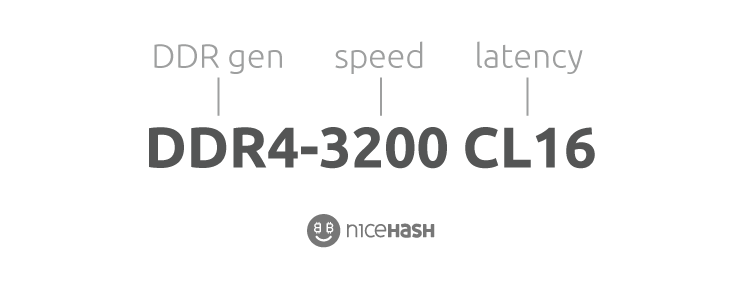
RAM Speed
Let’s take an example of an online shopping experience.
When you make an order, it takes some time for a worker (or machine) to locate and prepare the goods you bought. This could take a few minutes or a few hours.
The same goes for the RAM speed. If a memory module's speed is 3000MHz, this means that RAM is able to access data 3.000.000.000 times per second. If we look at the shopping parable, this would compare to how fast the worker can look on a shelf to find the correct goods.
RAM Latency
If we use the above example of the online shopping experience, latency would be the time it takes for the worker (or machine) to actually ship the package from the moment he received the order.
Similarly, when we mirror this to RAM latency, we are talking about the time it takes to send the data from RAM to CPU.
In summary, latency is the time that it takes to transport the data from RAM to CPU. Speed is the time that it takes to find the data on RAM.
Generally, when buying RAM, you should aim for high speed and low latency.
Note that both speed and latency matter for RAM performance. A high speed attribute does not mean that overall RAM performance will be better. Sometimes lower speed and lower value latency RAM will perform better. DDR4 3000-16 is faster than DDR4 3200-18.

What is XMP/DOCP?
XMP stands for Extreme Memory Profile. XMP essentially allows you to change memory latency and speed from the standard 2133MHz to the advertised speed and latency.
XMP is disabled by default for compatibility reasons. Manufacturers have agreed to a minimum standard for memory performance (2133Mhz), which all RAM modules meet by default. This prevents POST issues with incompatible RAMs or too aggressive overclocks (advertised speeds).
While Intel developed XMP, DOCP was developed by AMD.
How to enable XMP/DOCP?
Follow these steps to enable XMP/DOCP:
- Restart or turn on the system.
- Repeatedly press the F2 or DELETE button to enter the BIOS.
- Depending on your motherboard manufacturer, you need to locate the XMP or DOCP setting. Normally they are located on the first screen (EZ Mode) or they could be located in OC/Ai Tweaker.
- Select the XMP/DOCP profile.
- Select Save and Exit.
