Set your anti-phishing code now!
Dear NiceHash users!
We are introducing a new security feature on our platform. You can now set an anti-phishing code for your profile. This code will help you identify notification emails coming from NiceHash. The code can be up to 60 characters long.
How to set up an anti-phishing code?
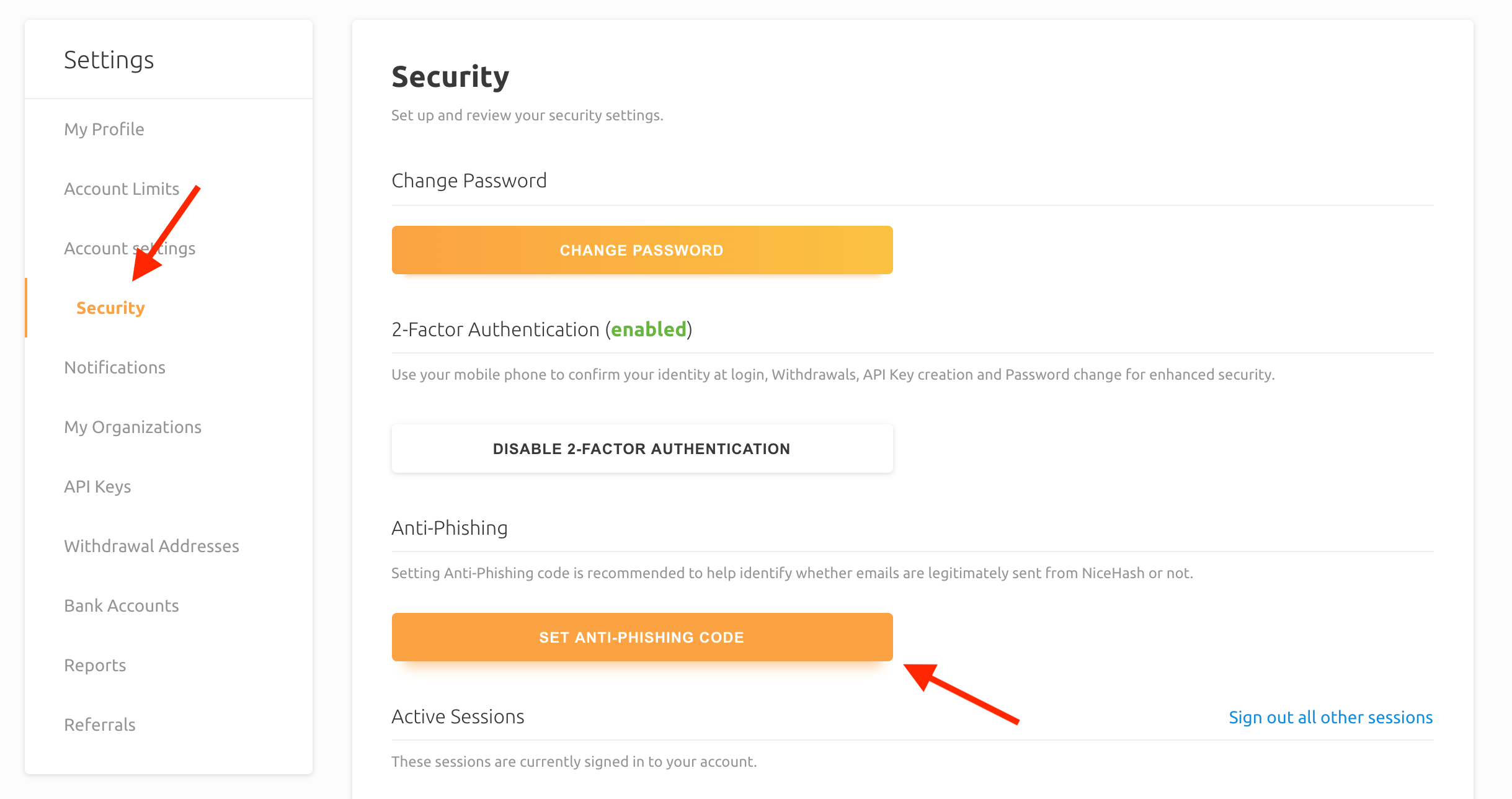
Go to your profile settings and click the Security tab. Then you should click the "Set Anti-phishing code" button as shown in the image below.
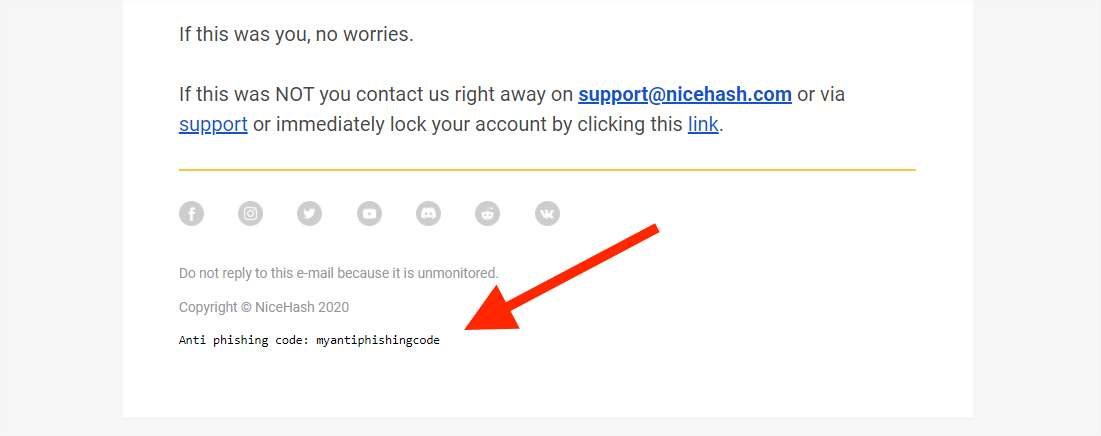
This code will then appear in all notification emails from NiceHash at the bottom of the email.
We recommend you set this code immediately.
How to further improve the security of your NiceHash account?
We recommend you read the following articles to further improve the security of your NiceHash account:
- How to set up 2FA security?
- How can I make my NiceHash account more secure?
- Which NiceHash social media sites can I trust?
- How to protect yourself from online scams?
Thank you for your support and stay safe!
Your NiceHash team.