Notice for users with WhatsMiner ASICs - How to resolve high rejected speed
Dear NiceHash WhatsMiner owners,
We are currently observing record-breaking pay rates on the NiceHash platform for all SHA256AsicBoost users, with earnings reaching up to 150% higher and stabilizing at approximately 110% higher than leading FPPS pools. However, during this time, we have identified an emerging issue that affects the majority of WhatsMiner ASIC machines.
We can confirm that many WhatsMiner ASICs are experiencing a significantly higher rate of stale rejected shares, with some miners seeing up to 20% stale rejects.
How to resolve high rejected speed on WhatsMiner ASICs?
To resolve high rejected, please follow these steps:
- Update the firmware to the latest version, 20240712. You can download the latest WhatsMiner firmware here.
- Open WhatsMinerTools 9.0.3
- Scan the network
- Click on the Pools button
- Set DGB as Coin Type in the dropdown menu.
- Start Update on selected machines
Note: You must use the latest version of firmware 20240712 and the latest version of WhatsMinerTools 9.0.3. Otherwise, the solution might not work.

How to check for rejected shares
We always strive to educate our miners about rejected shares and their impact on mining efficiency. If you are unfamiliar with rejected shares, we encourage you to read this article to better understand them.
To inspect the rejected share rate for your mining operation or individual workers, follow these steps:
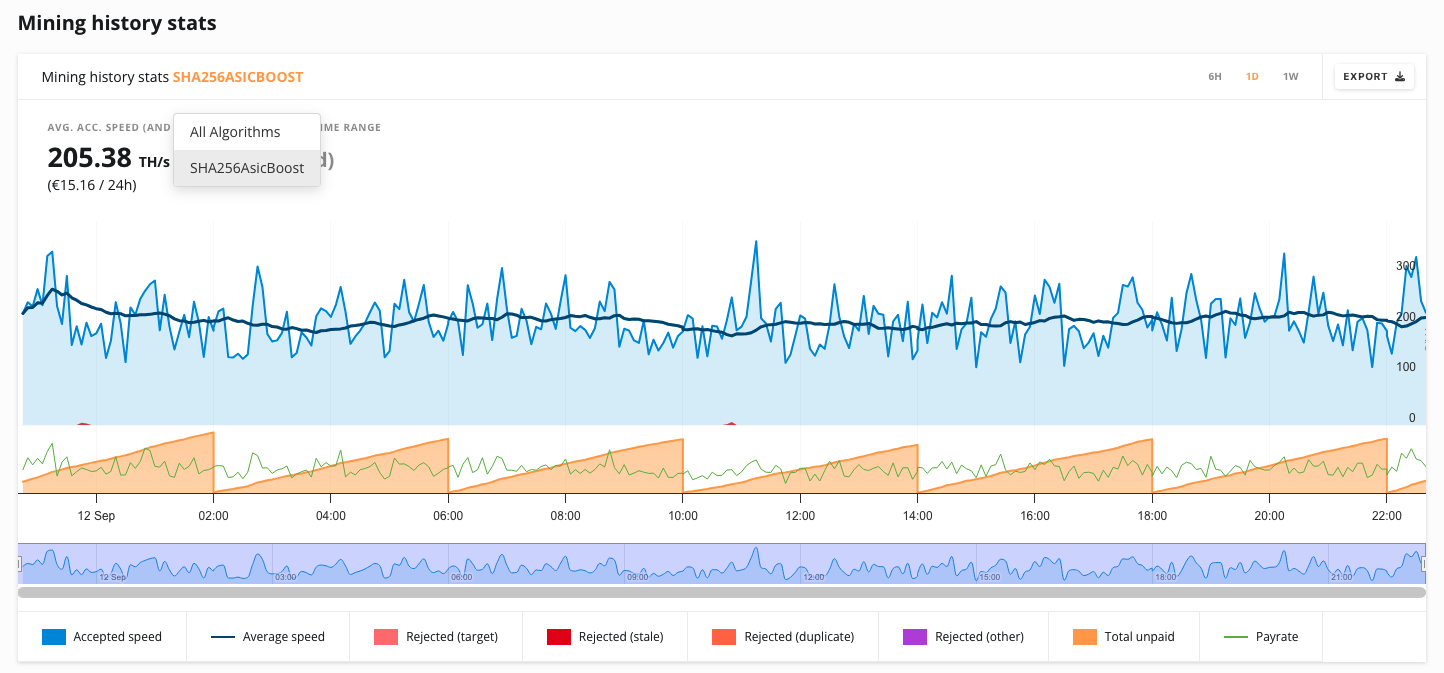
- Go to the History & Stats page for global view or Rig Manager and select worker details for individual workerview.
- Scroll down to the Mining History Stats section (the graph).
- Switch the graph view from All Algorithms to SHA256AsicBoost.
- Review the data for stale rejects and reported rejected rate.
For the latest updates on mining and issues like this, be sure to follow our official Telegram channel.
Thank you for your continued support and for being part of the NiceHash community.