iPollo ASICs are now compatible with NiceHash! Earn more than mining ETC directly.
We are happy to announce that iPollo ETChash ASICS are compatible with NiceHash!
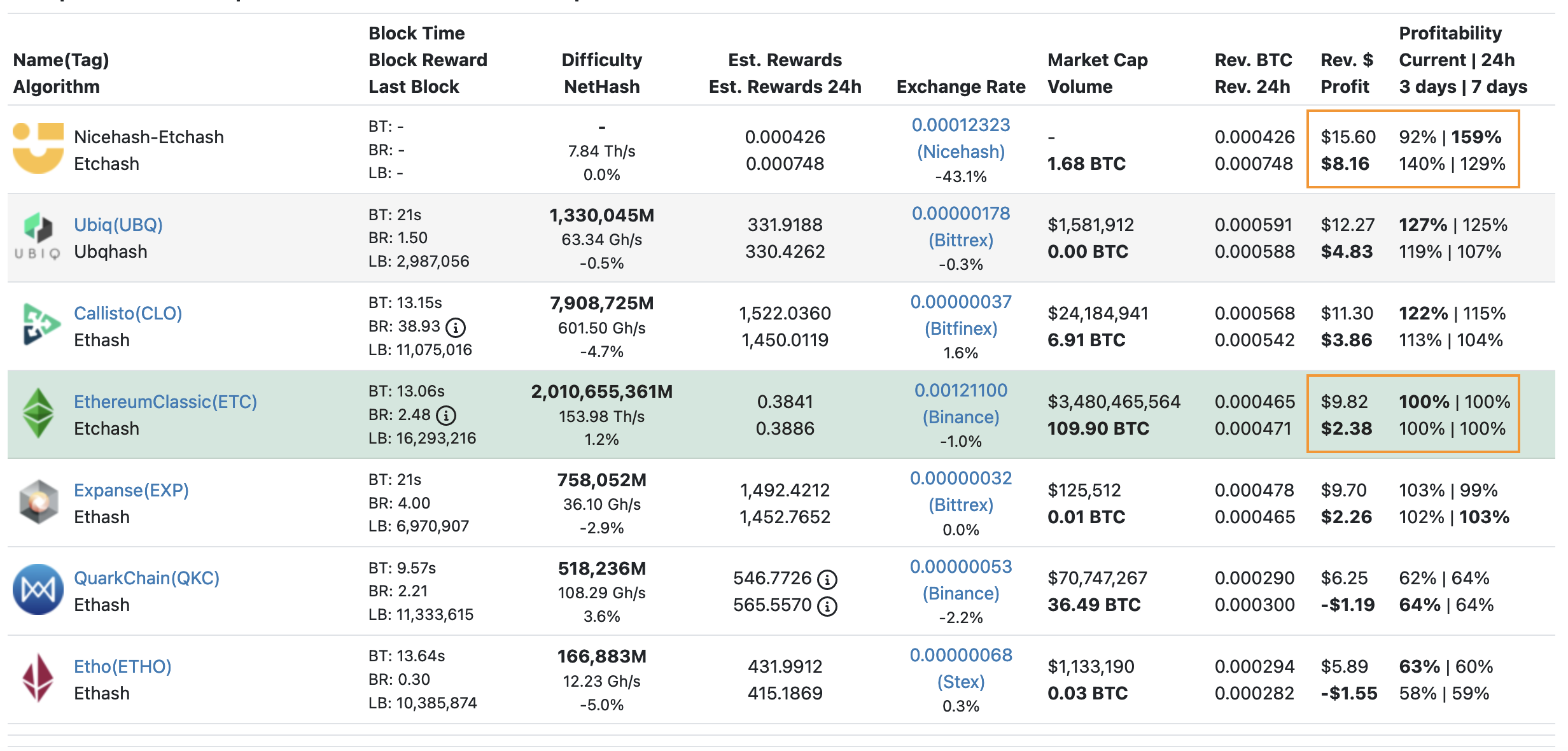
You can now earn more on NiceHash than mining Ethereum Classic directly. Check Whattomine.com and see how much more you could earn if you were mining at NiceHash.
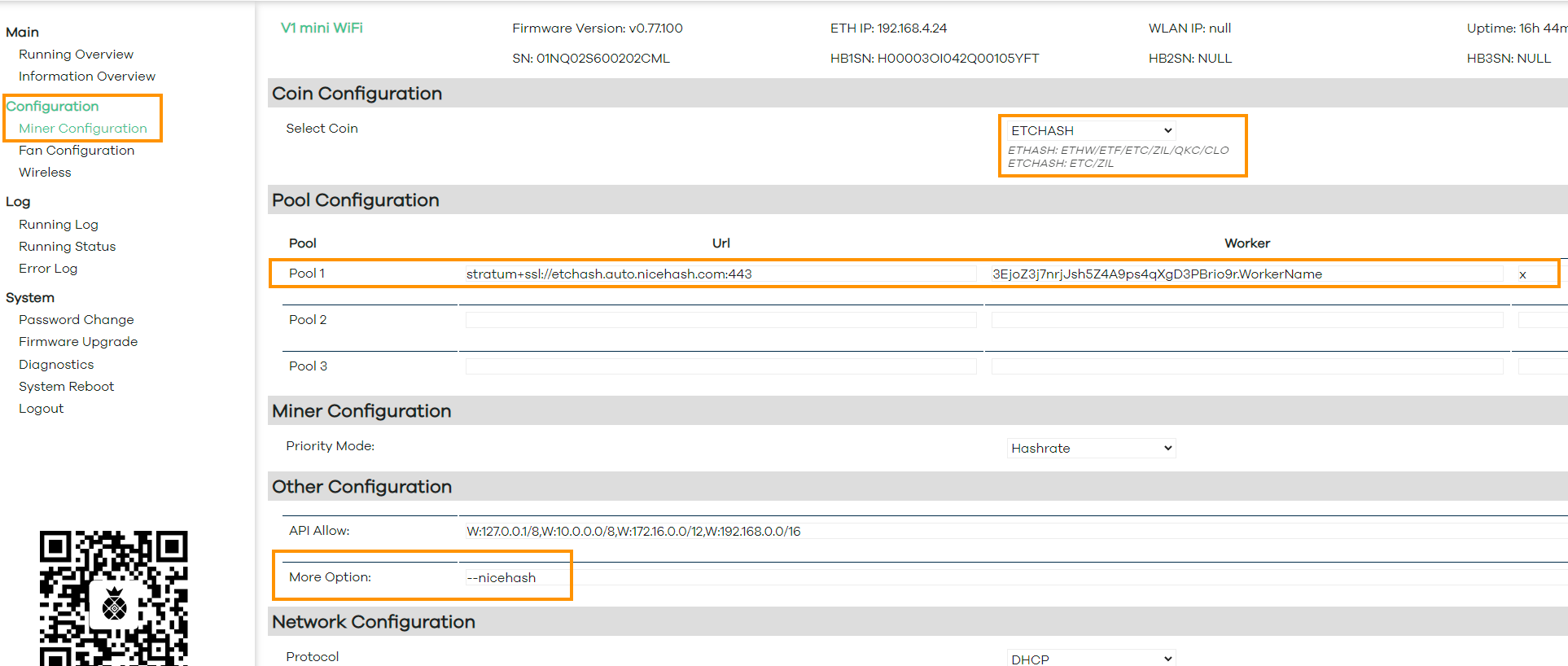
NOTE: You must use "--nicehash" in the iPollo dashboard -> more options field for iPollo ASICs to work on NiceHash.
How to connect iPollo to NiceHash?
Follow these steps to connect iPollo ASIC to NiceHash:
- Connect your ASIC to power and internet connection.
- Find your ASICs IP on your local network. This can be done by connecting to your router, navigating to DHCP and looking up for iPollo IP. Copy/paste IP address in your browser.
- Login. The default username is ‘root’ and the default password is ‘root’.
- Navigate to Miner Configuration tab.
- Select the desired Coin in the dropdown menu. ETHASH for DaggerHashimoto and ETCHASH for ETCHASH on NiceHash.
- Input the pool URL found on our stratum generator.
- Input your Mining Address in the worker name and optionally add ".workername" at the end of the mining address to name the worker.
- Input "x" in the password field.
- IMPORTANT! Add "--nicehash" in the More Options field. Otherwise the ASIC will not work on NiceHash.
- Save & Apply.
If the above will not work, update the iPollo firmware.
WRITTEN BY
Marko Tarman
Marko is NiceHash's Mining Manager and Content Creator. He started mining back in 2012 before the first ASICs were released. He went from GPU mining BTC, LTC to VTC, and even DOGE. His mining motto: "I've got 99 problems, a bad riser is all of them"