Introducing NiceHash Miner 3
Dear NiceHash miners!
We are proud to introduce a completely redesigned and improved NiceHash Miner!
NiceHash Miner 3 is or NHM3 (in short) is free software that allows you to connect your PC or a mining rig to the NiceHash hash-power marketplace. It enables you to rent out the computing power of your machine and in return, you start earning bitcoins. To learn more about how NiceHash works, read this article.
NiceHash Miner 3 is available for download here. ⬇️
NiceHash Miner 3 features an improved user interface to allow for quick and easy use. NHM3 features four main sections:
- Dashboard
- Devices
- Benchmark
- Plugins
Below you find a quick overview of the most important features, but if you want to get into more details we invite you to download our NiceHash Miner 3 User Guide.
Dashboard
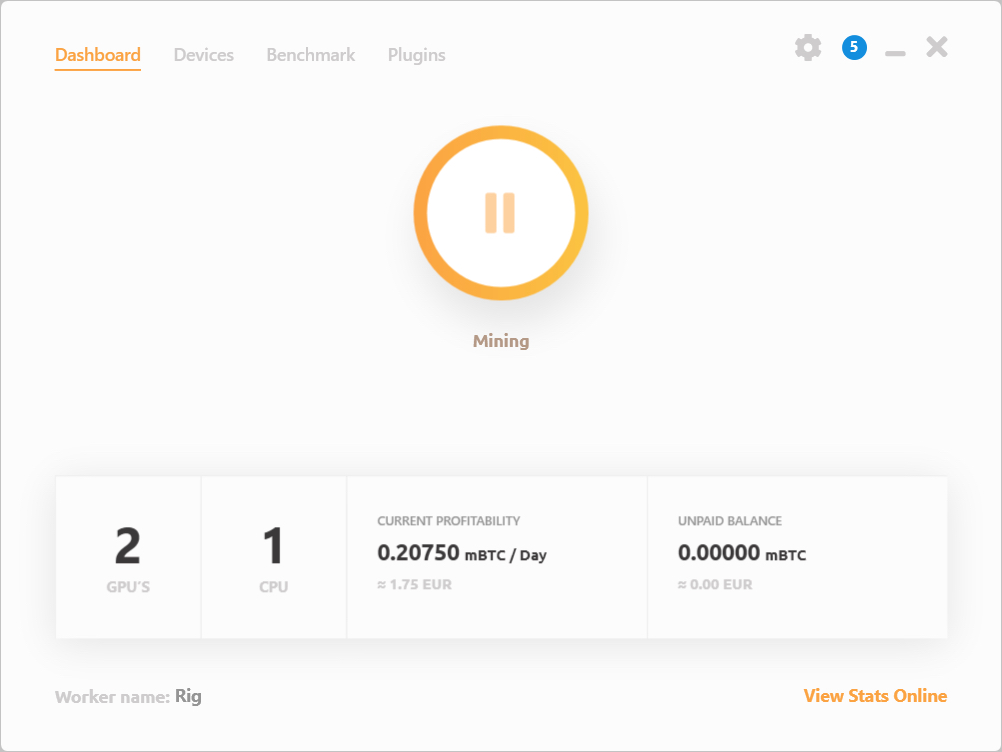
The dashboard gives you a quick overview of your available devices, it shows current profitability and the unpaid balance. Here you can also quickly rename your worker or jump online.
Devices
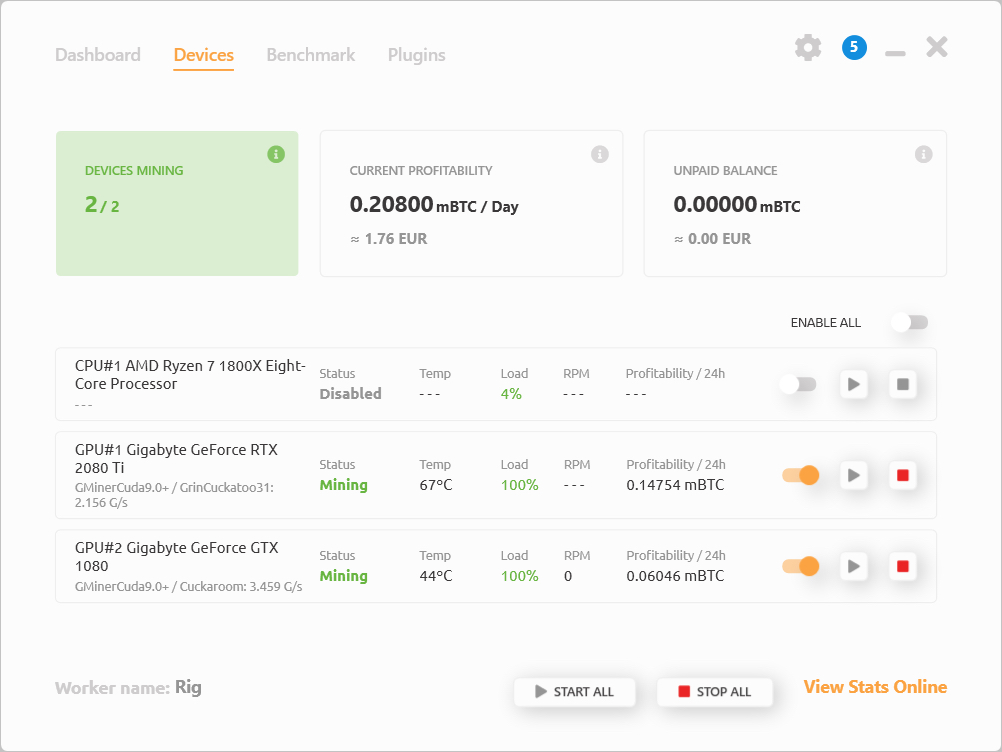
This section gives you basic information about the status of your devices. You can monitor the mining status, temperature, load, RPM and profitability of each device. You can also start or stop each individual device.
Benchmarks
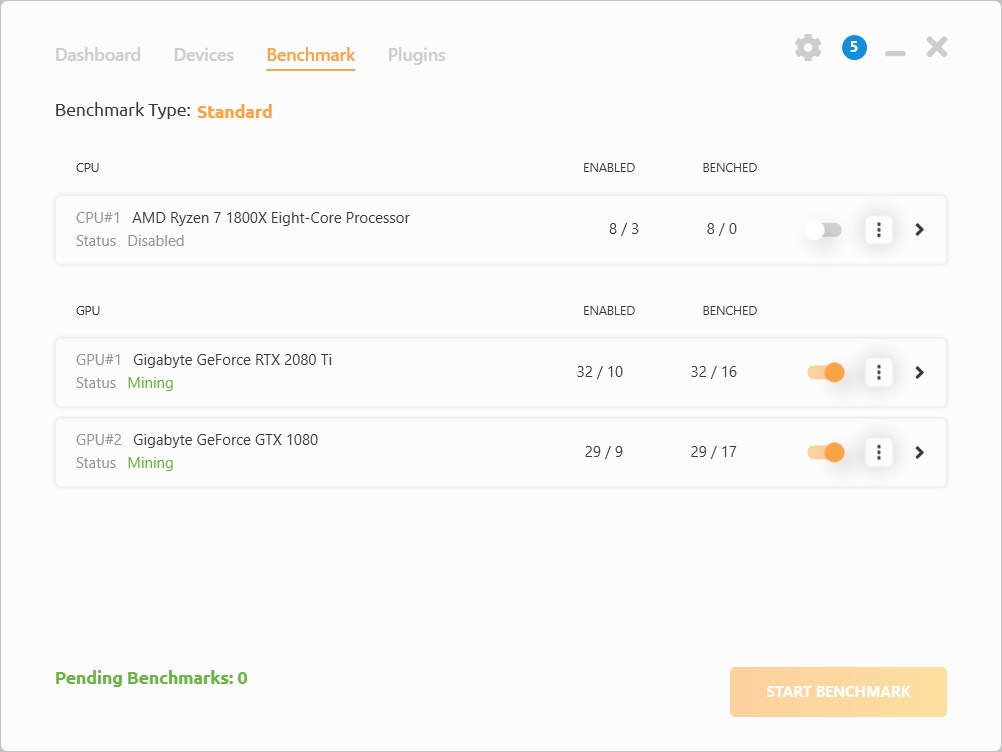
Benchmark section gives you total control over enabled algorithms for each individual device in your system. NiceHash Miner will always switch to the most profitable algorithm for your system but you can always decide on your own which algorithms and miners to use.
Plugins
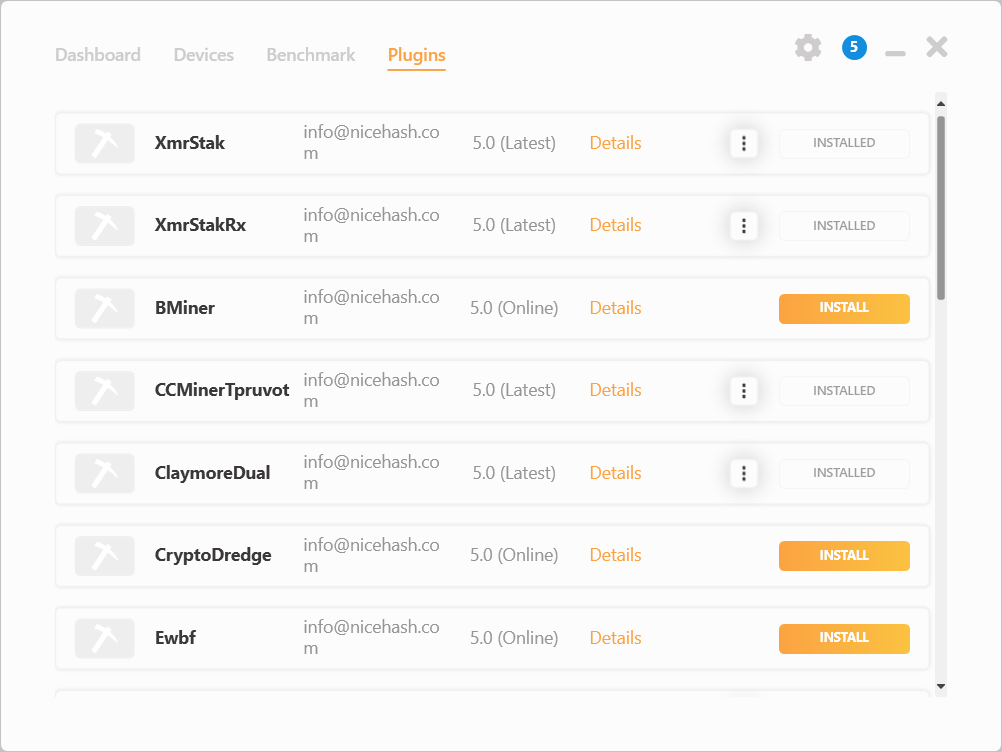
NiceHash Miner 3 packs a wide variety of 3rd party miners to support all the algorithms available on our hash-power marketplace. In the plugins section, you can select which 3rd party miners to use.
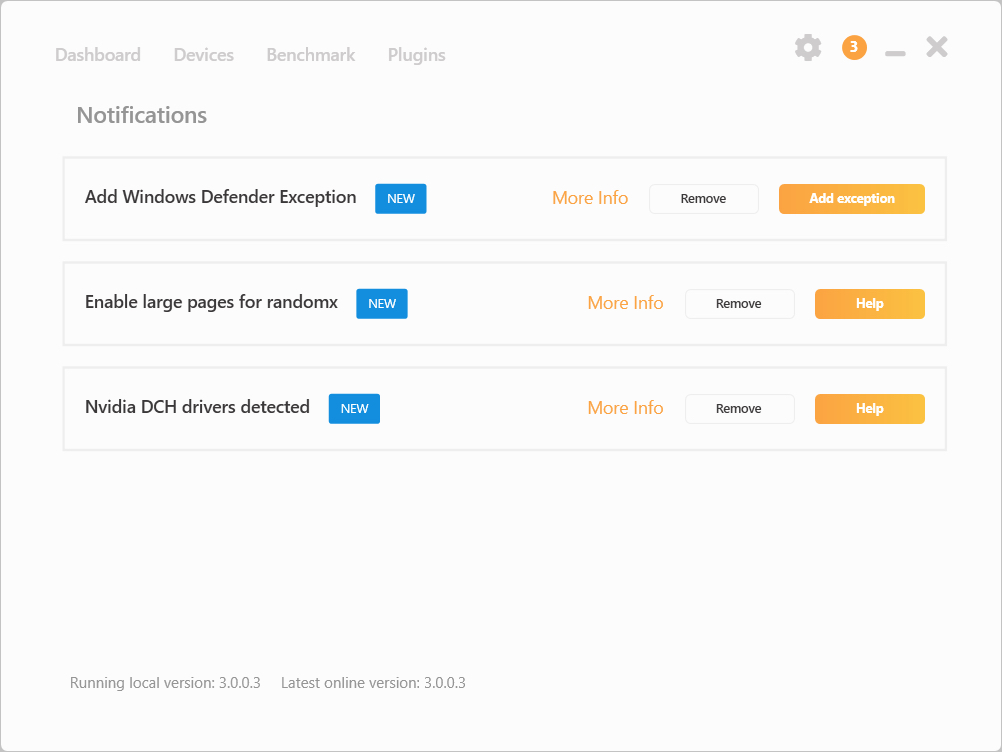
We have also added the Notification Center where you get important notifications or tips to improve your mining experience!
How to report NiceHash Miner bugs?
Please attach log files (located in the "logs" folder) when submitting a customer support ticket. Tickets can be submitted here.
To easily create a log file report click the settings icon (top right corner) and go to General and scroll all the way down. Click “Create a log report” and the program will create a .zip file on your desktop. Please send this to our support agent when submitting a customer support ticket.
⚠️Important guidelines for using NiceHash Miner ⚠️
- NiceHash Miner is usually flagged by AV (anti-virus) software. This is normal, as almost every mining software on the market is blacklisted by AV. Just make an exception in your AV software to enable the proper operation of NHM.
- You may have to add an exception in your browser to enable NHM download. Learn how.
- We cannot guarantee for every 3rd party miner code thus you agree to use it at your own risk.
- We suggest you don’t use cryptocurrency wallets or have any access to any cryptocurrency, sensitive or important data on the same computer where you use NHM. NiceHash will never ask or use your private keys, but we cannot guarantee the same for the 3rd party miners included in NHM now or any time in the future.
- Add an exception to Windows Defender for the NiceHash Miner folder (after you unzip the package).
Thank you for your support!
Your NiceHash team!