Introducing: Mining Events!
Dear NiceHash Miners!
We are happy to introduce a new feature inside Rig Manager. Mining Events are a combined feature of the Rig Manager and NiceHash Miner, NiceHash QuickMiner, NiceHash OS, and other NiceHash-developed mining clients.
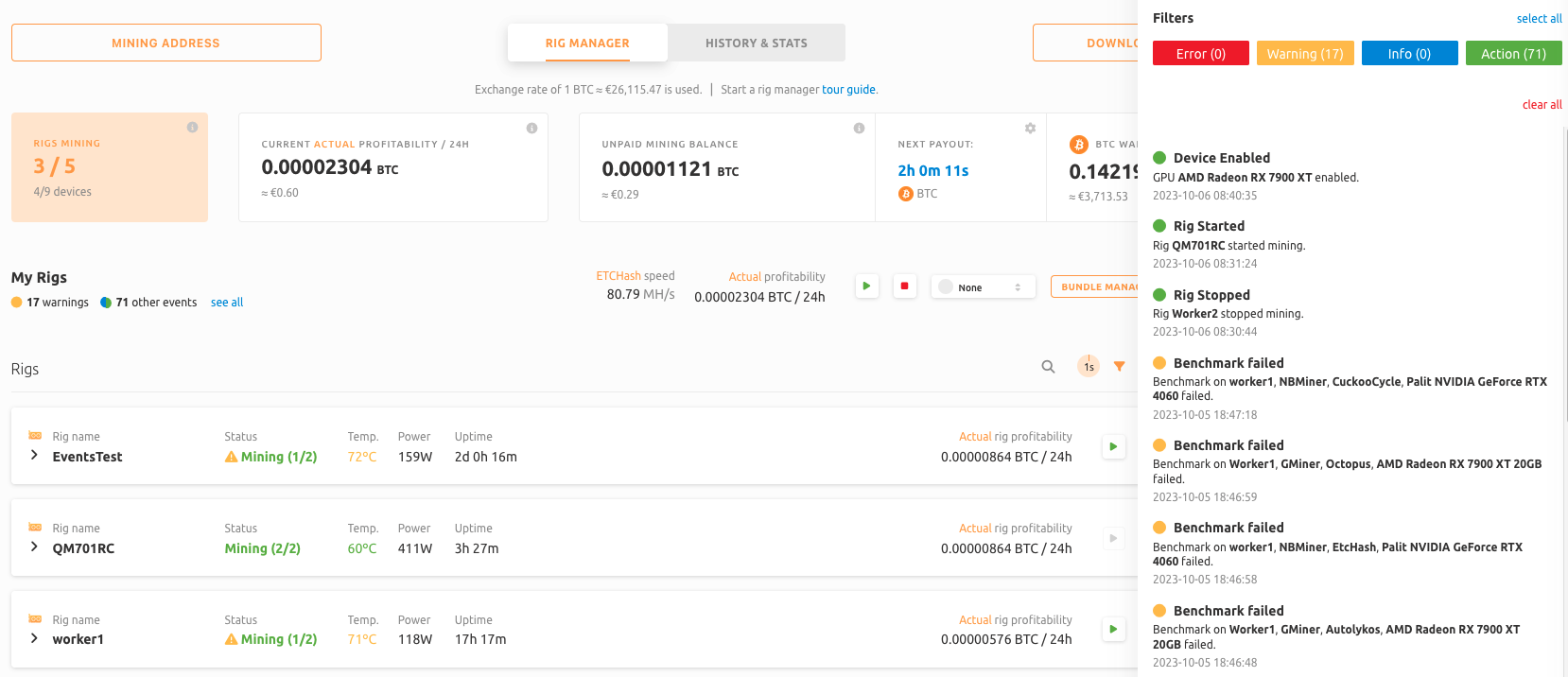
In order for the events to work, the user must use the latest NiceHash Miner, NiceHash OS, or QuickMiner version. Events are not supported with 3rd party miners or unmanaged rigs.
What kind of events are the miners sending to the rig manager?
There are four types of events:
- Error - Critical event that requires immediate attention. For example, when a device is overheating.
- Warning - Non-critical event. Attention is recommended. For example, when the benchmark has failed.
- Info - Informational event that informs you about algorithm switches.
- Action - An event that is triggered by user action. For example, when a user disabled a device.
I do not see Mining Events. What can I do?
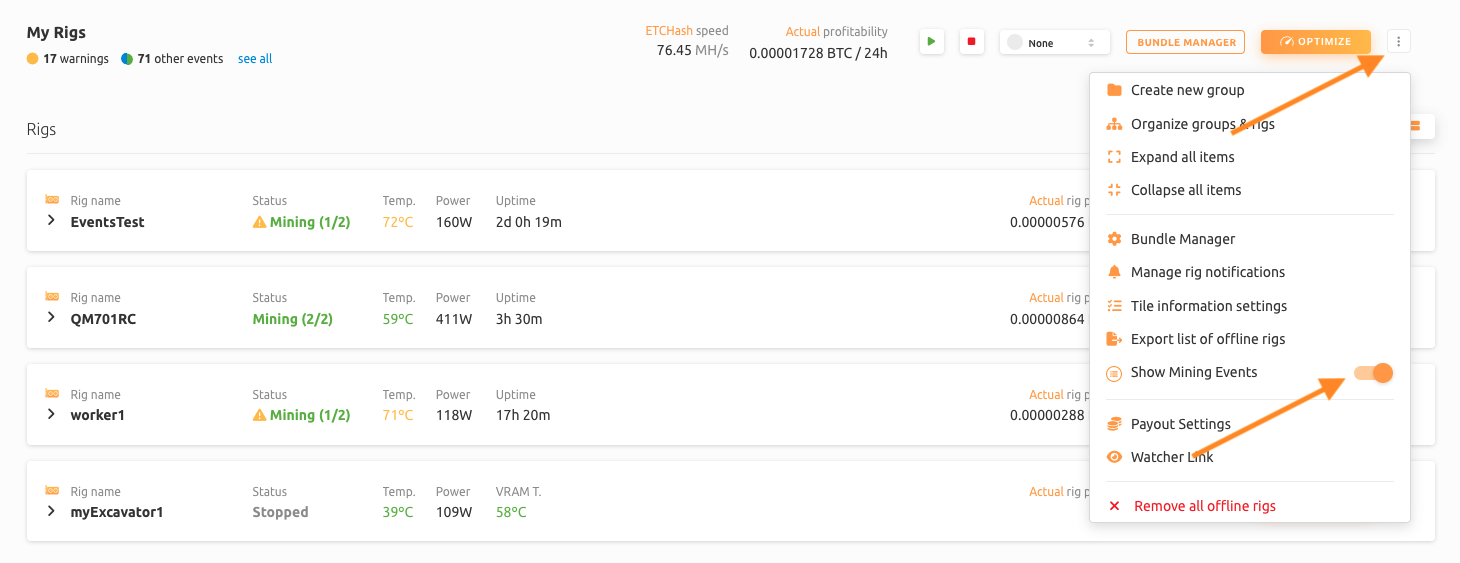
Events are displayed by default and can be disabled or enabled in More Options (3 dots). Also, make sure that you are using the latest version of the NiceHash miner product line.
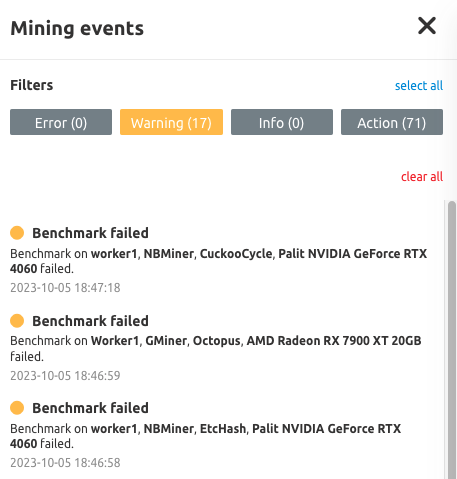
Can I filter Mining Events?
Yes, you can also filter the type of events shown in the side view by clicking on the event type.
WRITTEN BY
Marko Tarman
Marko is NiceHash's Mining Manager and Content Creator. He started mining back in 2012 before the first ASICs were released. He went from GPU mining BTC, LTC to VTC, and even DOGE. His mining motto: "I've got 99 problems, a bad riser is all of them"