Introducing Comparison table
Dear NiceHash miners!
We are introducing a new way to compare two different mining devices (GPUs, ASICs, etc. ...) speeds per algorithm, total profits, and profits with included operating costs.
The comparison table is a new part of our profitability calculator and you can access it here: https://www.nicehash.com/profitability-calculator/
Click on the COMPARISON button on the top part of the page to switch from the profitability calculator to the comparison table.
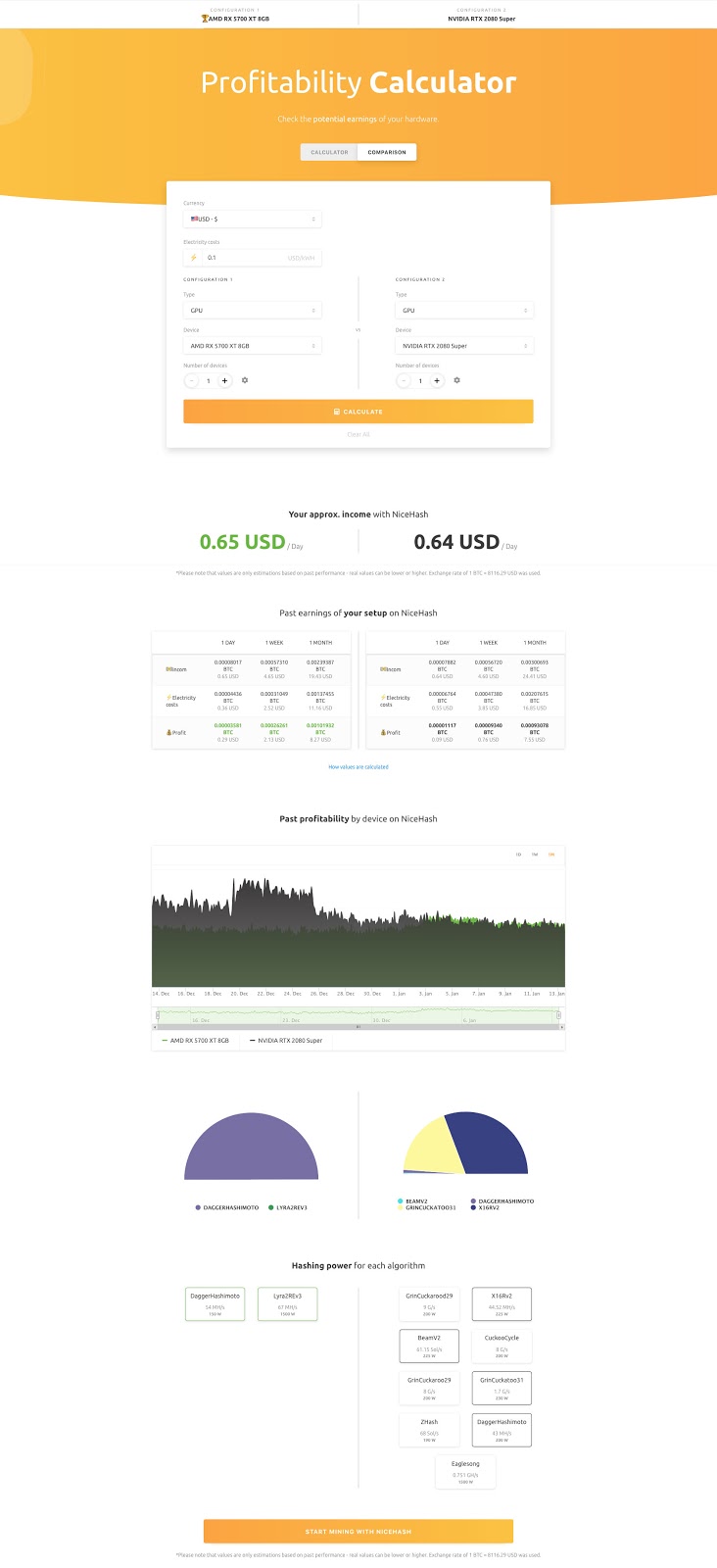
How to use the Comparison Table:
1.Navigate to https://www.nicehash.com/profitability-calculator/
2. Click on a COMPARISON button on the top part of the webpage.
3. Select your currency and electricity costs.
4. Select device 1 and device 2.
5. Click CALCULATE.
Note that the better device is the one that has better profits with electricity costs included. Some devices might have better approx. income (before electricity costs) while they use more electricity which will result in lower profits (after electricity costs) compared to the second device.
Thank you for your support!
Your NiceHash team!