Increase your mining performance with --memory-tweak
NBminer development team and NiceHash Miner development team are constantly working closely together on a common goal - to bring you the best possible mining experience.
A few weeks back, NBminer added a new feature --memory-tweak. Memory tweak command line (or Extra Launch Parameter in NiceHash Miner) is a feature that optimizes memory timings of NVIDIA GDRR5 & GDRR5X GPUs.
In this guide, we will show you how to use --memory-tweak in NiceHash Miner and increase your mining performance!
--memory-tweak or -mt allows you to select the memory timings values from 1 to 6. Where 1 is the lowest timings intensity and 6 is the highest. Be careful when using higher values, as higher values could cause rejects or crashes. We also recommend increasing the power limit when using higher memory tweak values.
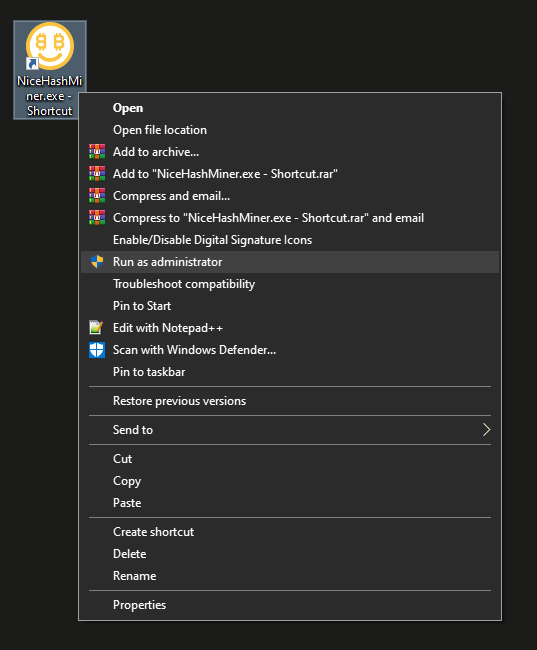
Note that for --memory-tweak to work, you must start NiceHash Miner with administrator privileges. To run NiceHash Miner as an administrator, right-click on the NiceHash Miner shortcut and select Run as Administrator.
Follow these steps to enable --memory-tweak in NiceHash Miner:
- Run NiceHash Miner as Administrator
- Make sure NBminer is installed via the Plugins tab
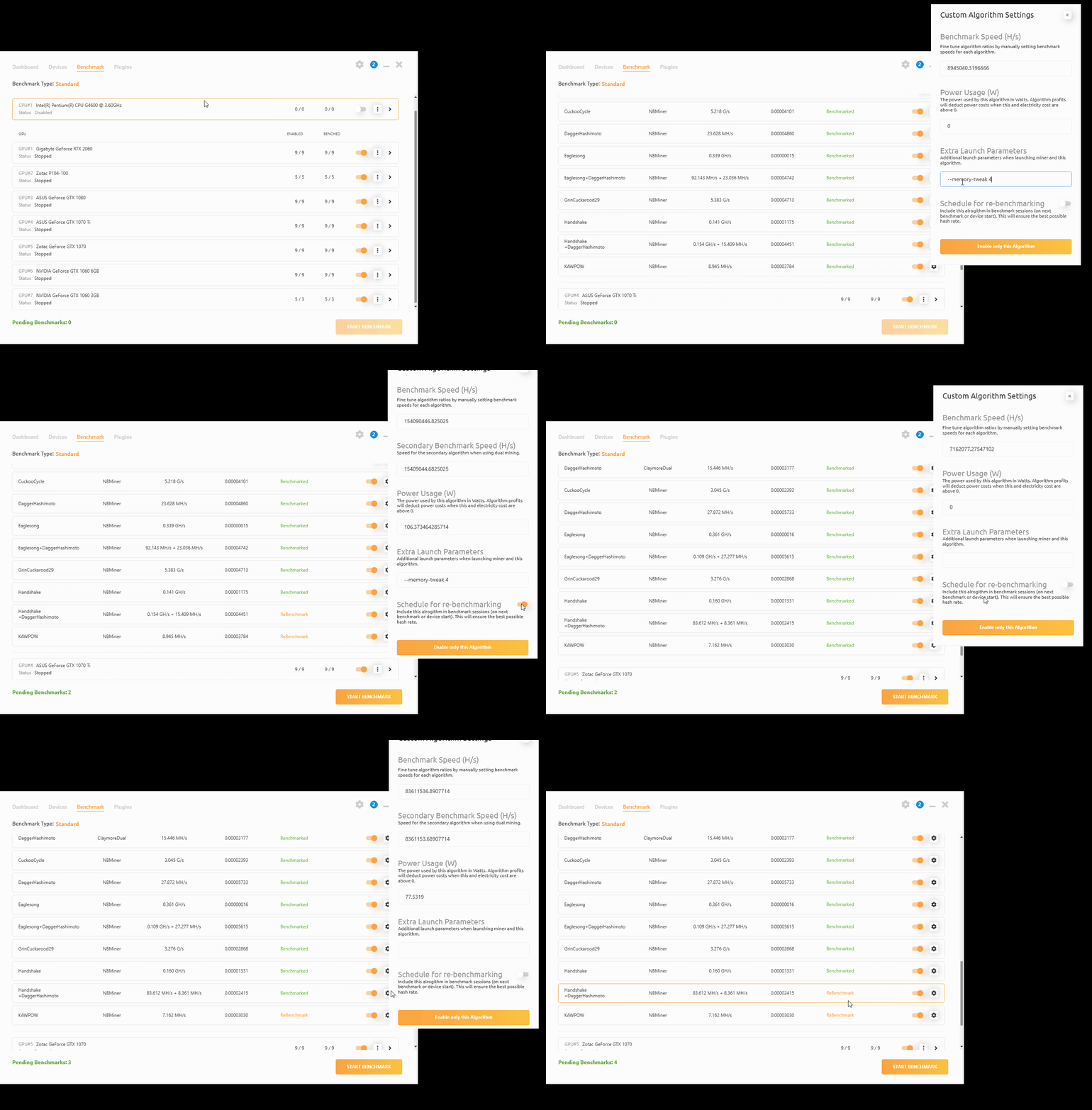
- Navigate to the Benchmark tab and locate the GPU you want to enable memory tweak too
- Find NBminer from available miners (plugins) and select the gear option on the right side of the selected algorithm
- A side module will open, navigate to Extra Launch Parameters, text box
- Type--memory-tweak [1-6]. Example: --memory-tweak 4,
- Enable Schedule for re-benchmarking option. This will enable this algorithm to be re-benchmarked the next time you click start mining. We strongly recommend doing this, but it is not mandatory
- Click outside of the module and repeat the process on all NBminer algorithms and devices