How to use NiceHash Miner Extra Commands?
In this article, we will take a look at the Extra Commands tab that allows you to set extra custom commands for advanced users.
How to enable Extra Commands Tab?
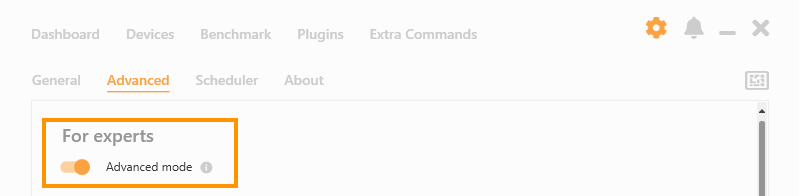
You can enable the Extra Commands Tab by enabling Advanced Mode inside NiceHash Miner Settings > Advanced tab > For experts.
How does the Extra Commands hierarchy work?
Extra Commands are split into 3 levels, from top to bottom:
- Plugins (Miners like Excavator, NBminer, LolMiner)
- Algorithms (ETChash, KawPow, Autolykos)
- Devices (GPU or CPU)
If you set the command on the first level (Plugins), then this command will be used on all of the Algorithms and Devices below this plugin.
If you set the command on the second level (Algorithm), this command will be only used on this specific algorithm under the Plugin it is listed, but for all of the devices below the Algorithm.
If you set the command on the third level (Devices), the command will be only used on these devices and only for the Algorithm and Plugin above these devices.
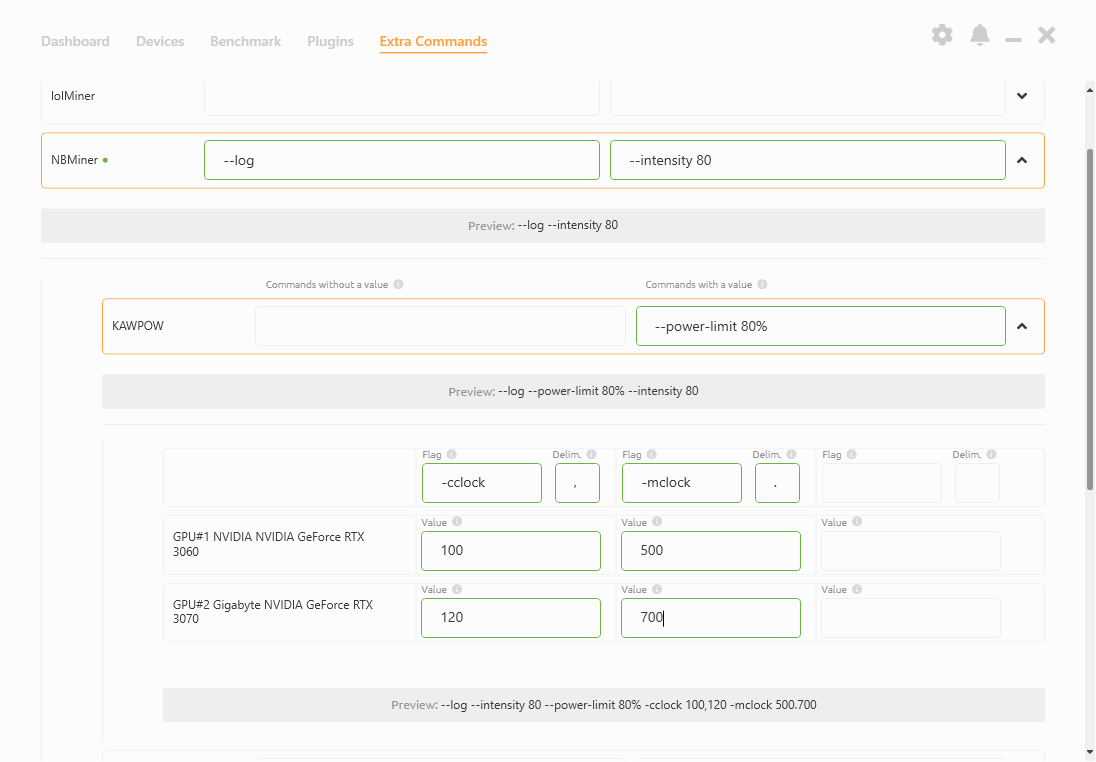
How to use Commands without a value in the Extra Commands tab?
Commands without a value are commands that do not require any additional value next to the command.
Example of Commands without a value:
--log
--log-no-job
--version
Additional information about Commands without a value:
- Commands should be written as they would be in the config/.bat file
- Commands are not duplicated if imputed in both Plugin and Algorithm or Devices level
- A preview command that will be added to the running miner will be shown below the input fields.

How to use Commands with a value in the Extra Commands tab?
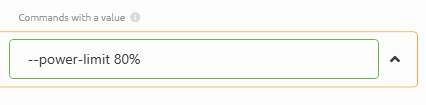
Commands with a value are commands that do require an additional value next to the command.
Example of Commands with a value:
--cclock
--mclock
-
Commands should be written as they would be in the config/.bat file -
Commands that are lower in the hierarchy have higher priority. E.g. Algorithm’s “--cclock” value will overrule the Plugin’s value -
A preview command that will be added to the running miner will be shown below the input fields.
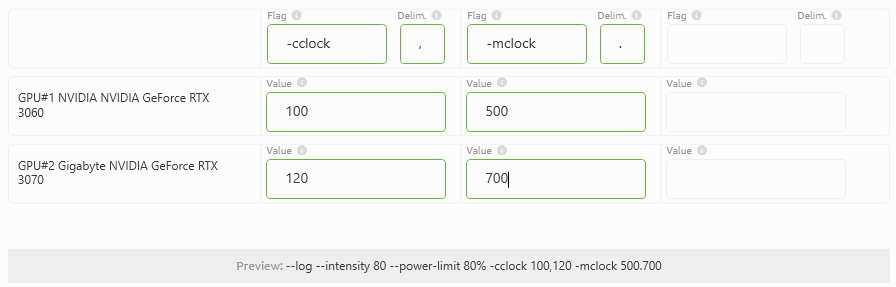
How to set extra commands on the Device level?
--mclock
“ “ (space) - you should use ":" instead of space for some miners
1000 (memory clock)
Where can I find all of the supported Extra Commands for NiceHash Miner?
-
NBminer Extra Command Lines list -
More coming soon
If you have any further questions, feel free to join our Discord server or ask on our Reddit page where our staff and other users are always happy to answer any questions.