How to use NiceHash Bot?
If you want to buy hash-power on NiceHash, and you are already familiar with how NiceHash works (read how NiceHash works here), then you might want to use NiceHash Bot to automatically lower or increase the price of the order instead of doing it manually.
DISCLAIMER: NiceHash does not, in any way, guarantee stability or profits when using the NiceHash Bot. Use it at your own risk!
Follow these steps to set up NiceHash Bot:
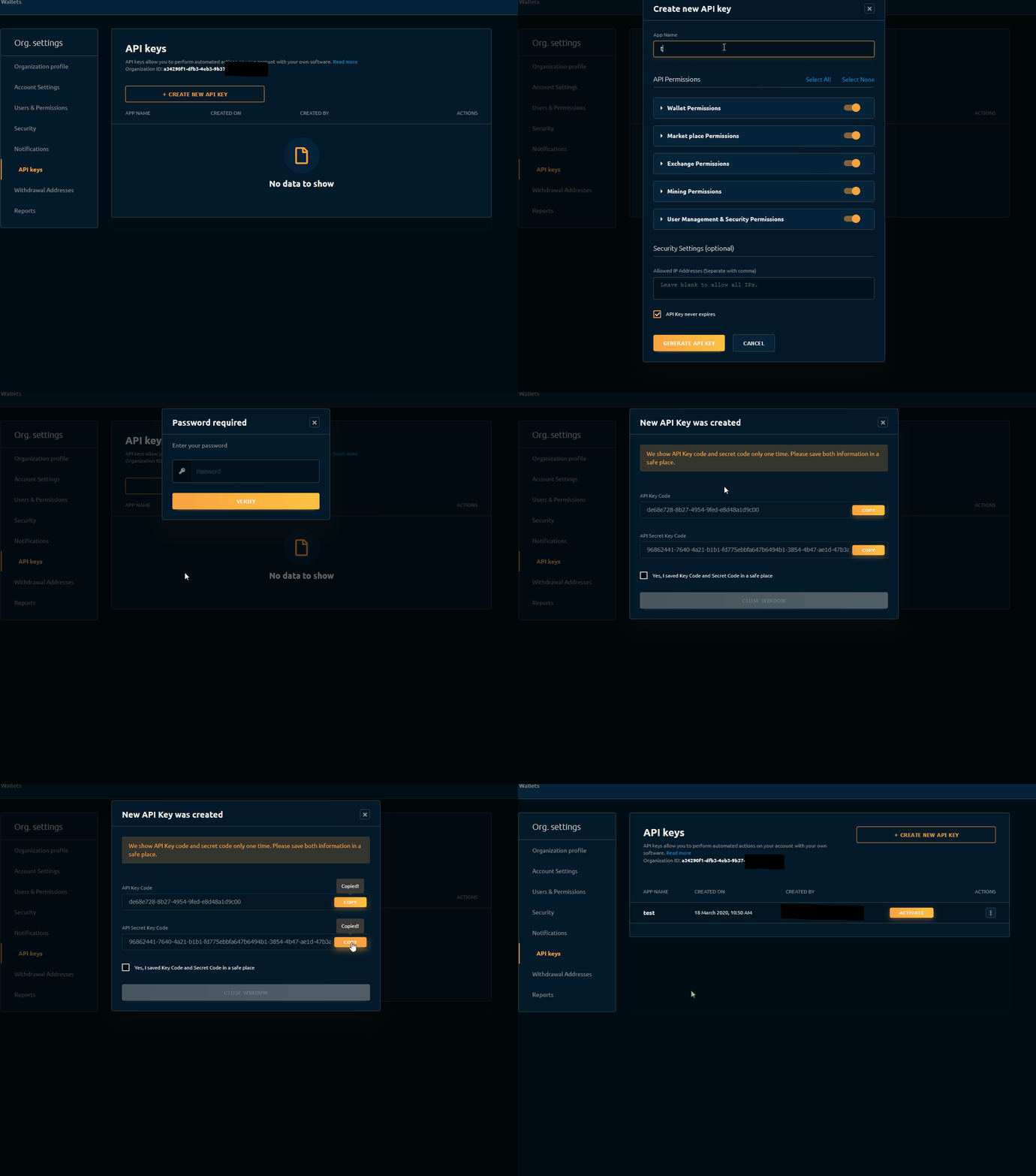
1. Creating API
- keyOrganization ID is found on your API keys site under settings.
- Save API Key Code and API Secret Key Code somewhere safe.
2. Download and start NHB3
- Download the bot here.
- Extract it to somewhere on your PC.
- Run NHB3.exe from inside the extracted folder.
3. Setup
- Copy-paste Organization ID, API ID (API Key Code) and API Secret (API Secret Key Code) to Settings inside NHB3.
- Select the production environment.
- Save.
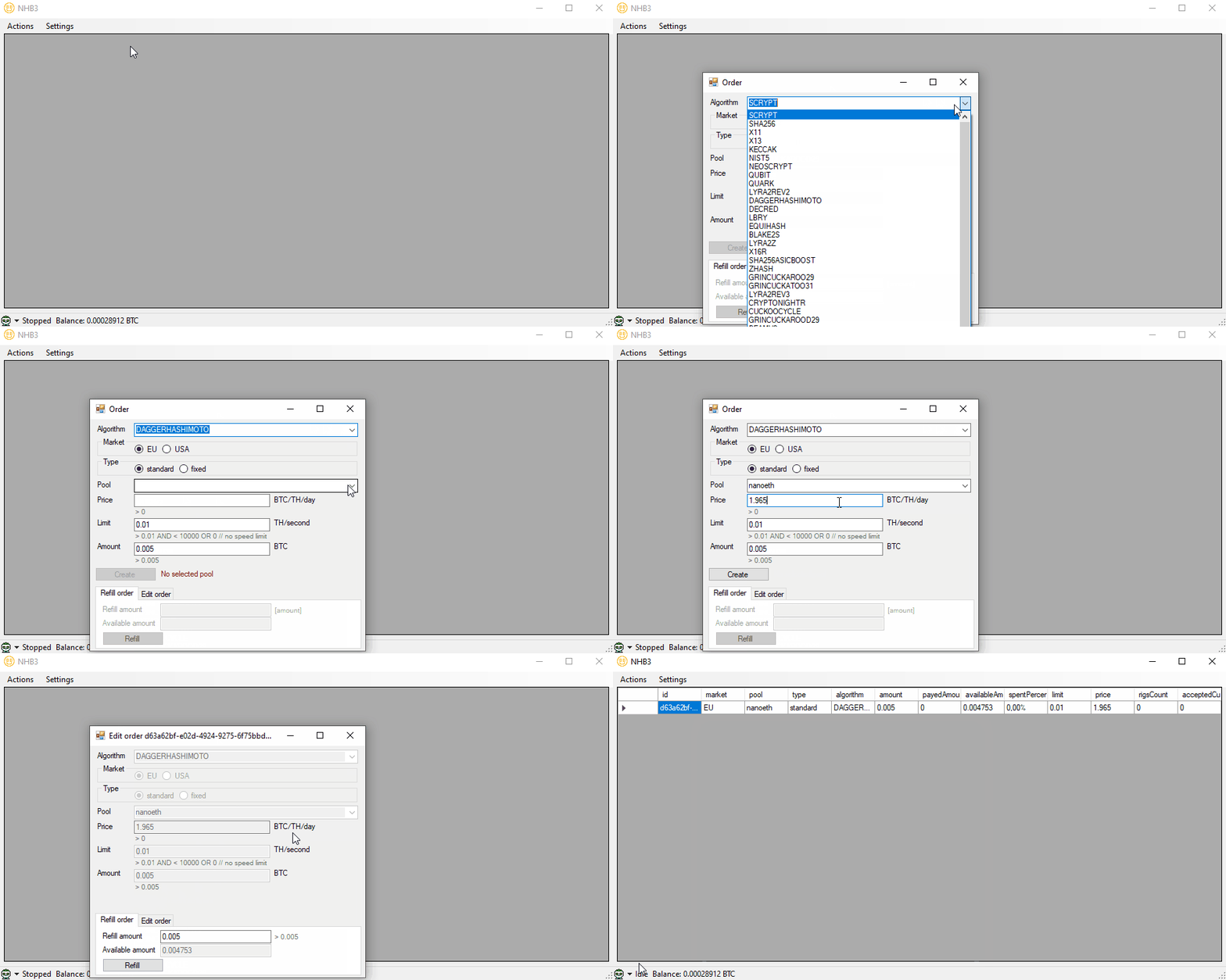
4. Place an order (order can also be created on a web site or mobile app)
- Select Algorithm, Market location, Type, Pool, Price, Limit and Amount.
- Click on Create.
- When the order is created, you can close the Order windows.
- Start the bot in the bottom left corner.
The bot will adjust the price of the order once per minute so you will get the lowest possible price for the hashrate once you turn it on.