How to upgrade WhatsMiner firmware?
It is always important to run the latest version of firmware to avoid bugs and stay updated with security updates.
Opposite to Antminer or other ASICs, WhatsMiner firmware can only be updated via their special Windows tool called WhatsMiner Tool (WMT) or with an SD card.
WhatsMiner Tool can be downloaded from WhatsMiner's official website - navigate to the Tools Download tab.

How to update WhatsMiner ASIC firmware with the WhatsMiner tool?
This guide is valid for all WhatsMiner M30 and M50 models. Follow these steps to upgrade the firmware:
#1 Download the firmware:
- Navigate to the firmware download page
- Download the firmware
#2 Download and run WhatsMiner Tool:
- Download the WhatsMiner Tool - navigate to the Tools Download tab to find the tool
- Run the WhatsMiner Tool on your Windows PC on the same local network
#2.1 Modify Miner IP ranges (optional):
- Click on the Miner IP button
- Change the IP ranges inside WhatsMiner Tool if you use different IP ranges on your network
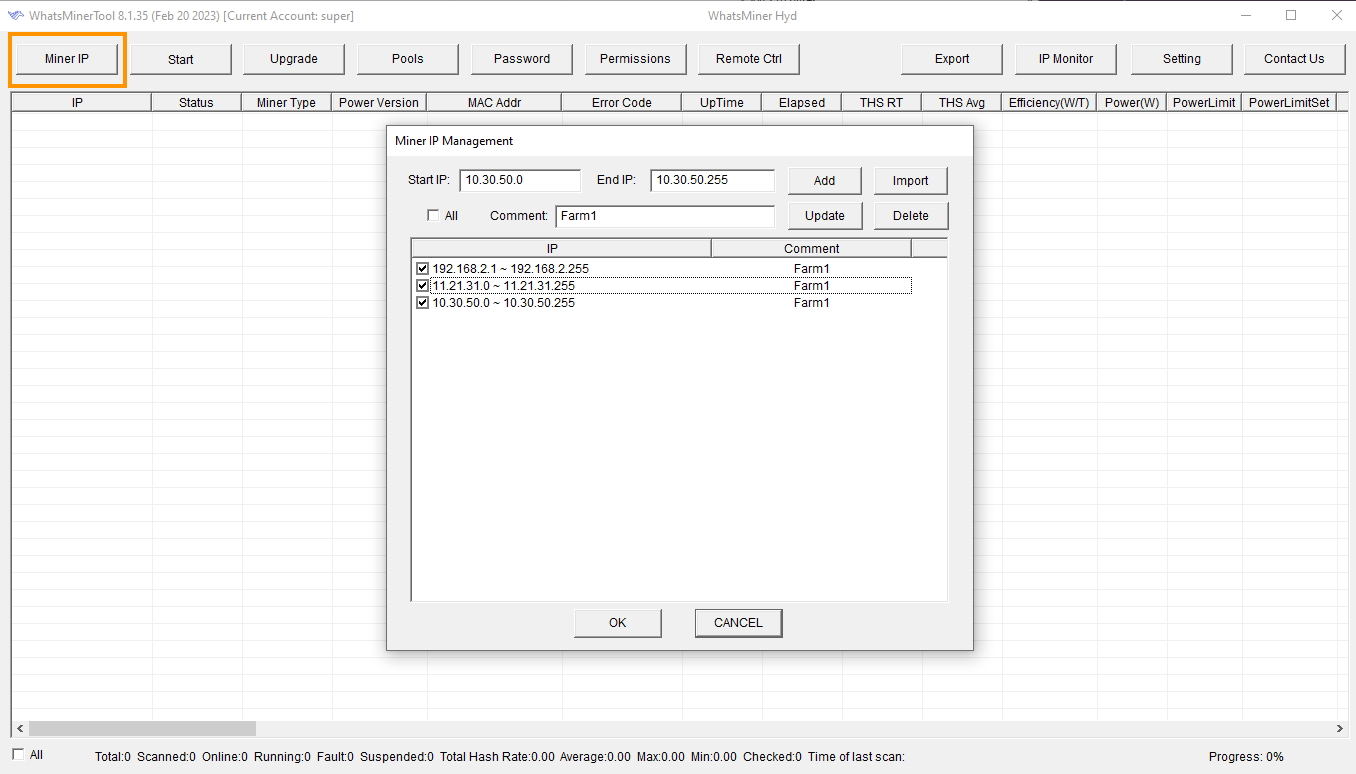
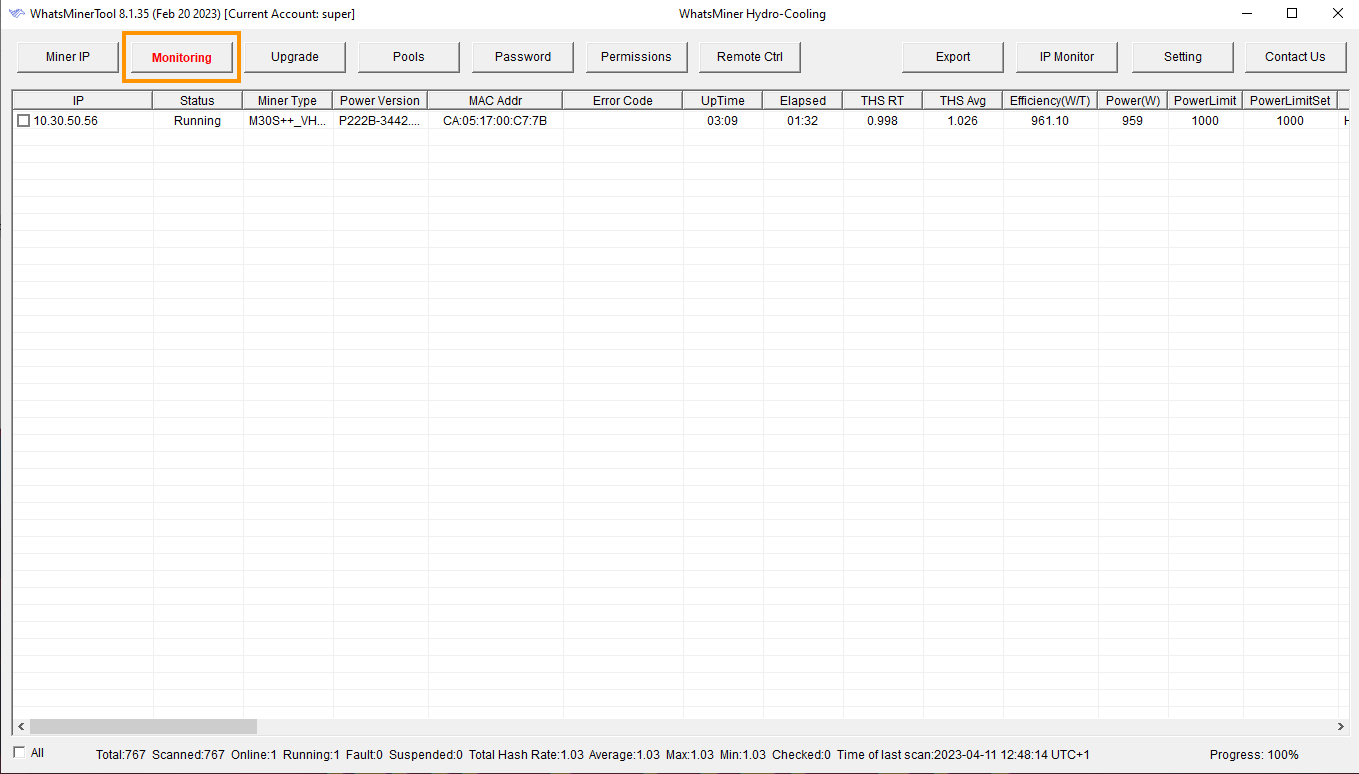
#3 Search for ASIC on the local network:
- Click on the Start button in the top right
All the found ASICs should be listed now.
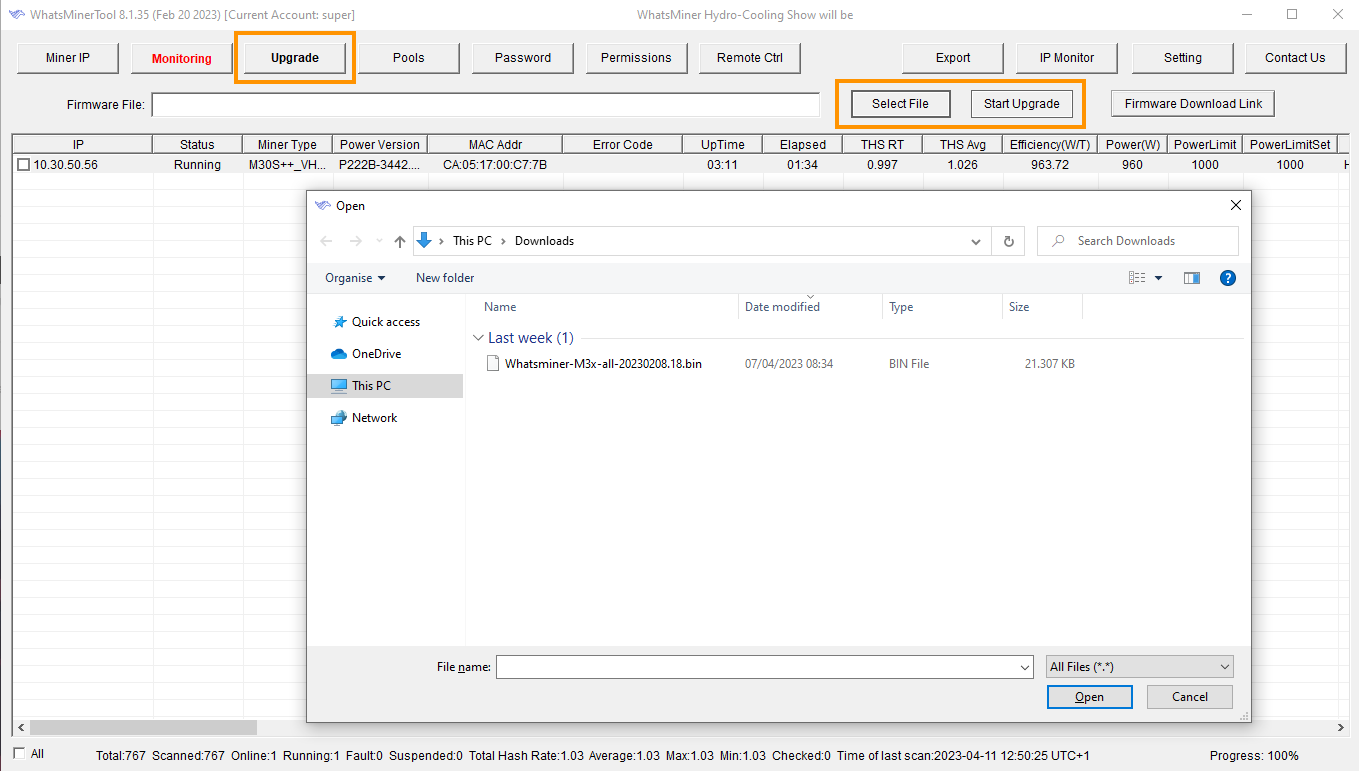
 #4 Select the file and upgrade the firmware:
- Check the checkbox next to the IP of the ASIC
- Click on the Upgrade button on the top
- Click on the Select File and select the previously downloaded firmware
- Click on the Start Upgrade button
Wait for the process to complete, and do not shut down the ASIC in the meantime.
 If you experience any issues with the above process, feel free to join our Discord and Reddit communities, where you can find help from other WhatsMiner users.