How to upgrade Antminer firmware?
It is always important to run the latest version of Antminer firmware for bug fixes and to stay updated with security updates.

How to check the Bitmain Antminer firmware version?
To check the firmware version, navigate to the ASIC browser dashboard and scroll down to the footer. You should see the date of the firmware here.
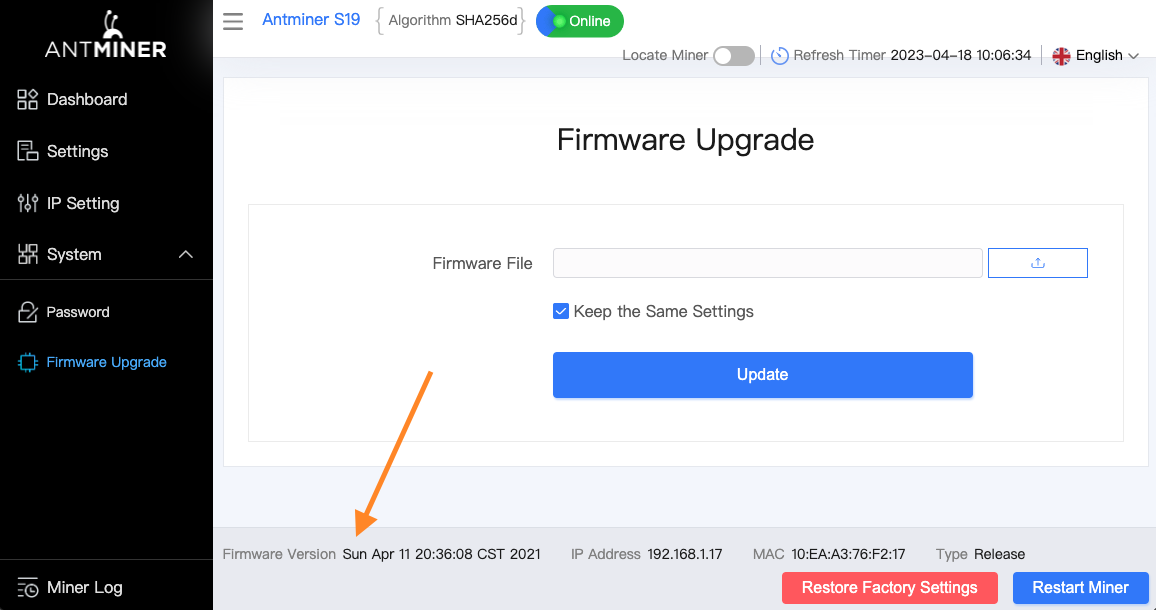
How to update Bitmain Antminer firmware?
This guide is primarily done for the S19 series, but a similar process can be used on other models.
Follow these steps to update the Antminer firmware:
#1 Download the firmware:
Download the firmware from the official website. Make sure to select the correct ASIC model.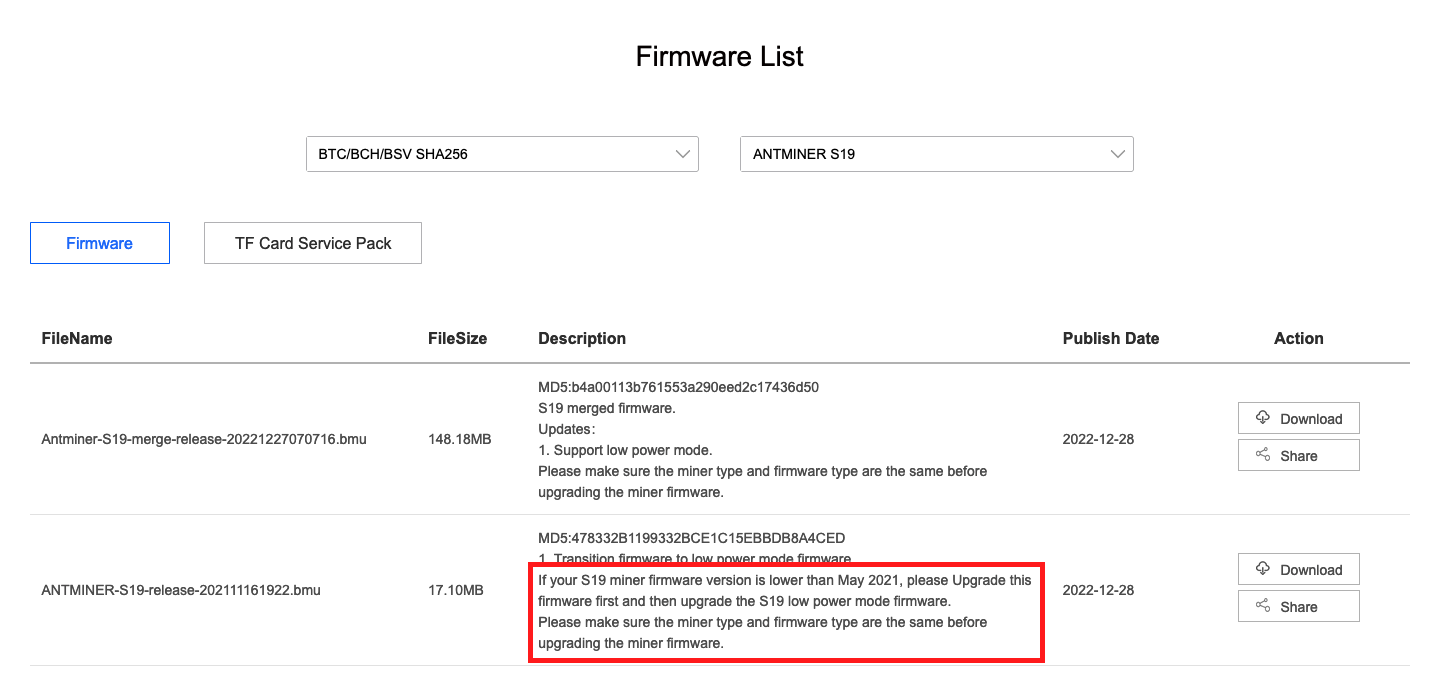 Note: Download and update the transition firmware (the one with a smaller file size) first if your current firmware version is older than May 2021. Otherwise, use the merge release.
#2 Open the Antminer browser dashboard:
- Use the local IP address of your Antminer
- The default username and password are root/root
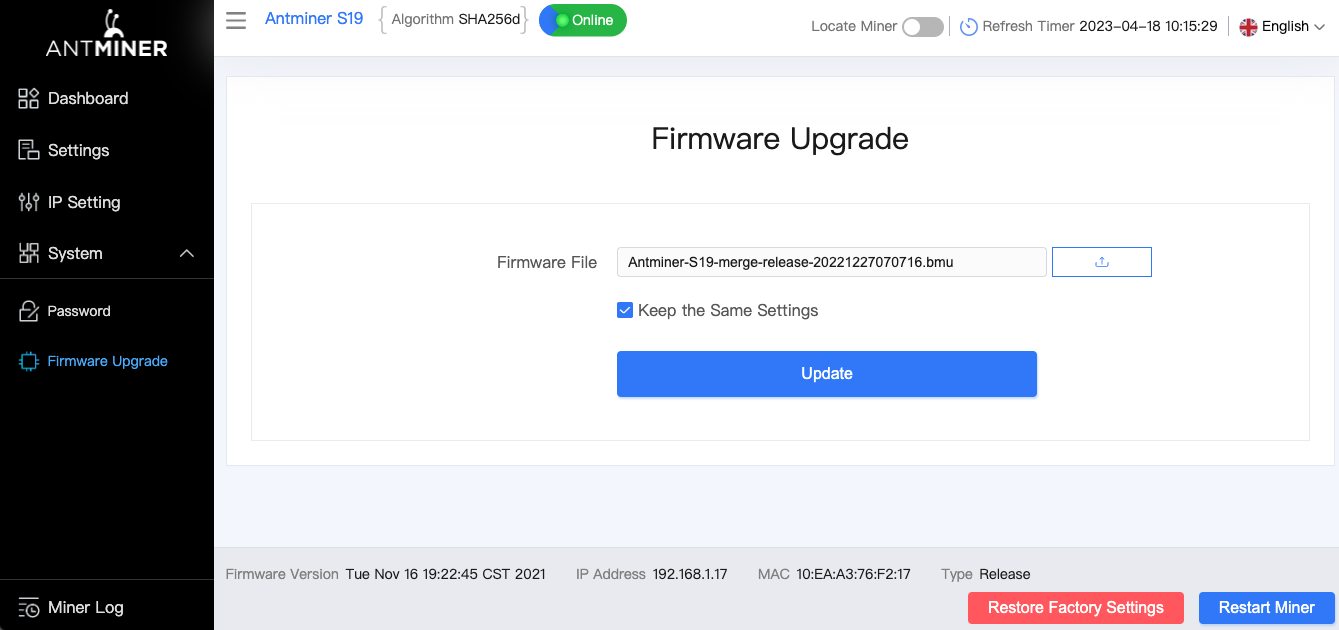
- Navigate to the Firmware Upgrade tab on the left side
- Select the previously downloaded Firmware file
- Update the firmware
After a couple of moments, the firmware will be upgraded. That is it!
 If you experience any issues with the above process, feel free to join our Discord and Reddit communities, where you can find help from other Antminer users.