How to start mining ZEC (Equihash) on NiceHash?
If you are an Equihash ASIC owner and are interested in increasing profits, then NiceHash has your back.
NiceHash recently introduced “Catch the Block”, where users can buy packages for mining Zcash. As a result the average price for selling hashrate on NiceHash has increased above the direct mining pay rate.
How to start mining Zcash on NiceHash?
The process described below might slightly differ depending on the ASIC manufacturer and model. But generally you should use NiceHash mining address and use our stratum generator to generate yourself a stratum URL
#1 Create a NiceHash account
We recommend using NiceHash internal mining address to mine on NiceHash. If you are not registered yet, create an account to get the mining address.
You can find the mining address in the top left part of the Mining Tab inside the NiceHash platform.

#2 Generate a stratum address:
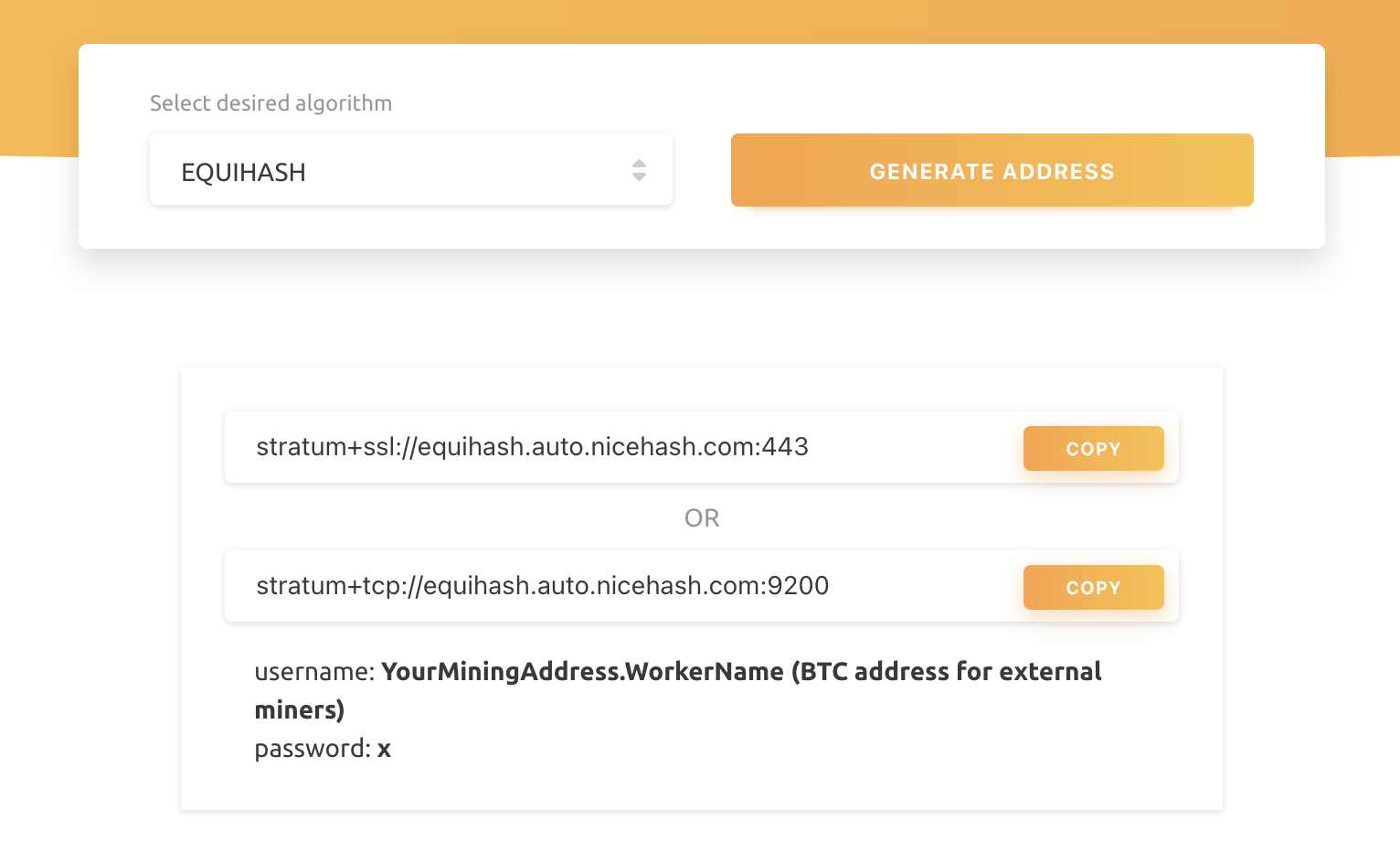
- Navigate to the Stratum server generator page
- Select Equihash algorithm
- Click the Generate Address button
You will see two different stratum URLs. The top one is used for SSL mining - a secure connection protocol that might not be supported by all ASICs. If the SSL connection (port 443) is not working, try using the TCP stratum address (port 9200).
Other than the difference in the protocol encryption, both protocols act identically.
#3 Point the ASIC to NiceHash
Use the above mining address and stratum URL and paste them in the URL and worker fields inside your ASIC dashboard. You can use X as a password as shown on the image below.
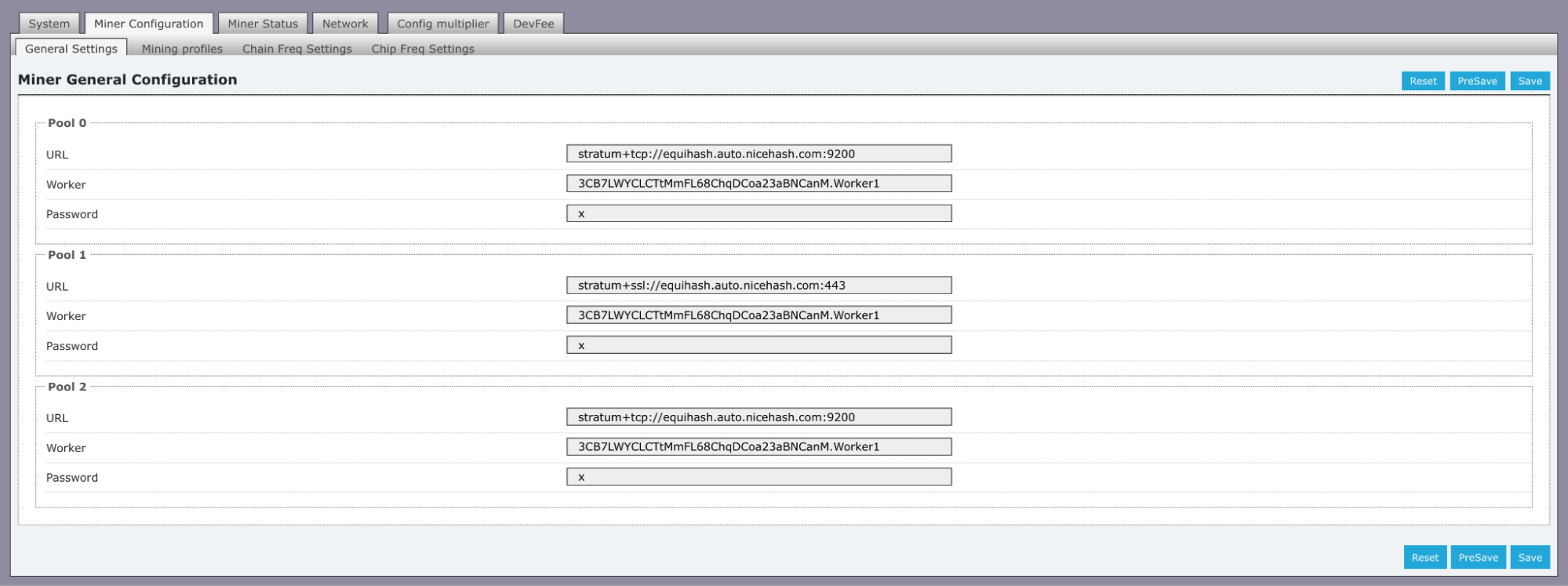
The whole process might look different than what is on this guide, depending on the ASIC manufacturer.
As always, feel free to join our Reddit page and Discord server!