How to reset motherboard BIOS to factory defaults?
In this guide, we will show you how to reset the BIOS to default settings or factory defaults. This is very useful when your rig will not boot or you misconfigure some BIOS settings.
There are 3 ways of resetting the motherboard BIOS:
- From inside the BIOS
- With CMOS jumper
- By removing the battery
Resetting the BIOS from BIOS
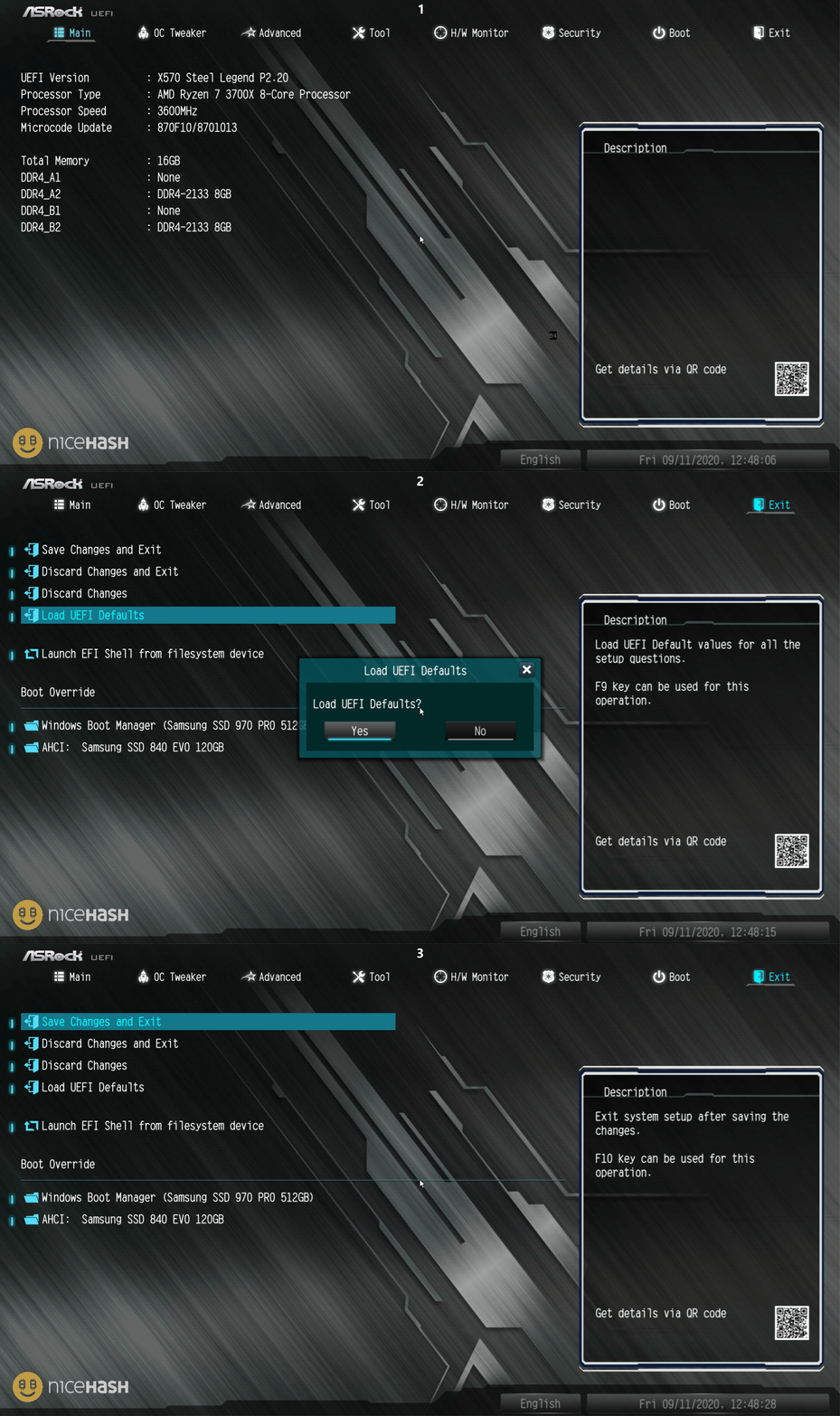
This is the easiest way of resetting the BIOS settings. Follow these steps to reset the BIOS:
- Restart or turn on the system.
- Repeatedly press the F2 or DELETE button to enter the BIOS.
- If you are located in EZ mode, press F7 to open Advanced mode.
- Navigate to the Exit tab.
- Select Load Defaults option.
- Save & Exit Setup.
Note that not all motherboard manufacturers use the same name as the option or the path might be different but generally you should be able to find this option easily.
By moving the CMOS jumper
This way is a bit tricker than the one explained above, but sometimes you might not be able to access BIOS. In that case, you would want to use a CMOS jumper.
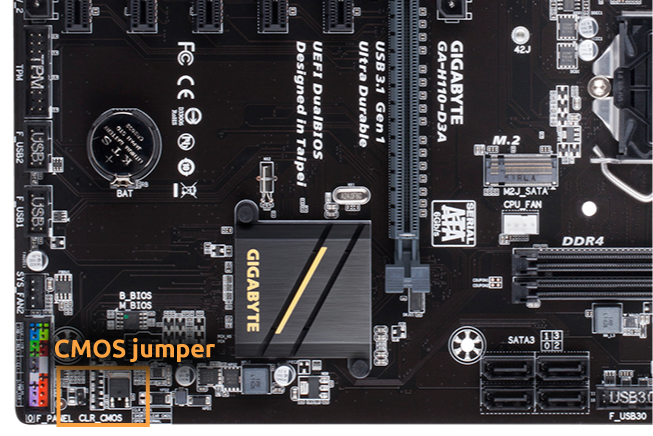
The CMOS jumper is 3 pins sticking out of the motherboard, 2 of 3 are covered by a jumper connecting pins. The jumper normally has a position 1-2 or 2-3. Moving the jumper from position 1-2 to 2-3 resets the BIOS.
Follow these steps to reset the BIOS with the CMOS jumper:
- Power off the system,
- Locate the CMOS jumper on your motherboard.
- Move the jumper from the default 1-2 position to the 2-3 position for 3-5 minutes (some motherboards require you to remove the jumper only)
- Move the jumper back to the default position
- Power on the system
Note: For exact instructions use your motherboard’s manual. You can find the manuals online too.
 By removing the battery
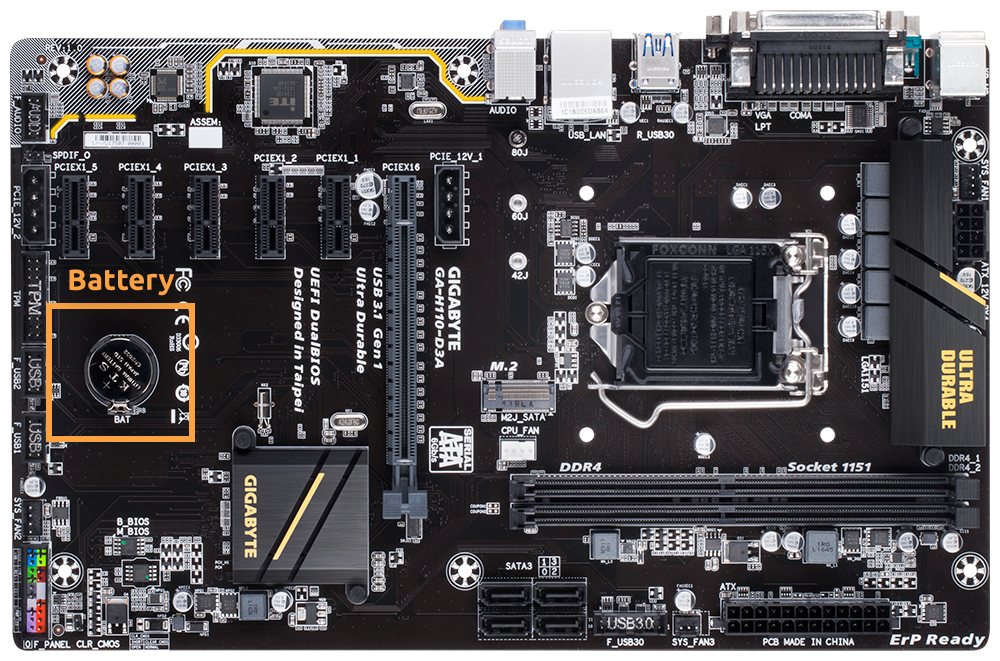
This is another relatively simple way of resetting the BIOS. Sometimes it is easier to locate the battery on your motherboard than looking for the CMOS jumper.
Follow these steps to reset the BIOS by removing the battery:
- Power off the system and disconnect it from the power outlet.
- Locate and remove the battery on your motherboard.
- Wait for around 5 minutes.
- Put the battery back in the motherboard.
- Power on the system.