How to remove VRAM limit in NiceHash Miner?
Due to issues with mining on 4GB graphics cards with NiceHash Miner, we had to increase the VRAM limit on all DaggerHashimoto algorithms to 5GB. These issues are caused by ETH and ETC DAG file sizes.
What is DAG?
DAG stands for Directed Acyclic Graph and without going into too many details, it is a crucial file in ETH and ETC mining. DAG file size grows over time, exactly every 30.000 blocks (Ethereum) or every 100 hours to be precise. DAG file has to be “loaded” into your GPU memory while mining. If the GPU does not have enough VRAM, Ethereum mining is not possible. Click here if you want to know more about DAG.
Keep in mind that 4GB graphics cards will not be able to mine ETH or ETC eventually. Ethereum’s DAG will reach a 4 GB mark at the block 11,519,999. Ethereum Classic DAG will also reach a 4 GB mark on block 11,519,999.
Please note that this guide is only a temporary solution! If you still want to mine DaggerHashimoto with 4GB cards follow this guide but you are doing this at your own risk! Turning off the VRAM limit is not recommended!
OUTDATED - 4GB cards are not capable of mining the DaggerHashimoto algorithm anymore.
Follow these steps to disable 5GB VRAM limit:
- Open NiceHash Miner.
- Navigate to the Plugins tab.
- Locate the miner you usually mine DaggerHashimoto algorithm and click 3 dots on the right side.
- Select Show Internals.
- Navigate to the internals folder and open PluginSupportedAlgorithmsSettings.json.
- Change use_user_settings to true.
- Change enable_unsafe_RAM_limits to true.
- Save the file and restart NiceHash Miner.
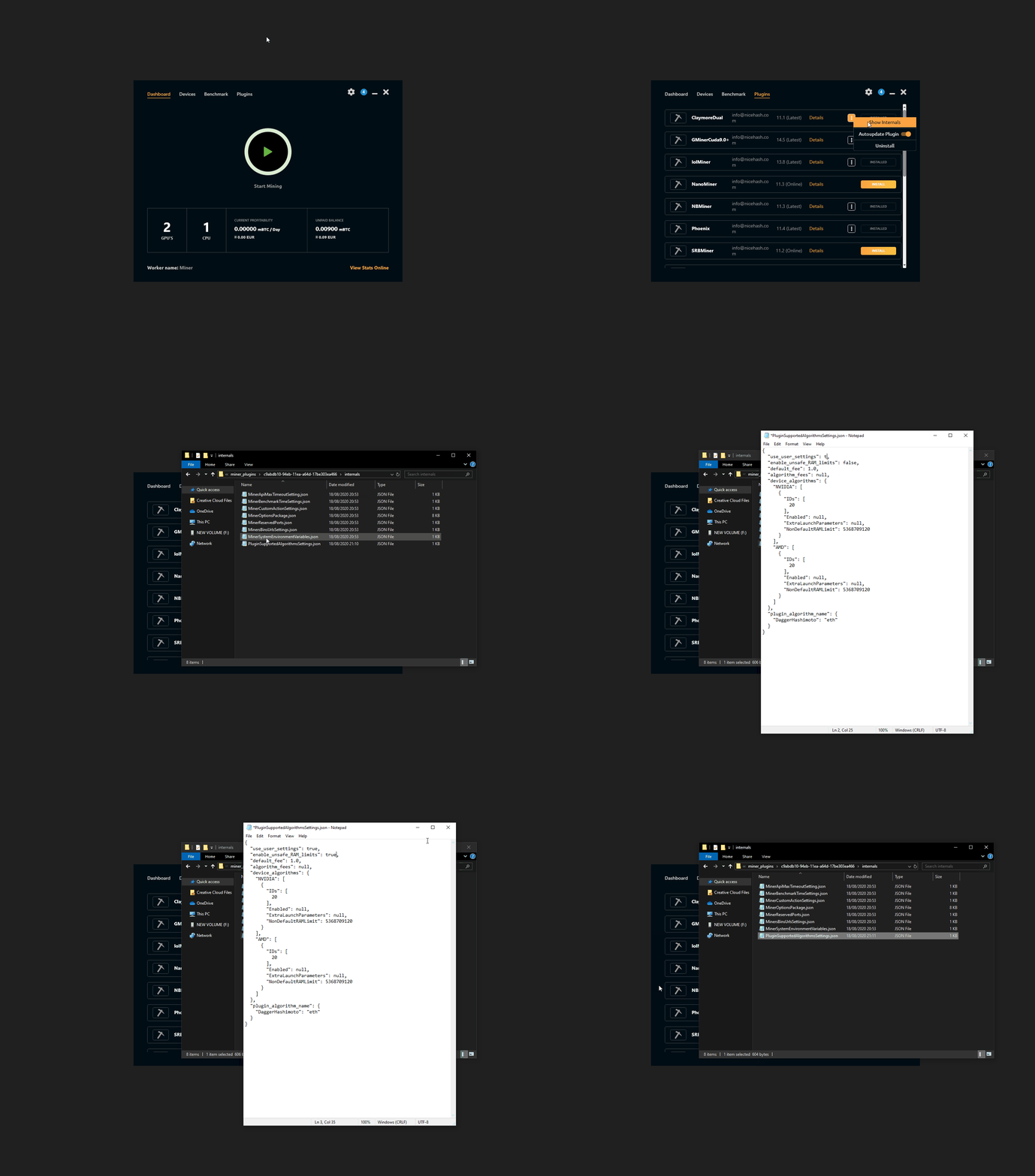
Right-click > View Image to view gif in full size.