How to monitor your daily mining profits with NiceHash?
Since the launch of the new platform, a lot of users complained about payouts not being daily but on every 4 hours as this makes it harder to keep track of daily payments. We have implemented a feature where you can sum the daily mining payments with a click of a button.
Follow these steps to check daily mining payments from your miners:
- Sign in to your NiceHash account
- Navigate to Mining > HISTORY & STATS
- Scroll down to the Last mining payments
- Enable Group by day
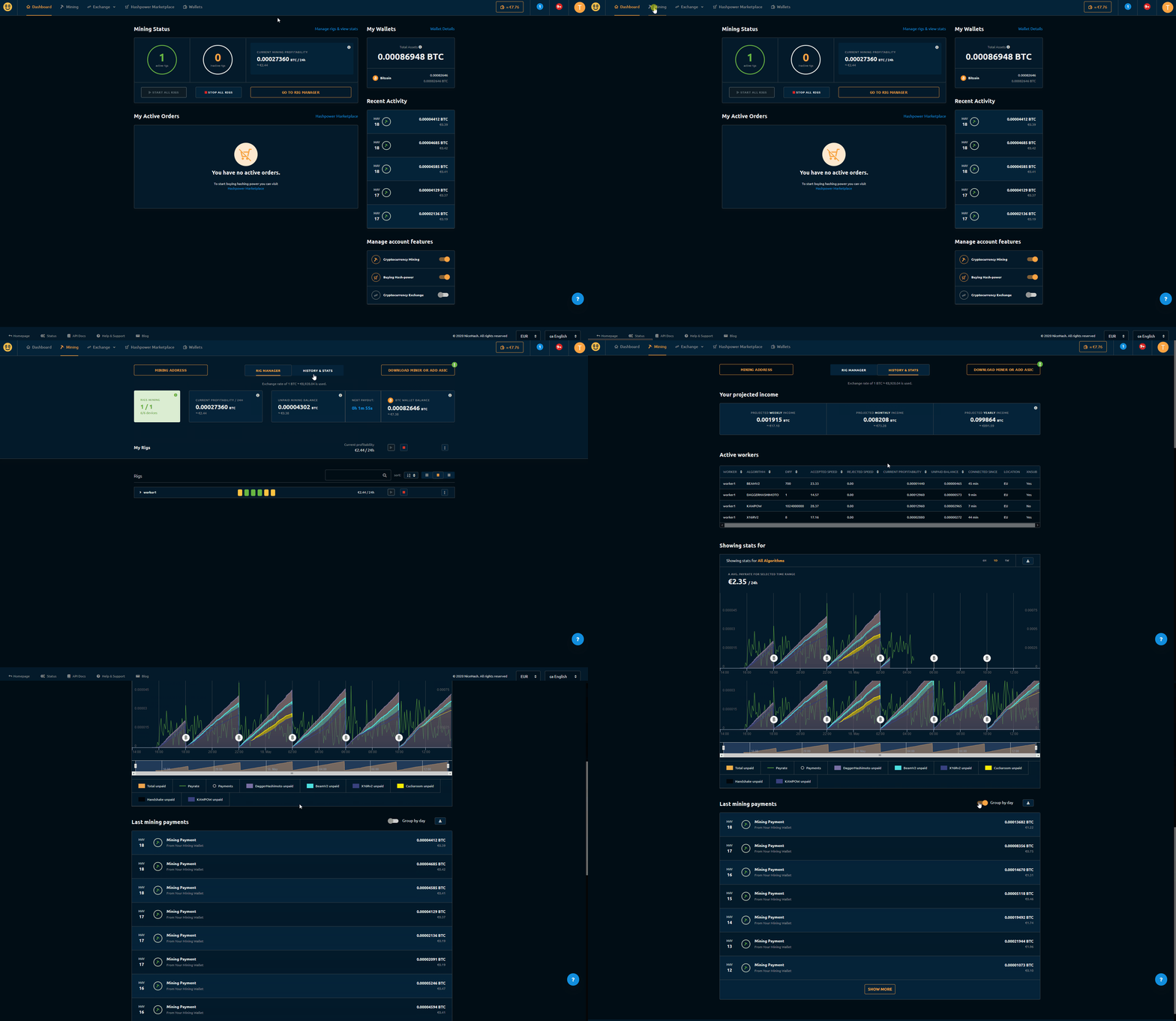
This will sum up all your daily mining payments.
WRITTEN BY
Marko Tarman
Marko is NiceHash's Mining Manager and Content Creator. He started mining back in 2012 before the first ASICs were released. He went from GPU mining BTC, LTC to VTC, and even DOGE. His mining motto: "I've got 99 problems, a bad riser is all of them"