How to modify NiceHash Bot?
NiceHash Bot 3 has, by default, very few basic functions. It creates an order based on your input, lowers or increases the order price according to the current market situation and refills the order. If you would like to add more personal features follow these steps below.
Note that you need some basic C# programming knowledge.
How to extend NHB3 by defining your custom rules:
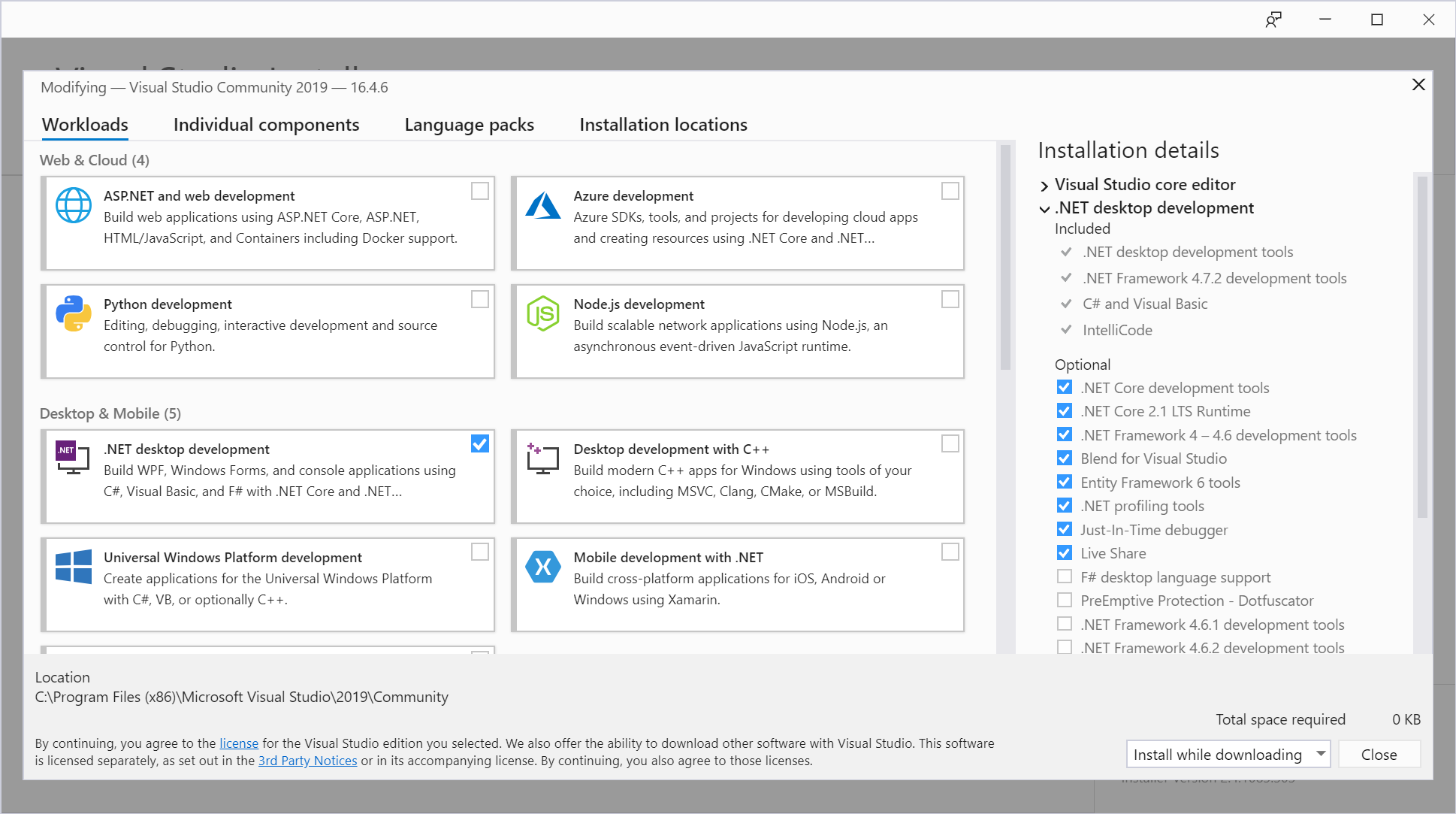
1. Download VisualStudio 2019 from https://visualstudio.microsoft.com/downloads/. Community edition will do just fine. After installation, make sure you install support for .NET desktop development.
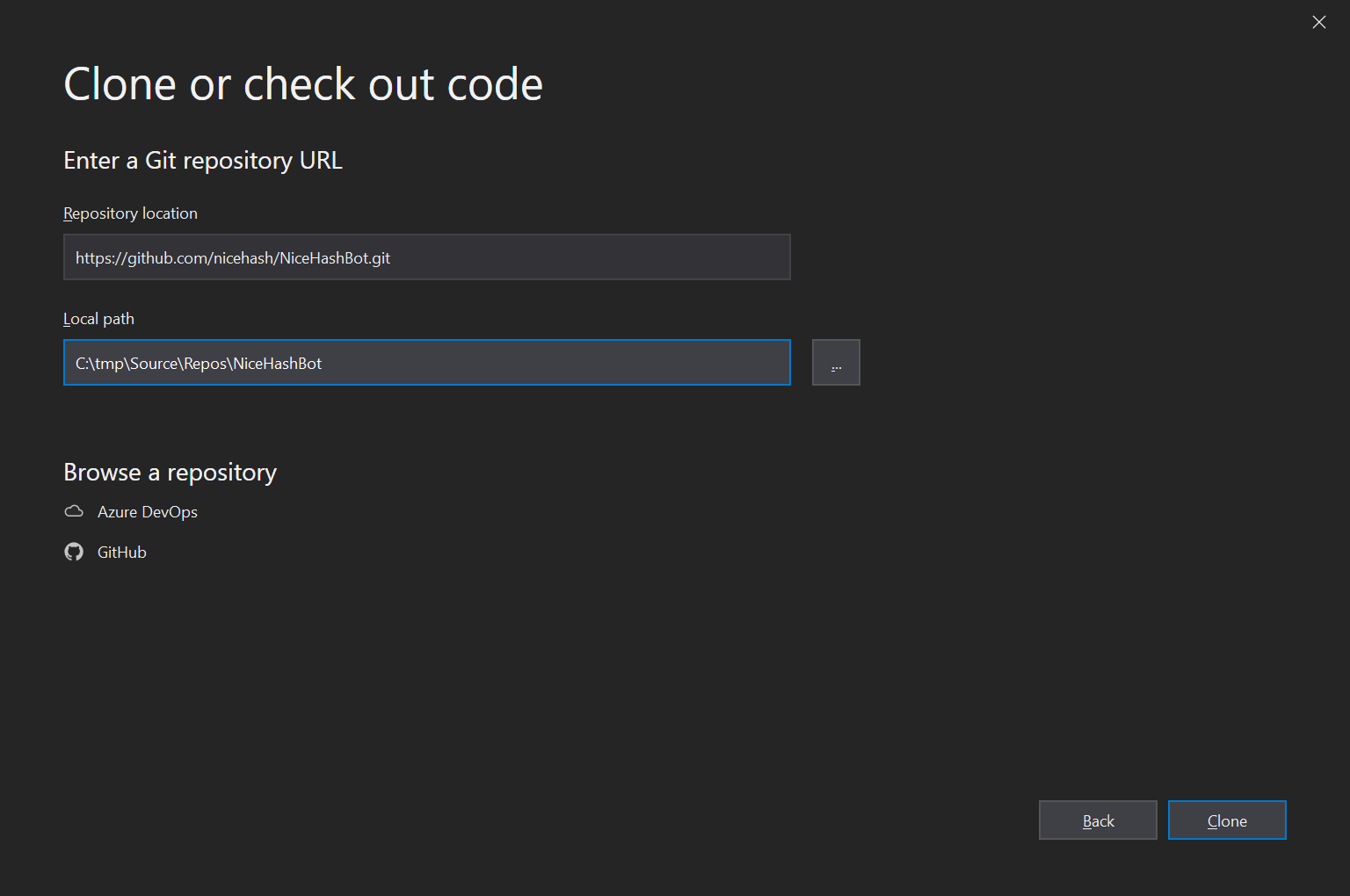
2. The Next thing we need to do is to clone the NHB3 code from the GitHub repository https://github.com/nicehash/NiceHashBot onto your computer. In the Getting Started section of the welcome screen click "Clone or checkout code", enter the repository URL and the local path where you would like to have your code and click "Clone".
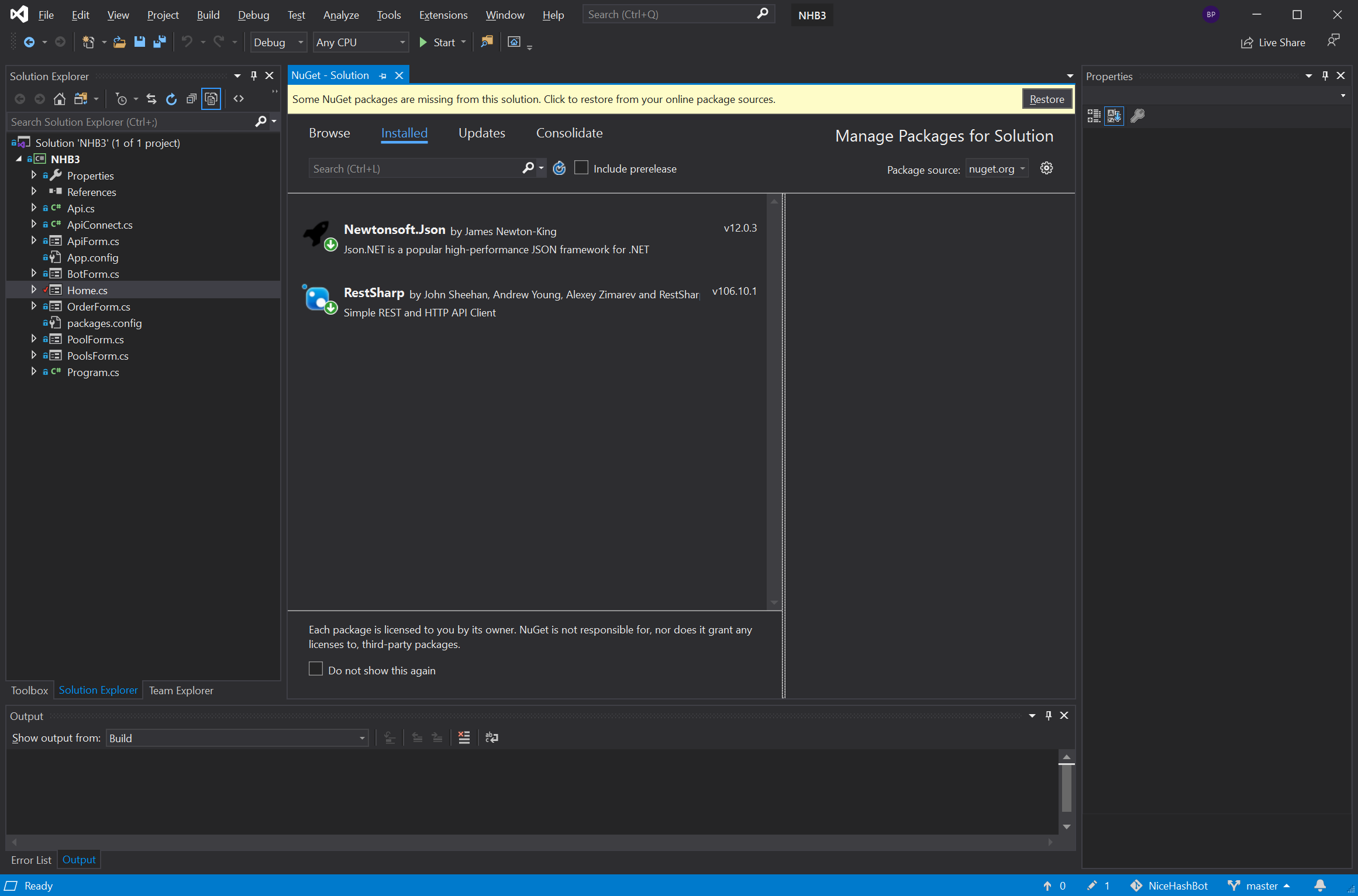
3. In the process of cloning, Visual Studio will copy the current version of NHB3 to your computer and open the project. You do need to install NuGet packages needed by this project.
Go to "Toos" -> "NuGet Package Manager" -> "Manage nuGet Packages for Solution" and then "Restore".
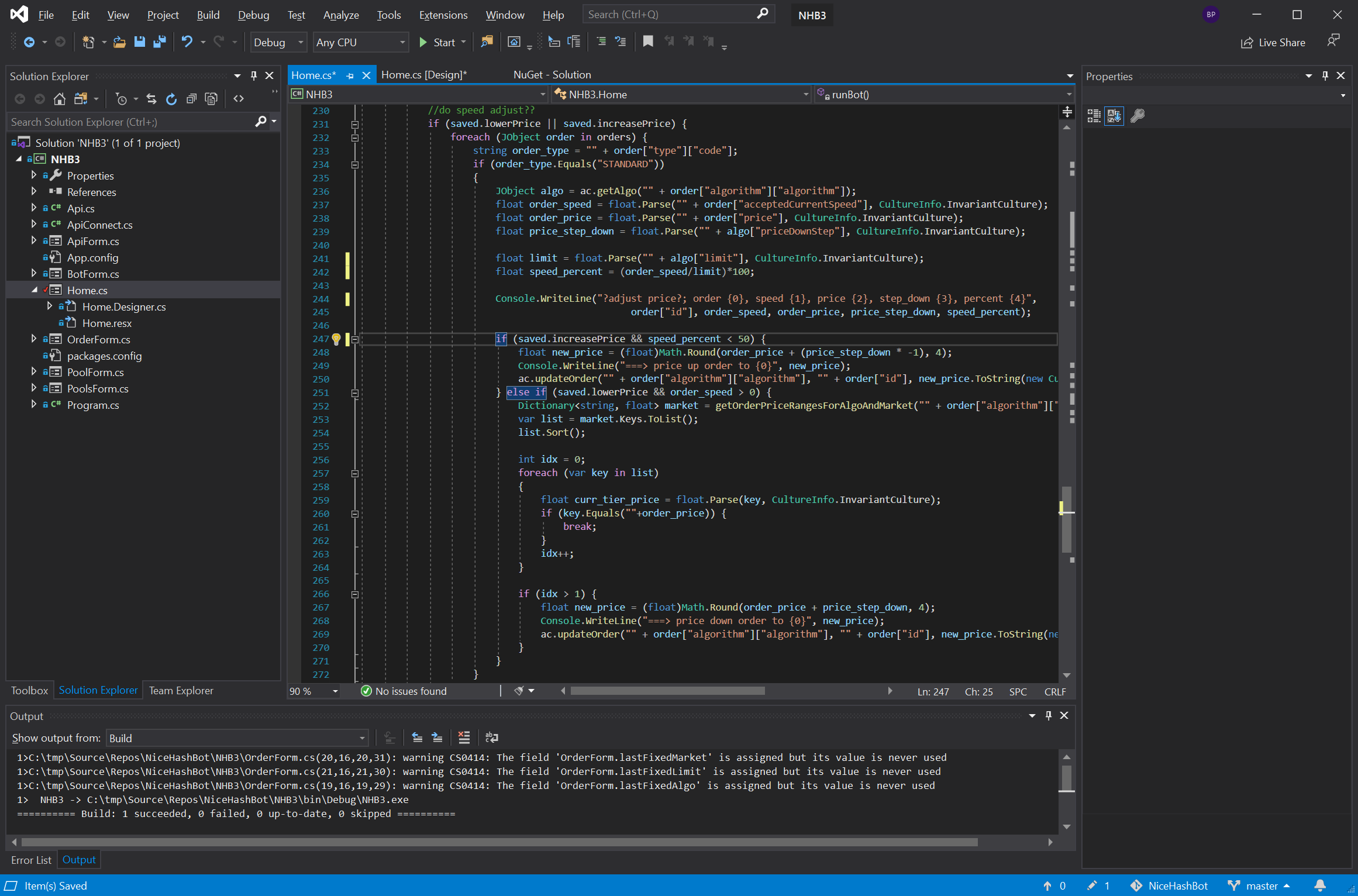
4. In the current version of NHB3, the bot will increase the price of our order if the speed (acceptedCurrentSpeed) drops to 0. This is a very conservative rule and maybe we would like to increase the price of our order a bit earlier (let’s say when the speed drops below 50% of our speed limit) to avoid the short time when our order will have zero speed.
Another thing to have in mind is that acceptedCurrentSpeed is the 5 min average so if you want or need to avoid order zero speed this would be a great improvement to our own BOT.
The order handling function is called runBot and it is in Home.cs file starting at line 187. This particular fraction of code that we are interested in happens inside this condition:
if (saved.increasePrice && order_speed == 0)
This condition is true if we have enabled the increased price BOT setting and current order_speed is equal to zero.
If we would like to change this, ie. let’s increase the price when the speed drops below 50% of the speed limit condition it would be changed to something like this: First, we need to calculate speed per cent:
float limit = float.Parse("" + algo["limit"], CultureInfo.InvariantCulture);
float speed_percent = (order_speed/limit)*100;
and then change the price increase condition to:
if (saved.increasePrice && speed_percent < 50)
5. If you did everything as expected you can now Run/Build your version of the BOT by clicking CTRL+F5