How to make a Coinbase withdrawal from NiceHash 2022
On December the 30th 2021, we removed the assisted Coinbase withdrawal option from our platform (also referred to as 'off-chain' or 'free' Coinbase withdrawals). If you were used to withdrawing your funds to Coinbase this way, you can still do so, by following this guide to make a withdrawal to your Coinbase wallet.
Note that this guide is on desktop, the steps for mobile devices are the same but the interface will look different. You can follow these same steps to add any BTC wallet address as a withdrawal address to your account.
Step 1
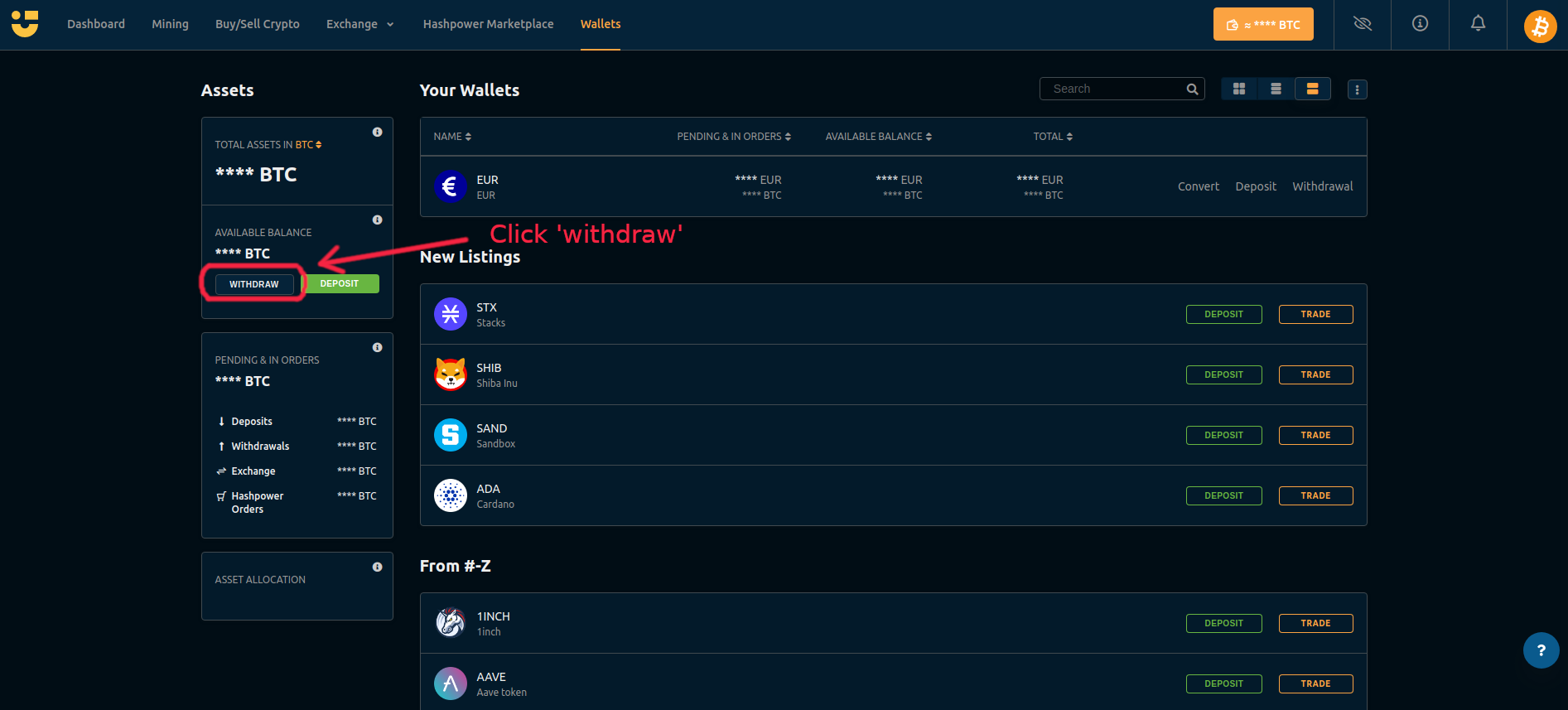
Login to your NiceHash account and navigate to 'Wallets' in your dashboard. Then click 'Withdraw' on the left underneath 'Available balance'.
Step 2
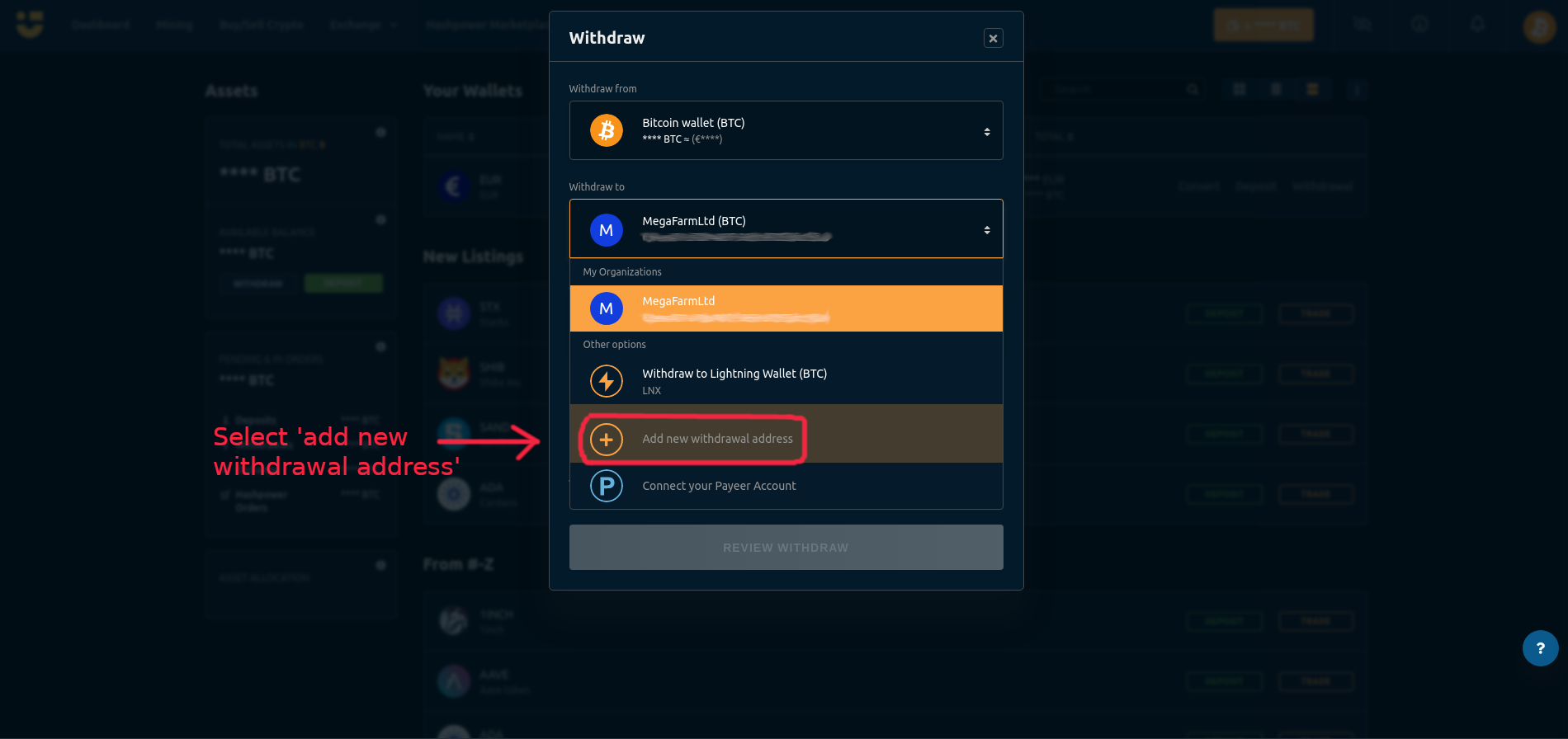
In the drop down menu, select 'Add new withdrawal address'.
Step 3
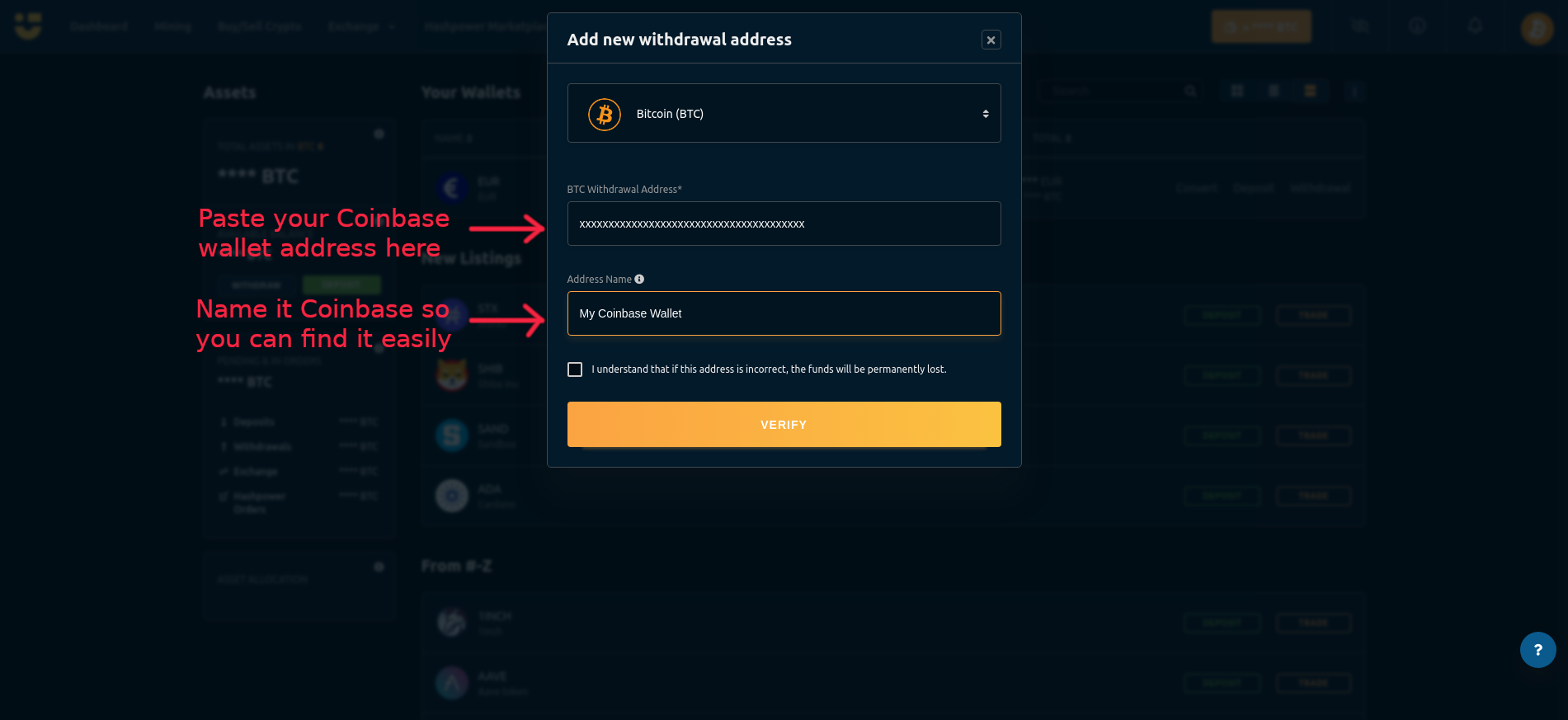
Login to your Coinbase account in a new tab and navigate to your wallet address (or find it in your Coinbase app). Copy this address to your clipboard, then paste this into the 'BTC withdrawal address' field. Add a name such as 'My Coinbase Wallet' so you can easily find it again. (Note that Coinbase gives you a new address each time you press receive, but you do not need to change it in NiceHash every time, the funds will still go to the same address you enter in this step).
Step 4
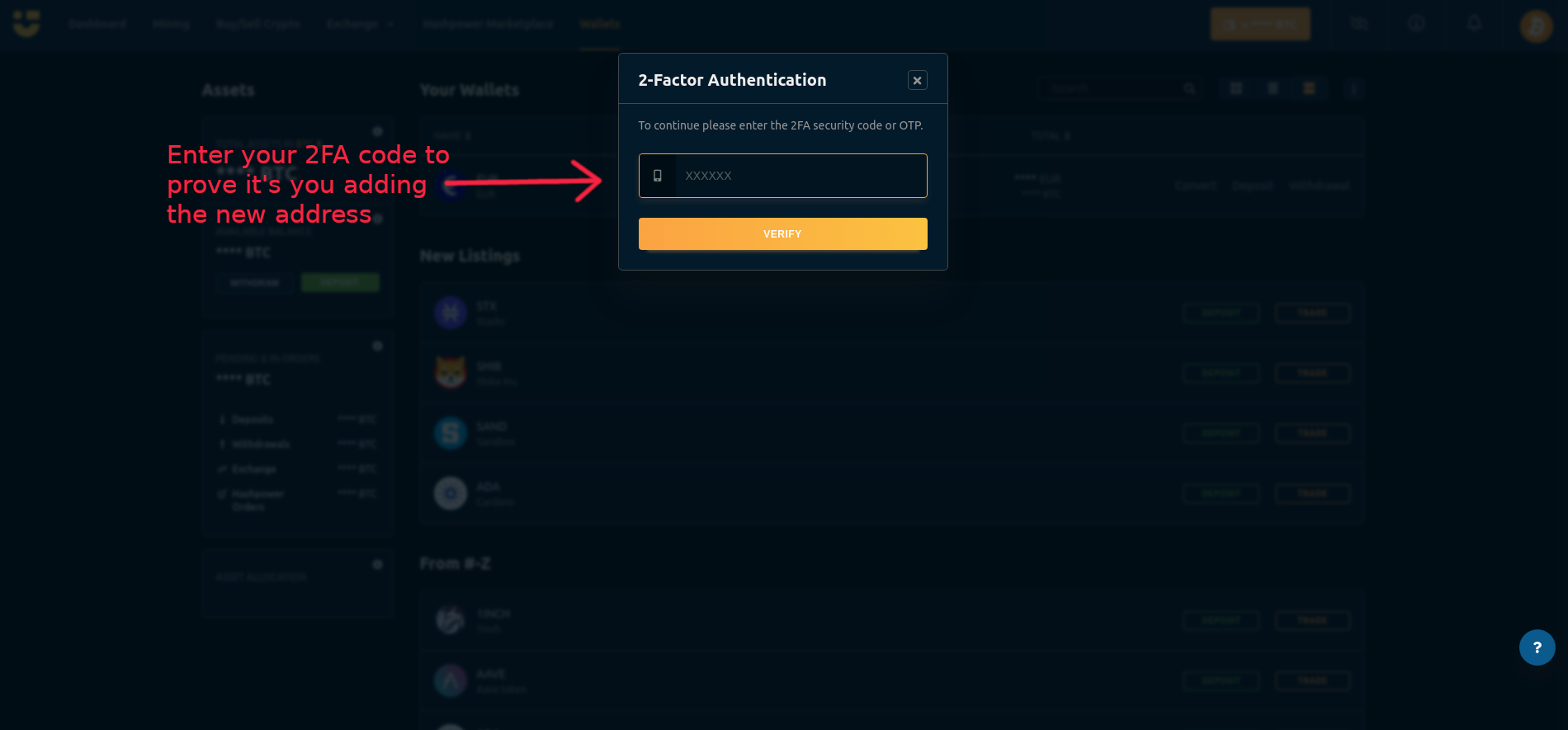
Next you will be asked to enter your 2FA code (if you do not have Two-Factor Authentication enabled, you will need to add it before you can add a withdrawal address). This is a security feature to make sure it is you who is adding the new withdrawal address.
Step 5
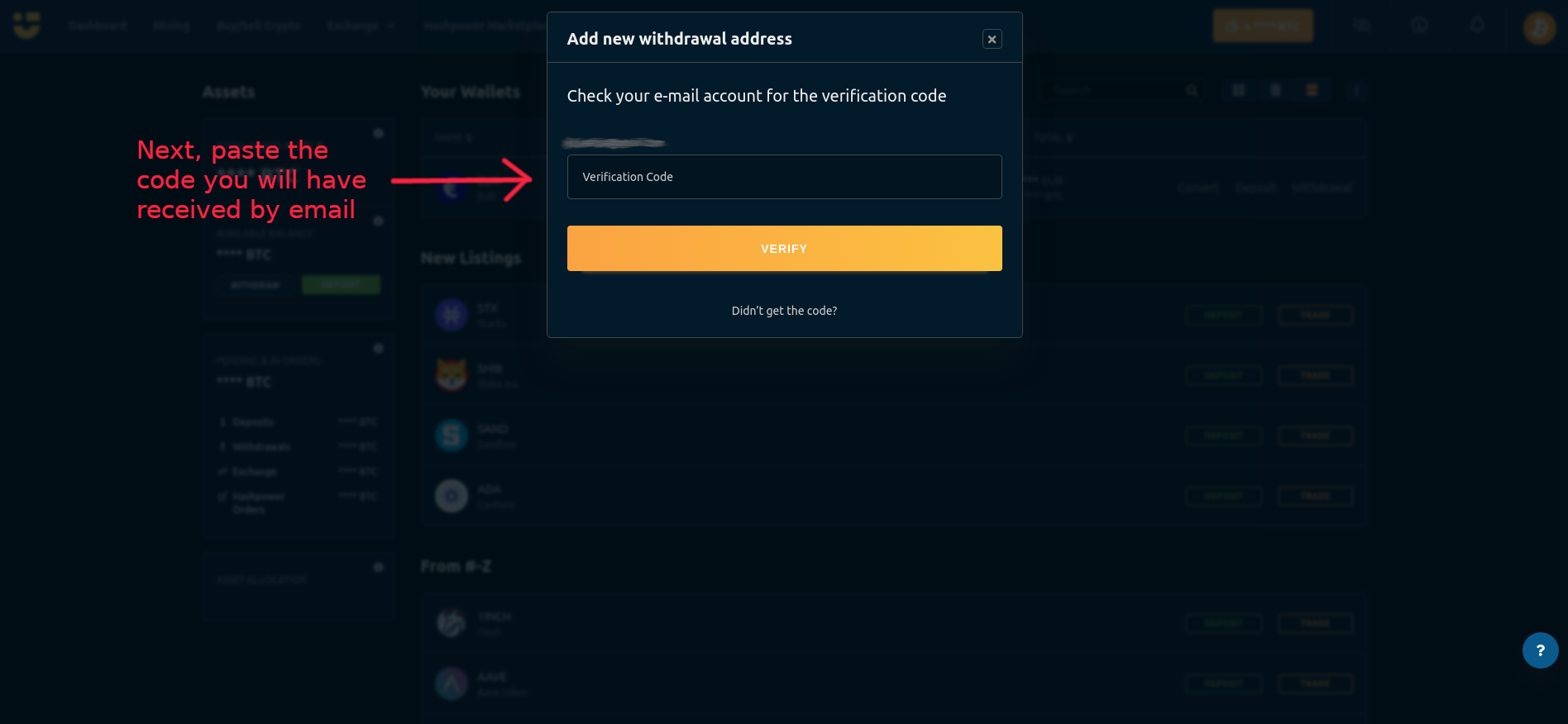
Then you will be sent a confirmation code to your email. Copy this code to your clipboard and paste it into the required field. This is a security feature to protect your account.
Step 6
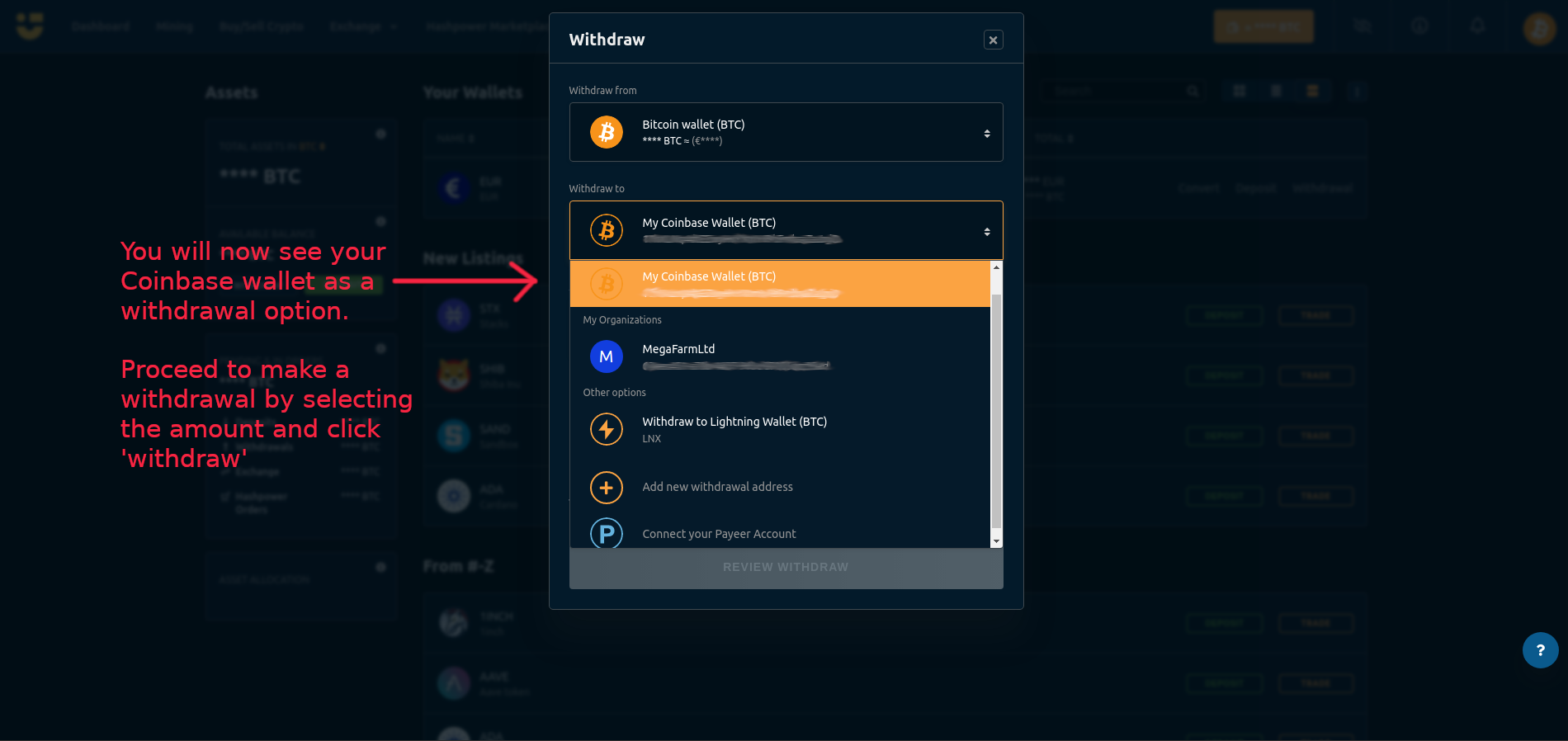
You will then be directed back to the withdrawal interface, and your Coinbase wallet (or new withdrawal address) will be shown under the name you gave it.
Step 7
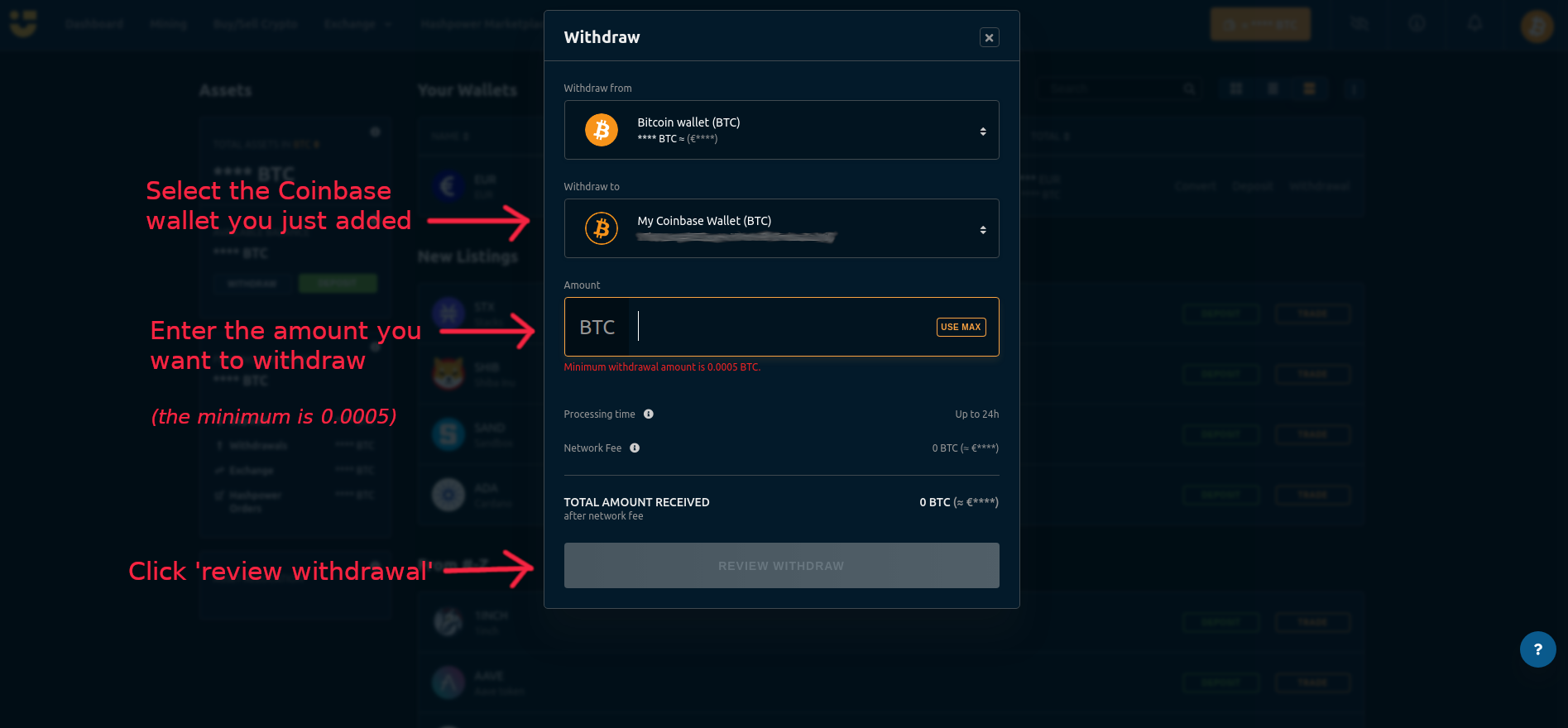
Then proceed to make a withdrawal by selecting the Coinbase wallet, then entering the amount you want to withdraw, and click 'Review withdrawal'. You will be asked for confirmation, and then click 'Withdraw'.
That's it, your funds will now be on the way to your withdrawal address!
Please note that this is not instant, it usually takes between 20 minutes to a couple of hours, but can be up to 24 hours depending on blockchain conditions.
NOTE: Make sure you have entered the correct withdrawal address as your funds will be lost otherwise.