How to format partitions on your USB drive?
Windows Format option in File Explorer cannot delete partitions. Therefore you can use the DISKPART command from Command Prompt to delete USB drive partitions and format them.
DISCLAIMER: You will lose all of your data on your USB drive if you make a mistake. We do not take responsibility for any data loss.
We recommend that you connect only one USB drive at a time while you are formatting and deleting partitions. This way you will not mistakenly format the wrong USB drive.
Once you have plugged your USB drive into your PC follow these steps to format and delete all partitions from your USB:
1. Run Command Prompt: press Start in Windows, type cmd and press Enter.
2. Type diskpart in the command prompt window and press Enter. (Agree with UAC prompt to proceed)
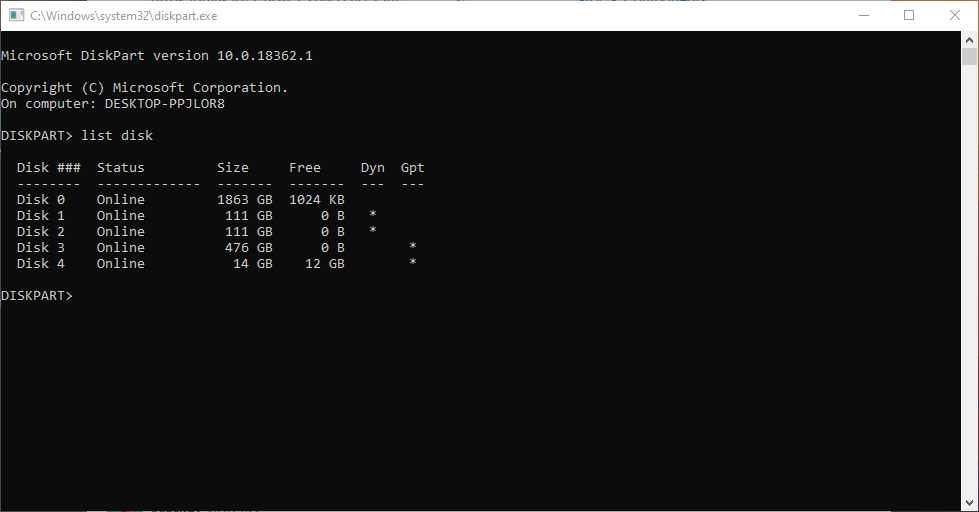
3. Type list disk and press Enter. This will show all the drives on your PC. Locate your USB drive by looking at the size of the disk. In the picture below, we can see that Disk 4 size is 14GB. This is the USB drive that we want to format.
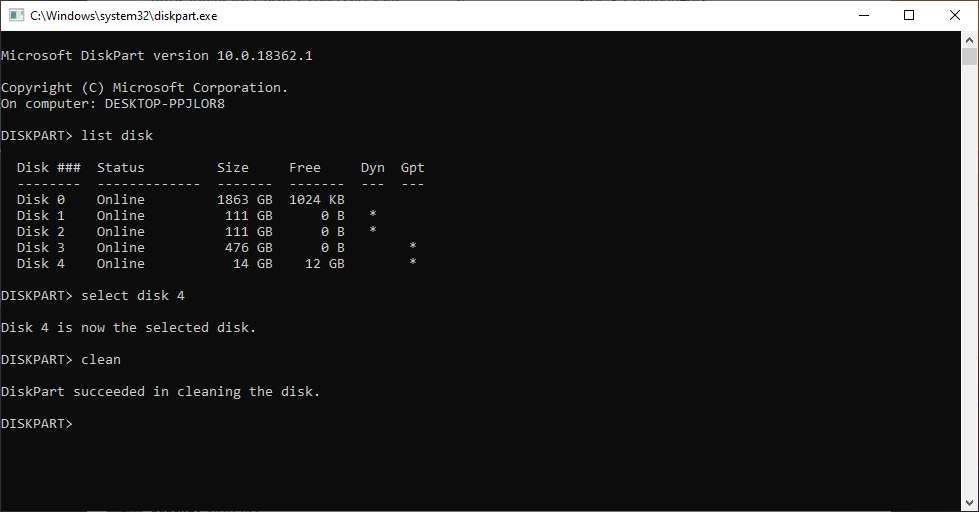
4. Type select disk N, where N is the disk number of your USB drive and press Enter. In our case, we type select disk 4. This will select your USB drive. Make sure you select the correct drive!
5. Type clean and press Enter. You can now flash the USB drive again or continue with the process to format the USB drive with your desired file system.
6. Right-click on the Windows Start Button in the bottom-left part of the screen and click on Disk Management.
7. In the bottom section of the window, locate your USB drive. This will most likely have the same Disk Number as the Disk Number in step 4.
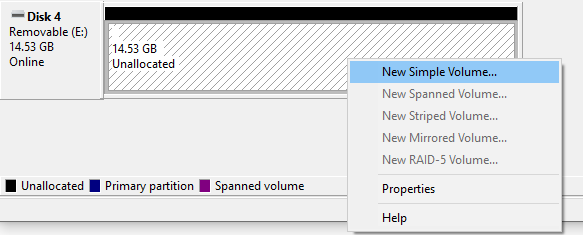
8. Right-click on the Unallocated space and select New Simple Volume.
9. Continue until you reach the Format Partition page. Here you can name your USB drive as you wish.
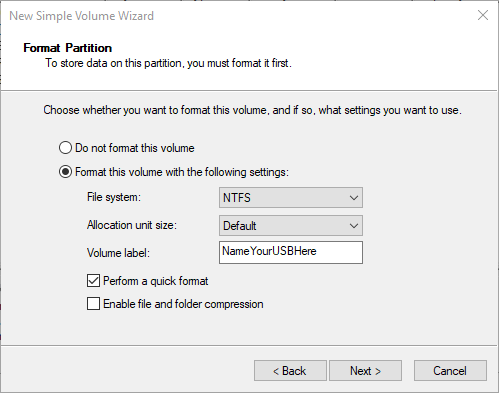
10. Click Next and Finish.
Now your USB drive is ready to flash and install NiceHash OS!