How to disable UEFI boot?
In this guide, we will show you how to disable the UEFI boot inside your BIOS settings.
This will help you when NHOS will not boot correctly and will report an “out of memory” error.
Note that disabling the UEFI setting might be located and named differently in the BIOS, depending on your motherboard manufacturer and bios version. We will try to cover the vast majority of manufacturers. In case you do not find it, feel free to ask on our Reddit forum or our Discord server.
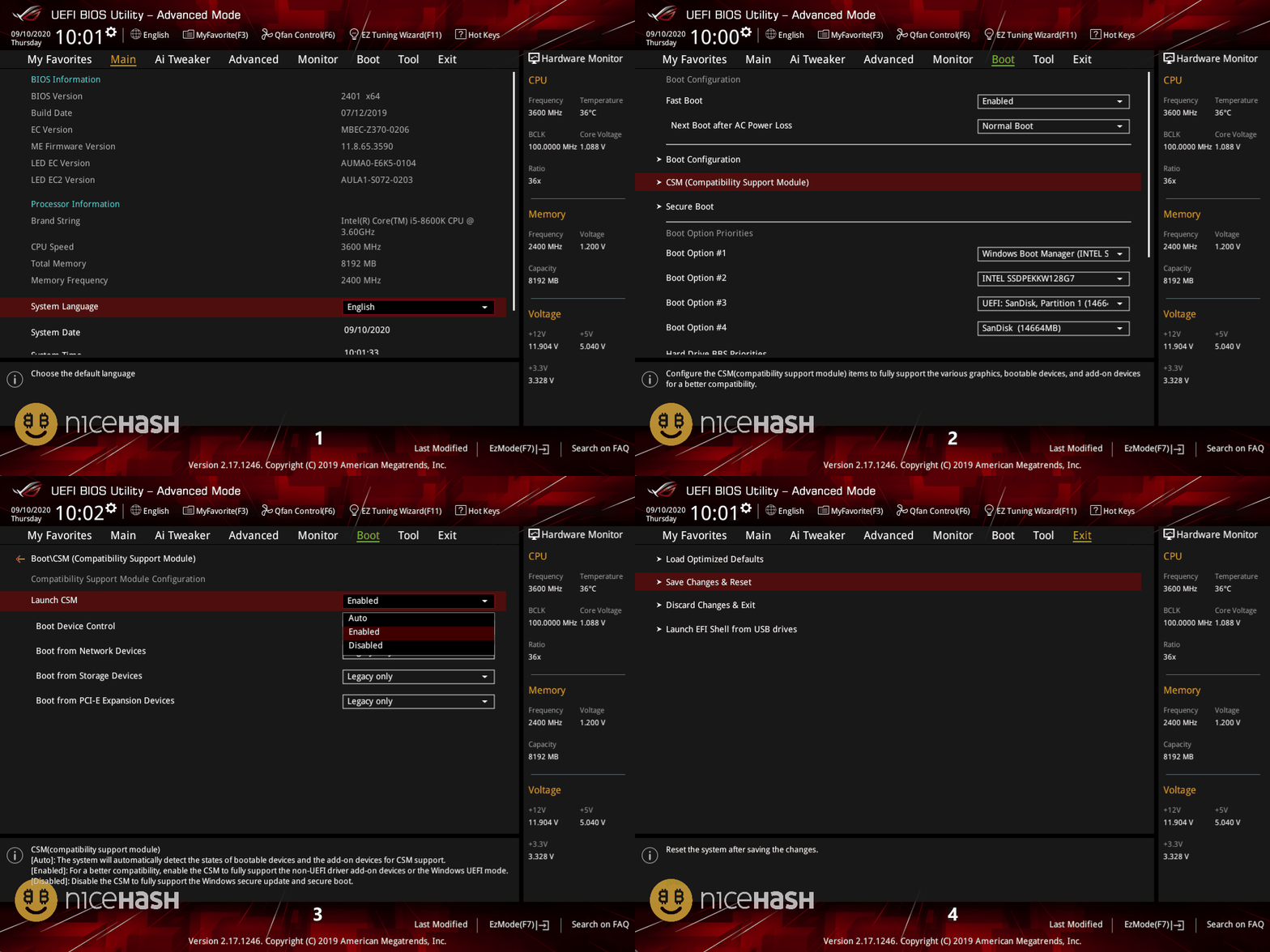
ASUS motherboard
- Restart your rig and enter BIOS by pressing DEL or F2 button repeatedly when the rig is booting up.
- If you are located on EZ Mode press F7 to open Advanced Mode.
- Navigate to Boot Tab > CSM (Compatibility Support Module).
- Set Launch CSM to Enabled.
- Navigate to Exit Tab and select Save Changes & Reset.
MSI Motherboard
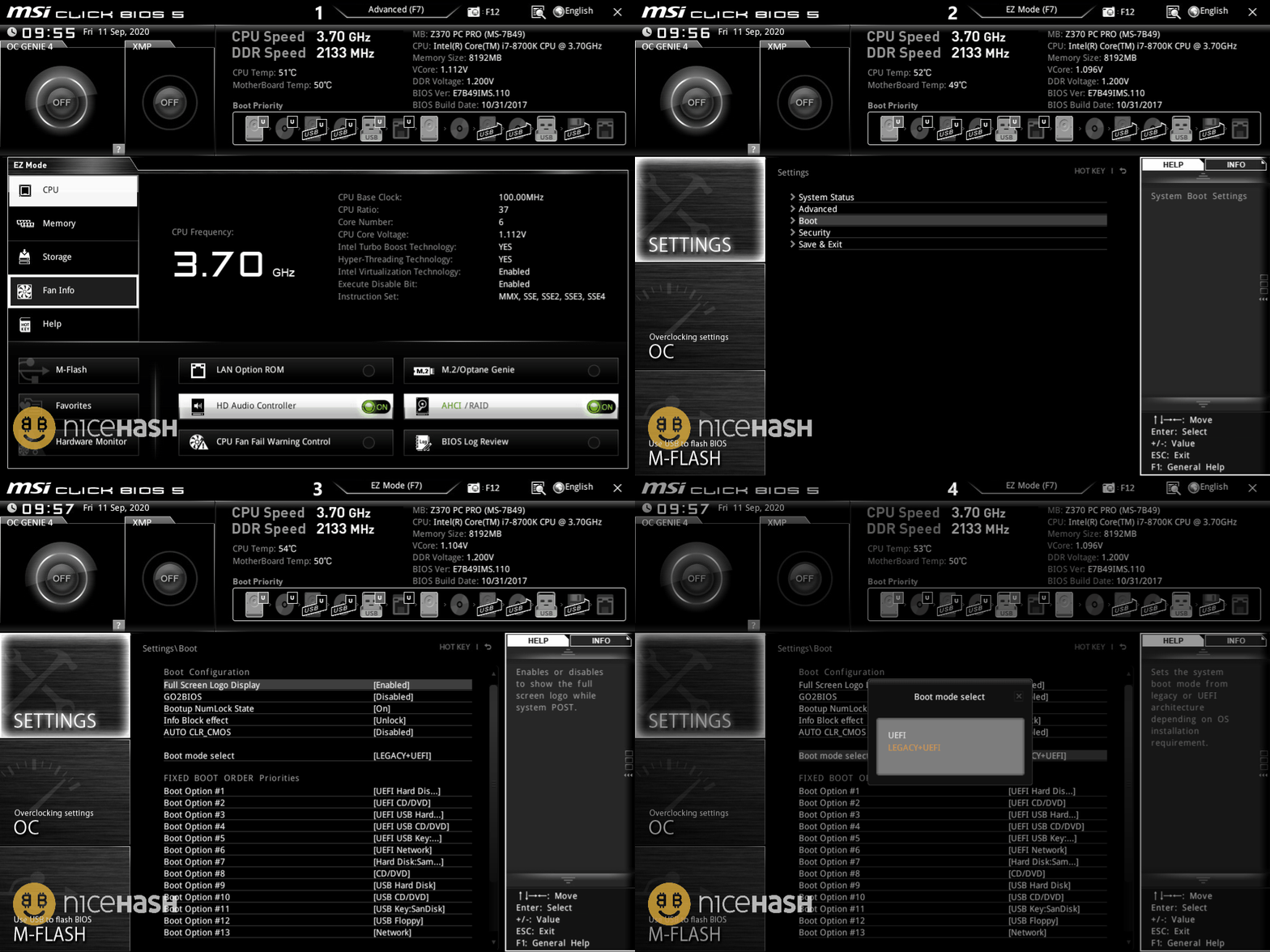
- Restart your rig and enter BIOS by pressing DEL or F2 button repeatedly when the rig is booting up.
- If you are located on EZ Mode, press F7 to open Advanced Mode.
- Navigate to Settings > Boot.
- Set Boot mode select to Legacy+UEFI.
- Navigate back to Settings and select Save & Exit.
Gigabyte motherboard
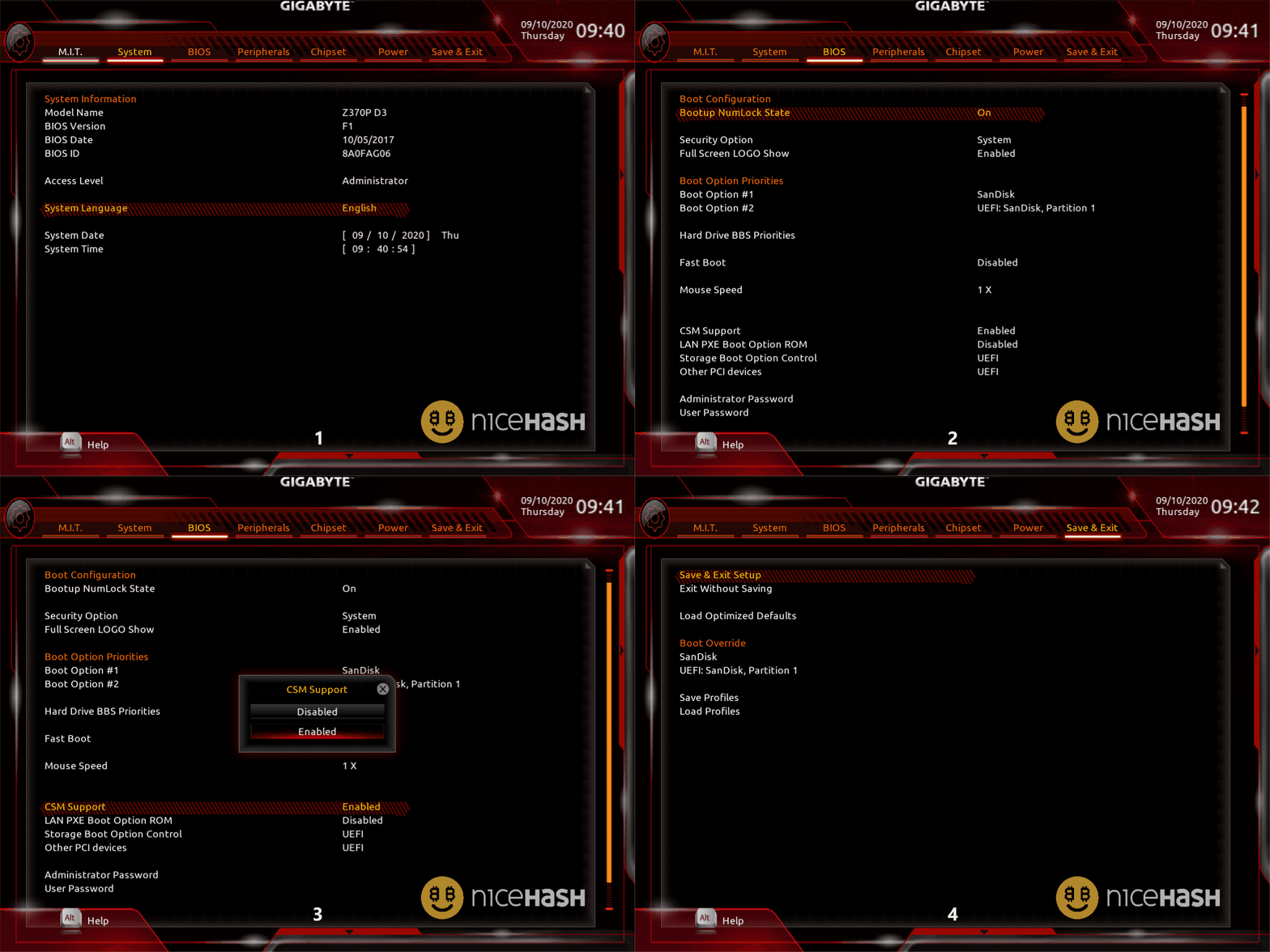
- Restart your rig and enter BIOS by pressing DEL or F2 button repeatedly when the rig is booting up.
- If you are located on EZ Mode press F2 to open Advanced Mode.
- Navigate to Bios Tab > CSM Support.
- Set CSM Support to Enabled.
- Navigate to Save & Exit Tab and select Save & Exit Setup.
ASRock motherboard
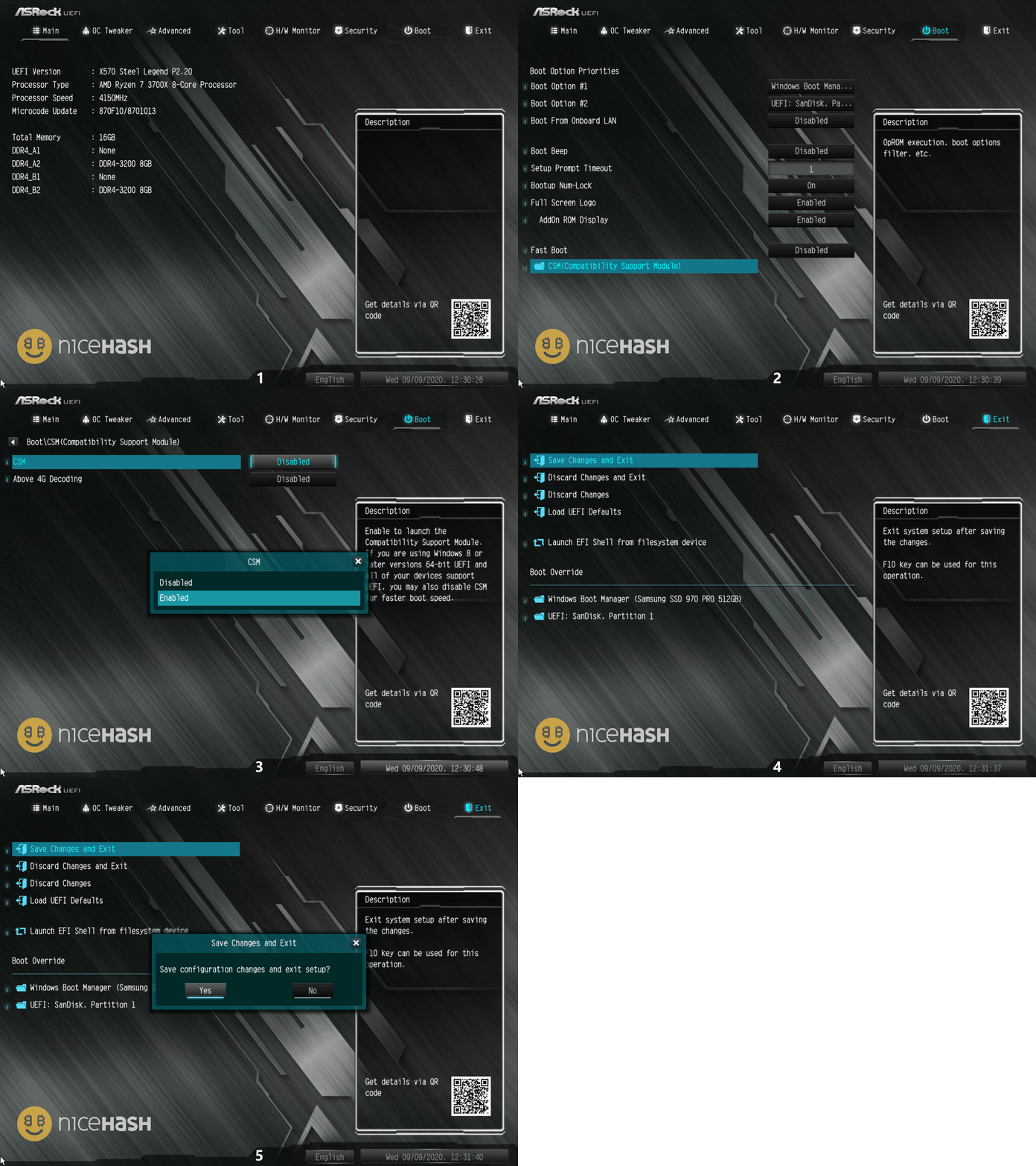
- Restart your rig and enter BIOS by pressing DEL or F2 button repeatedly when the rig is booting up.
- Navigate to Boot Tab > CSM (Compatibility Support Module).
- Enable CSM setting.
- Navigate to Exit Tab and select Save Changes And Exit.
執筆:
Marko Tarman
MarkoはNiceHashのマイニングマネージャーであり、コンテンツ・クリエーターです。彼は最初のASICがリリースされる前の2012年にマイニングを始め、GPUでBTC・LTC・VTCからDOGEまでもマイニングするようになりました。彼の座右の銘は「問題が99個あったとしても、ライザーの不具合がすべての原因だ」です。