How to connect HiveOS rig to NiceHash?
This guide is intended for all HiveOS users who want to connect to NiceHash servers.
If you use the HiveOS platform we will show you how to connect your rig(s) to NiceHash and increase your earnings.
Unfortunately, HiveOS does not support profit switching. If you wish to use profit switching between multiple algorithms, we recommend using NHOS, which is also free to use! For an unlimited number of rigs!

Connecting HiveOS to NiceHash
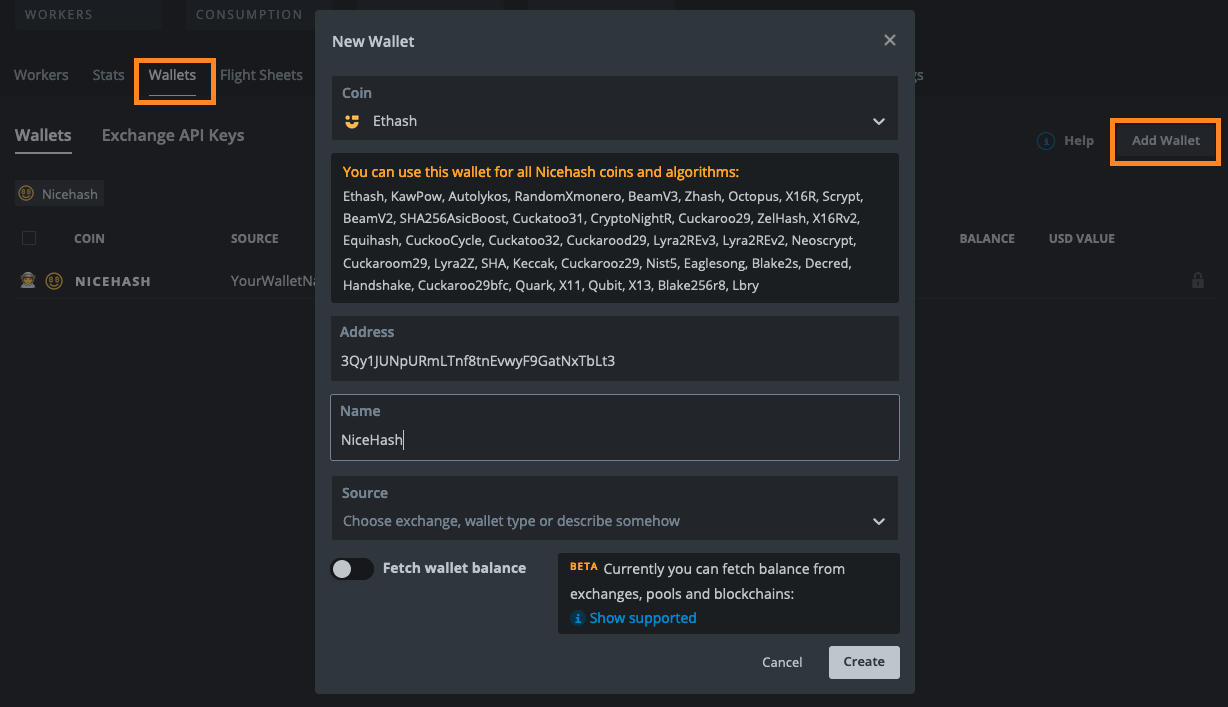
First, you need to create a new wallet:
- Login to HiveOS
- Navigate to the Wallets tab
- Click New Wallet
- Select NiceHash-Ethash in the Coin input field
- Paste your NiceHash Mining address into the Address field. NiceHash Mining address is found on the NiceHash mining dashboard.
- Name your Wallet.
- You can leave other fields untouched and click Create.
Next, you need to create a Flight Sheet:
- Navigate to the Flight Sheets tab
- Select NiceHash-Ethash (or another algorithm) in the Coin input field
- Select previously created Wallet
- Select Auto pool location
- Select preferred miner. Note that HiveOS will automatically set the necessary parameters.
- Name the Flight Sheet and Create Flight Sheet.

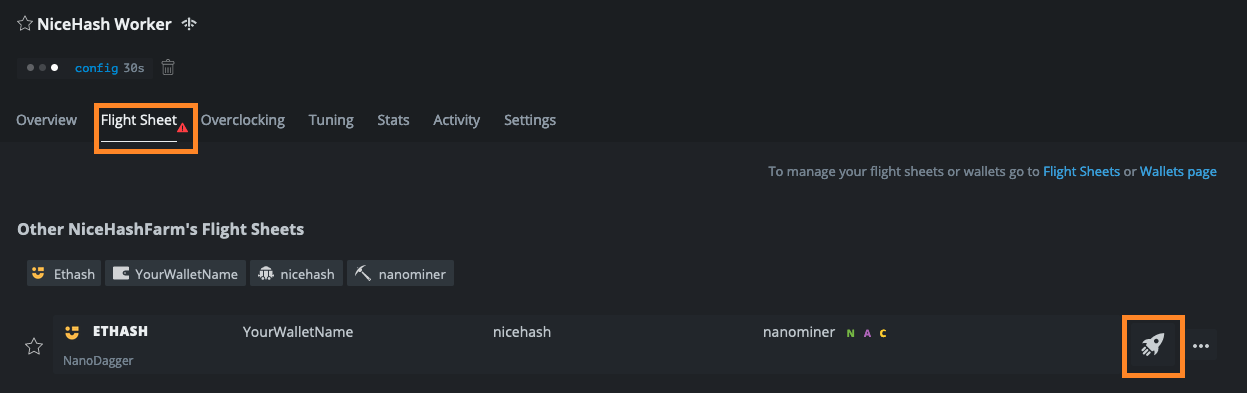
The last thing needed is to apply the newly created Flight Sheet to your rigs:
- Navigate to the Workers tab
- Click on the worker that you want to apply the Flight Sheet to
- Navigate to the Flight Sheet tab
- Click on the rocket icon next to the preferred flight sheet
This is it! Again, if you wish to use auto-switching functionality you can use NiceHash OS, also based on Linux. NHOS is free for an unlimited number of rigs!
Join the smartest mining community on Subreddit or on our Discord server!