How to change boot order and boot NHOS from USB?
In this guide, we are going to show you how to boot NHOS from a USB flash drive.
First, make sure that you have correctly installed NHOS on your USB drive. You can flash it simply by using our NHOS Flash Tool. You can learn how to use NHOS Flash Tool here.
How to permanently change Boot device order in BIOS?
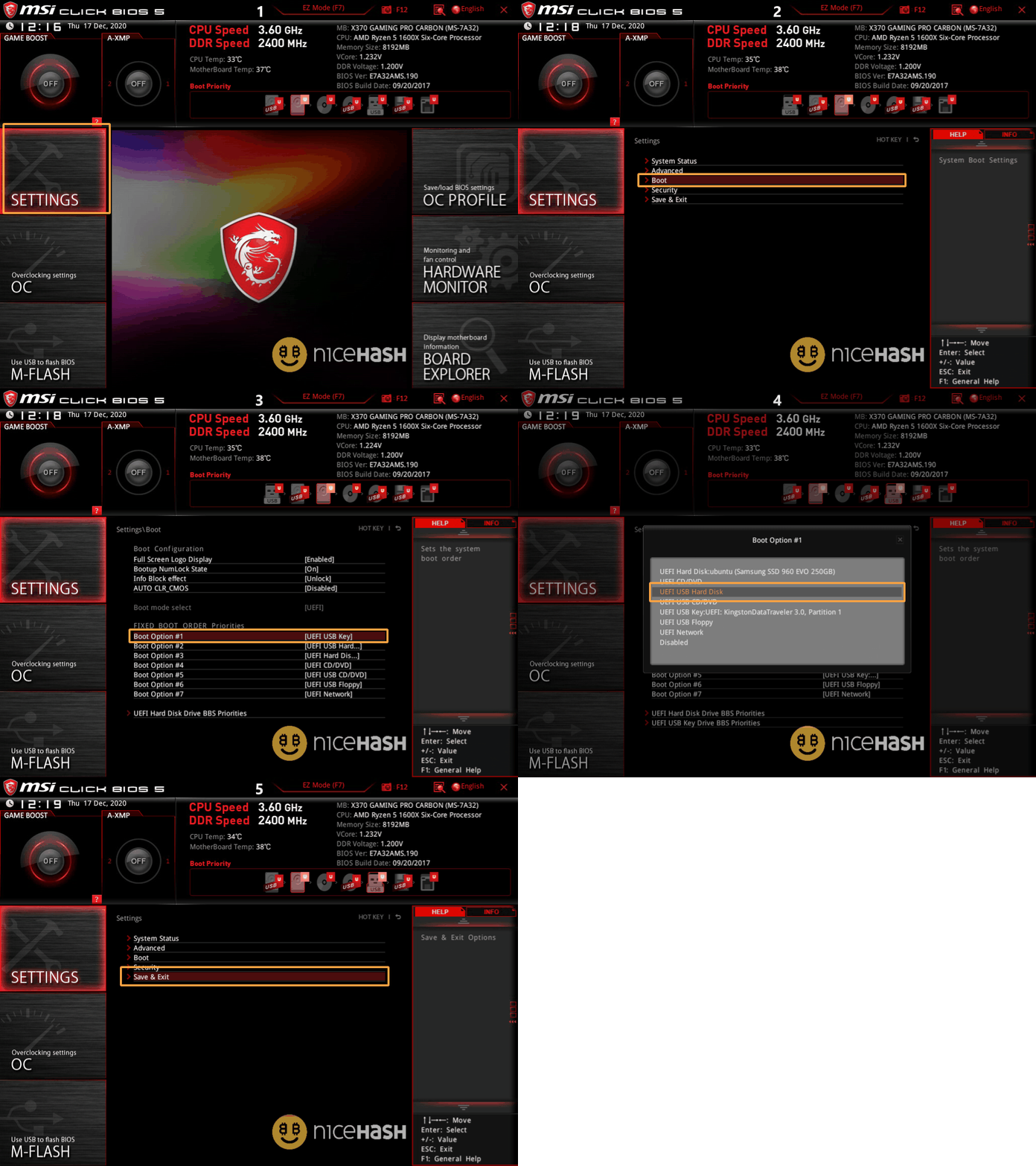
Change boot order on MSI motherboard
- Restart or turn on the system
- Repeatedly press the F2 or DELETE button to enter the BIOS
- If you are located in EZ mode, press F7 to open Advanced mode.
- Navigate to Settings > Boot.
- Set USB hard drive or USB Disk partition 3 to Boot Option #1.
- Go back to Settings.
- Save & Exit.
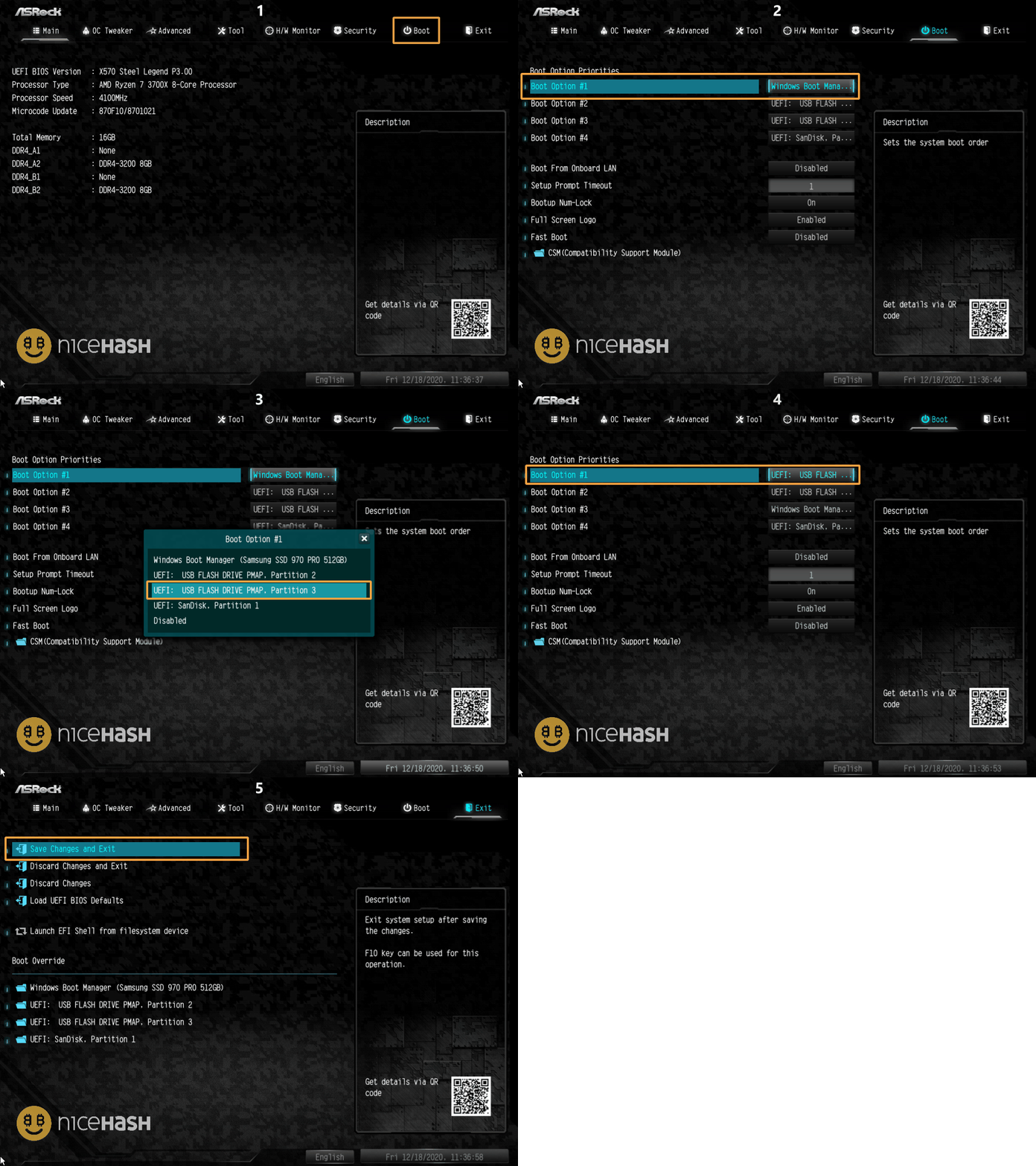
Change boot order on Asrock motherboard
- Restart or turn on the system.
- Repeatedly press the F2 or DELETE button to enter the BIOS.
- If you are located in EZ mode, press F7 to open Advanced mode.
- Navigate to the Boot tab.
- Set USB Flash Drive Partition 3 as a Boot Option #1.
- Navigate to the Exit tab.
- Select Save Changes and Exit

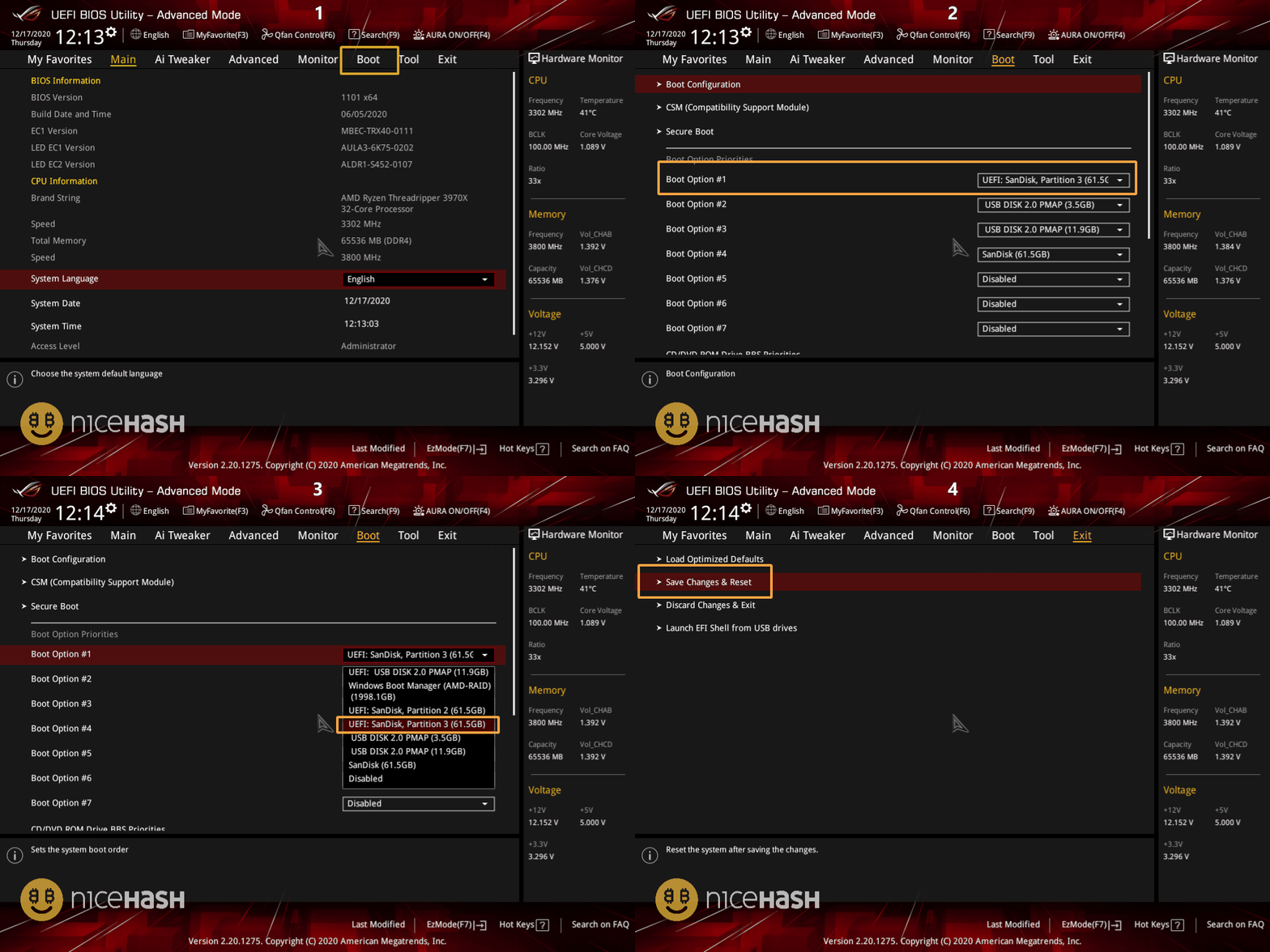
Change boot order on ASUS motherboard
- Restart or turn on the system.
- Repeatedly press the F2 or DELETE button to enter the BIOS.
- If you are located in EZ mode, press F7 to open Advanced mode.
- Navigate to the Boot tab.
- Set Partition 3 as a Boot option #1.
- Navigate to the Exit tab.
- Select Save Changes & Reset
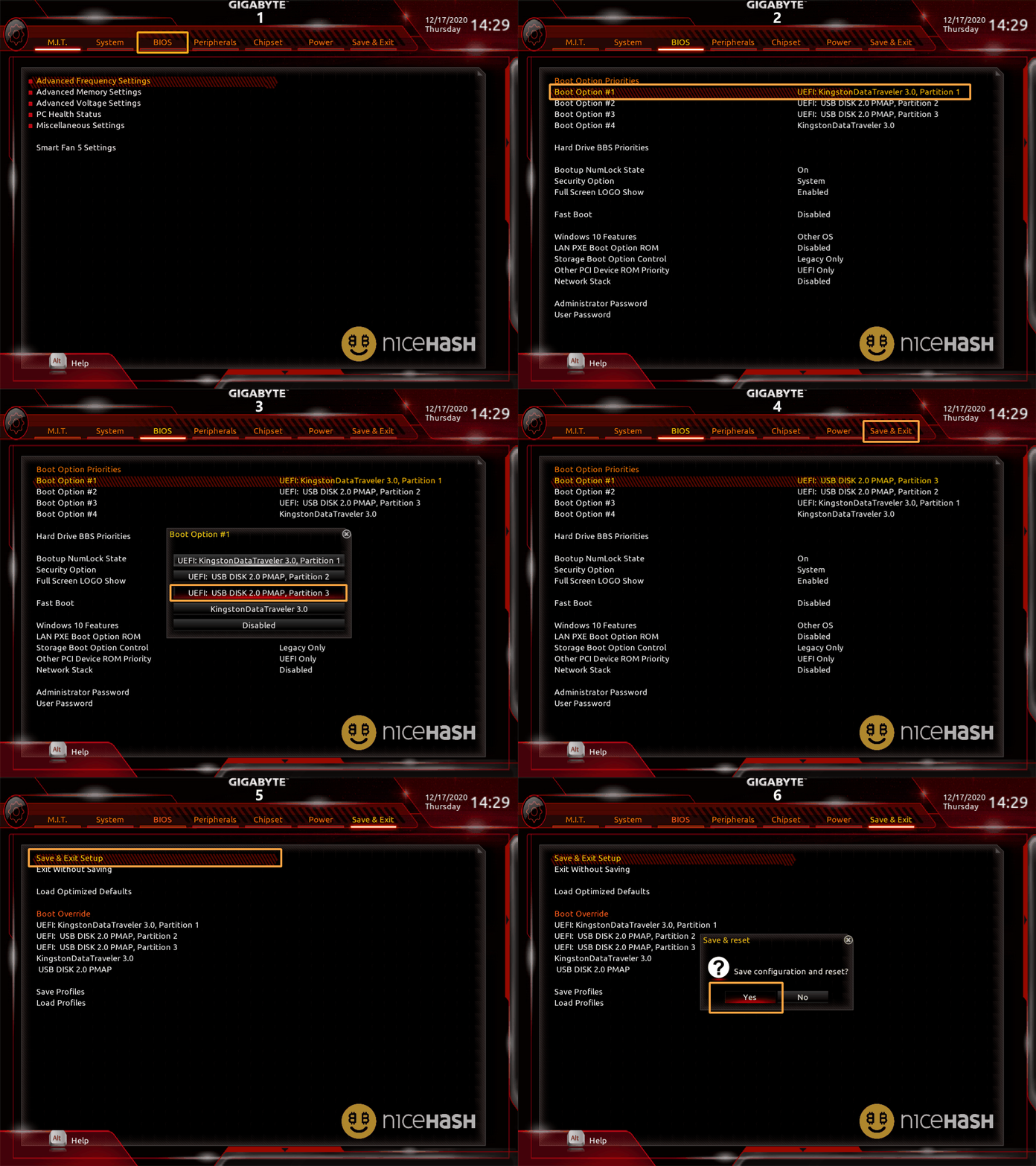
Change boot order on Gigabyte motherboard
- Restart or turn on the system.
- Repeatedly press the F2 or DELETE button to enter the BIOS.
- If you are located in EZ mode, press F7 to open Advanced mode.
- Navigate to the BIOS tab.
- Set USB Disk Partition 3 to Boot Option #1.
- Navigate to the Save & Exit tab
- Select Save & Exit Setup.

WRITTEN BY
Marko Tarman
Marko is NiceHash's Mining Manager and Content Creator. He started mining back in 2012 before the first ASICs were released. He went from GPU mining BTC, LTC to VTC, and even DOGE. His mining motto: "I've got 99 problems, a bad riser is all of them"