How to cash out on PayPal using Coinbase?
This guide will show you how to cash out your Bitcoin mining earnings on PayPal using Coinbase.
Before you start, make sure you have:
- Some funds in your Bitcoin wallet
- Active Coinbase account
- Active PayPal account
Please note that this feature might not be supported by Coinbase in all countries.
Now follow these steps to get money on your PayPal account.
1. Connect your NiceHash account with your Coinbase account
Go to your NiceHash profile settings and navigate to the withdrawal addresses section.
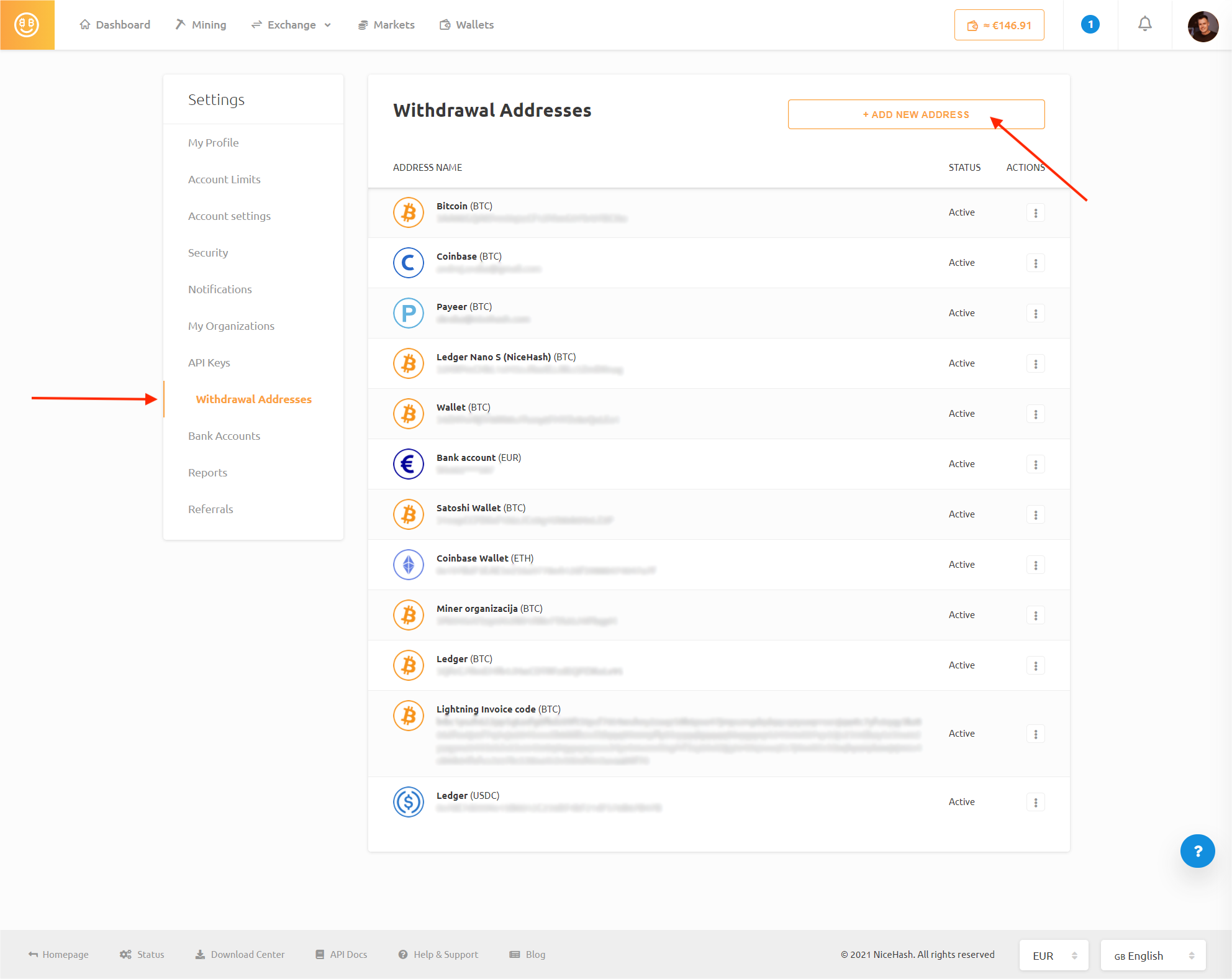
Click the ADD NEW ADDRESS button.
Select Coinbase (BTC) option and follow the instructions on the screen.

2. Move Bitcoin from NiceHash to Coinbase
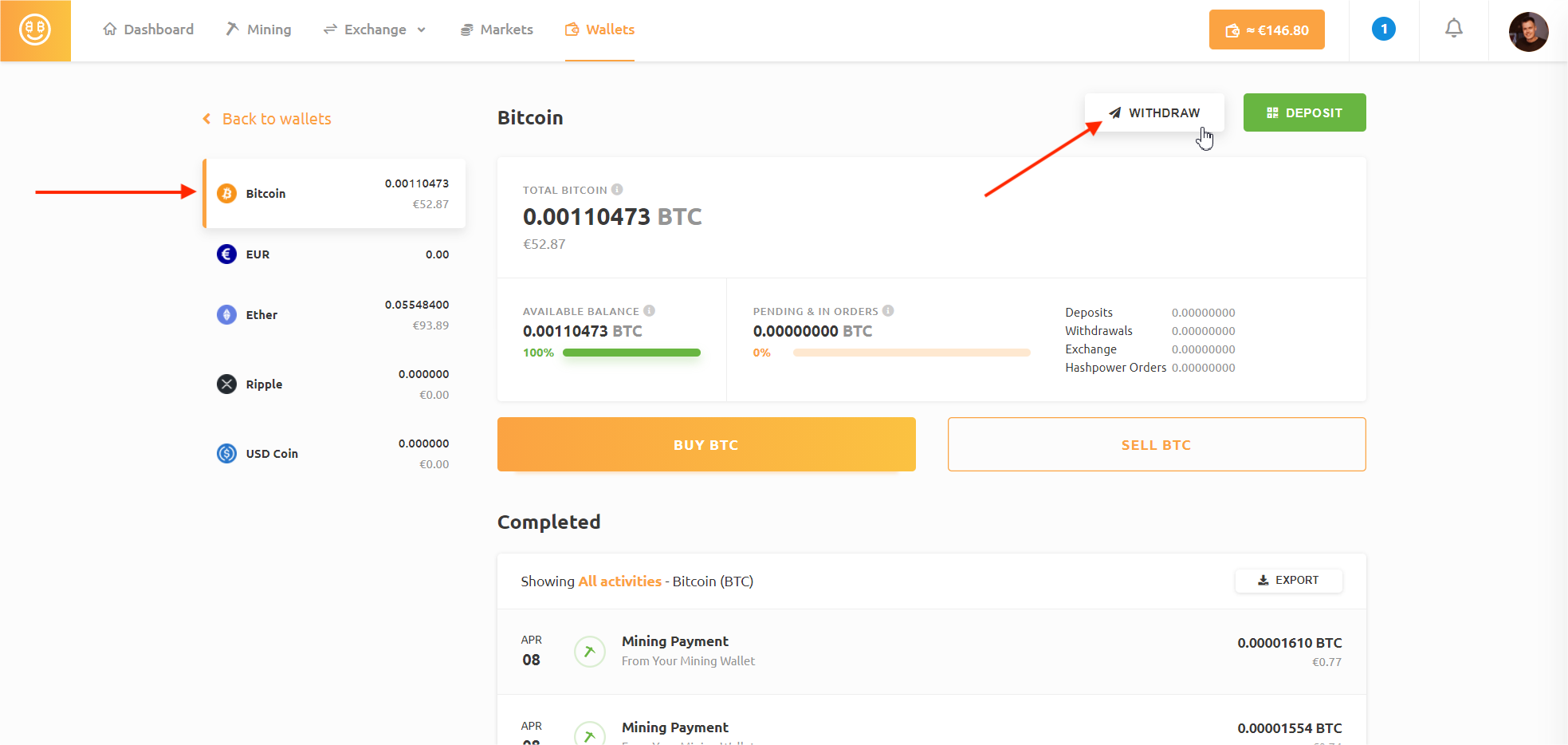
Go to your Bitcoin wallet and click the WITHDRAW button.
Make sure you select your Coinbase account in the "Withdraw to" field.
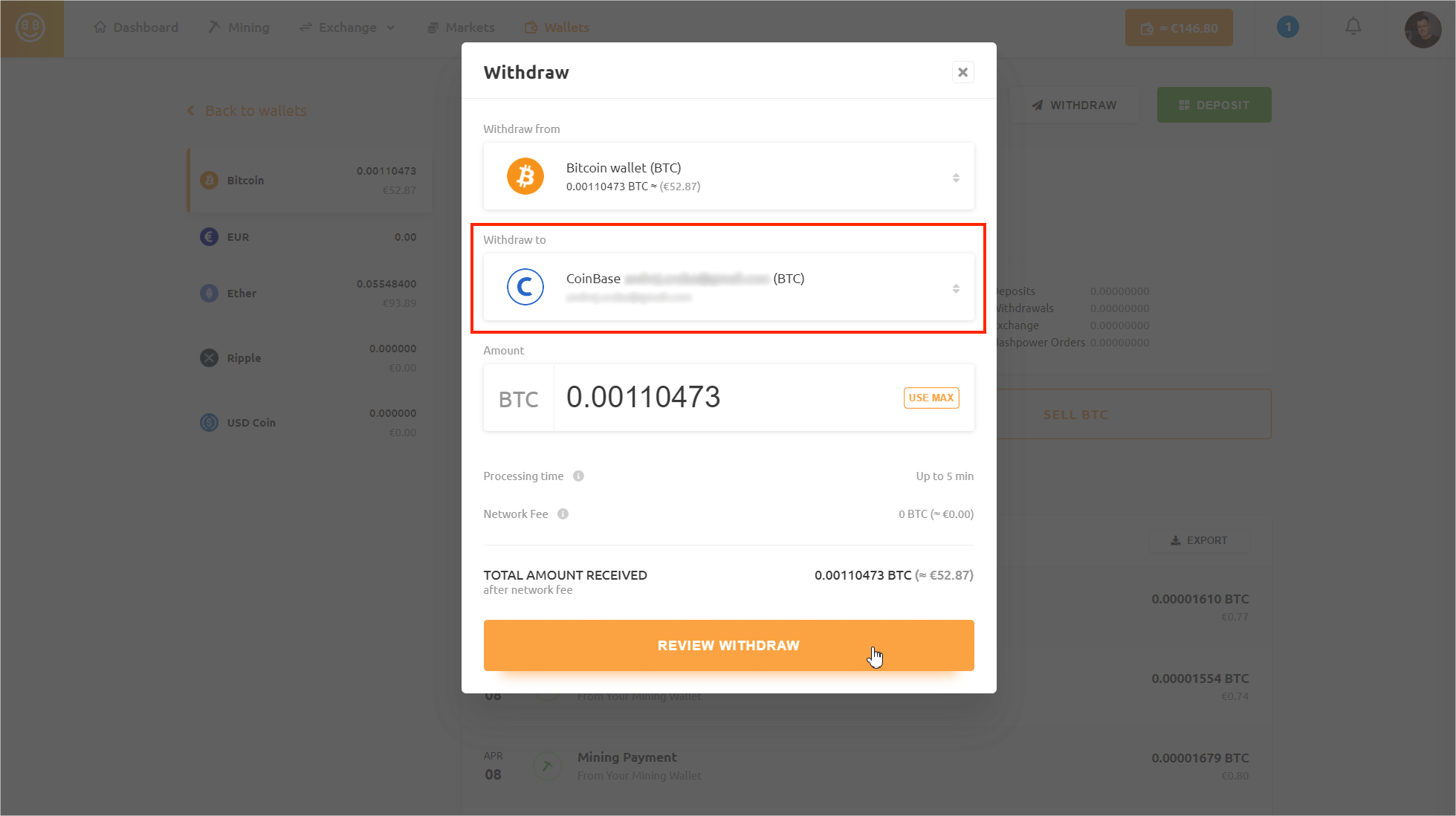
Complete the withdraw. It usually takes 5 minutes for your funds to arrive. This transaction is FREE!
3. Connect your Coinbase account with your PayPal account
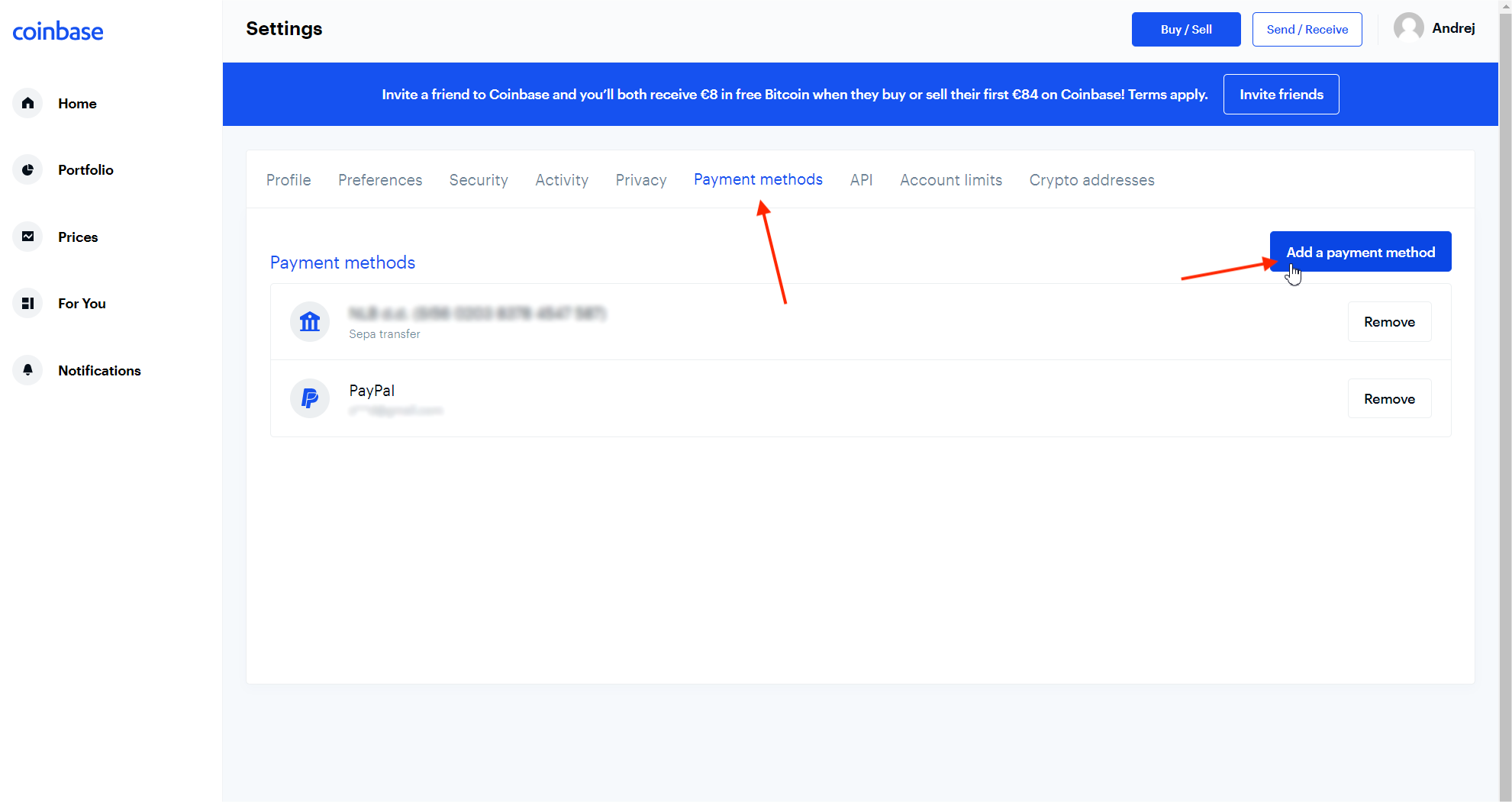
Go to your Coinbase profile and click Settings.
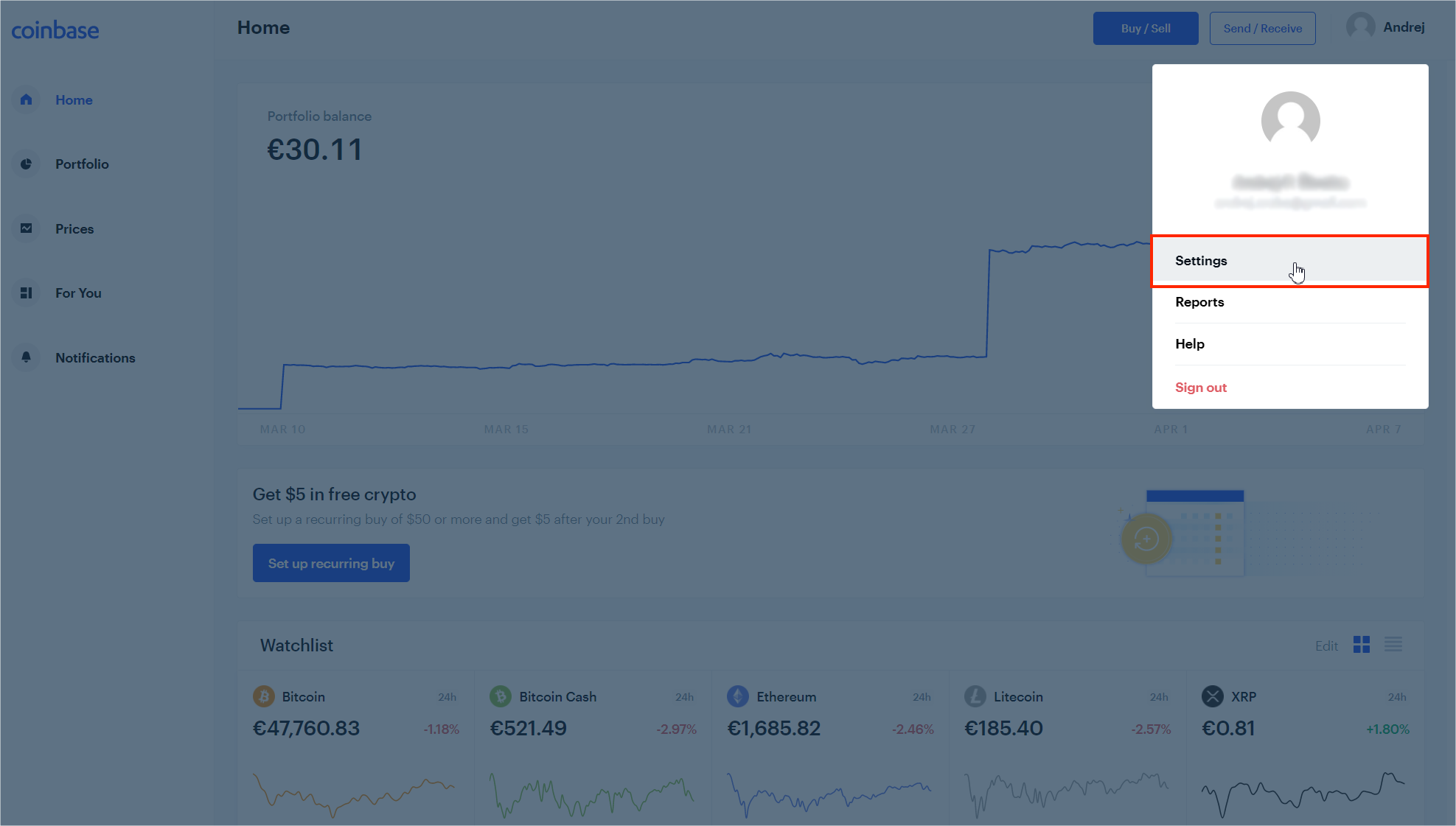
Go to Payment methods and click the "Add a payment method" button.
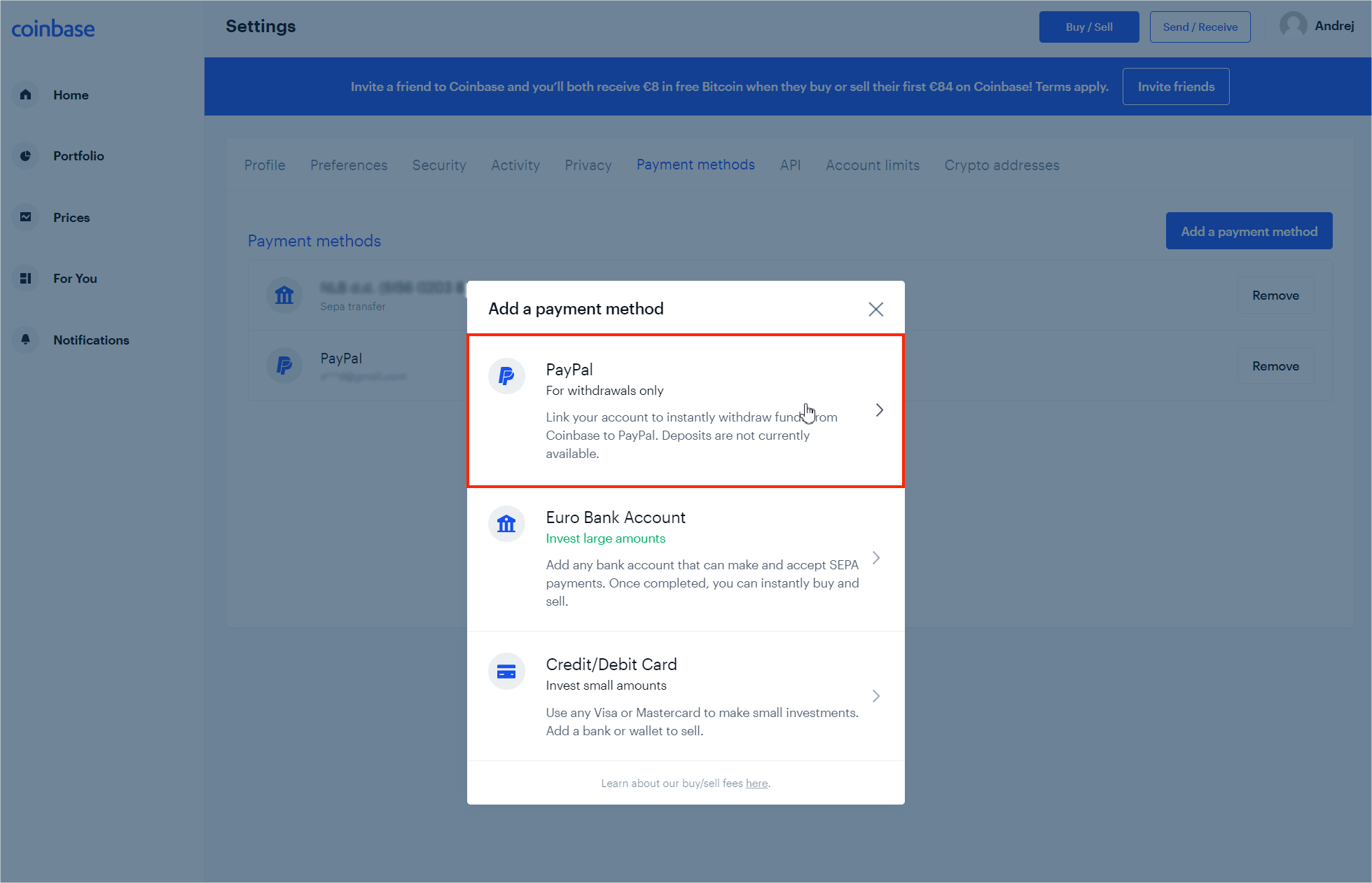
Select PayPal and follow the instructions on the screen.
4. Convert Bitcoin to EUR/USD and send the money to PayPal
Now your Bitcoin has already arrived in your Coinbase wallet, and you have to convert it to EUR/USD!
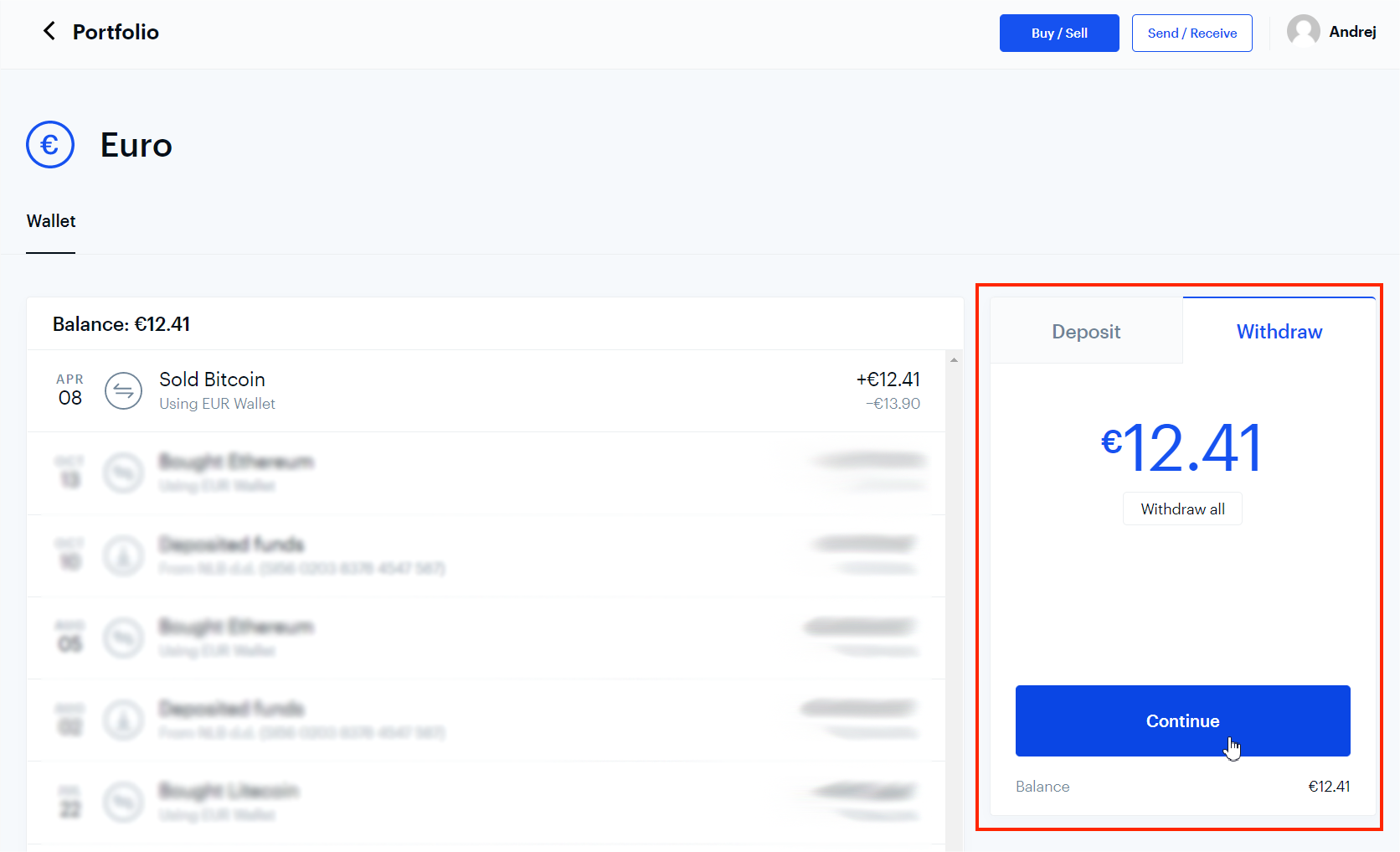
Then go to your EUR/USD wallet and click Withdraw. Select the amount and click Continue.
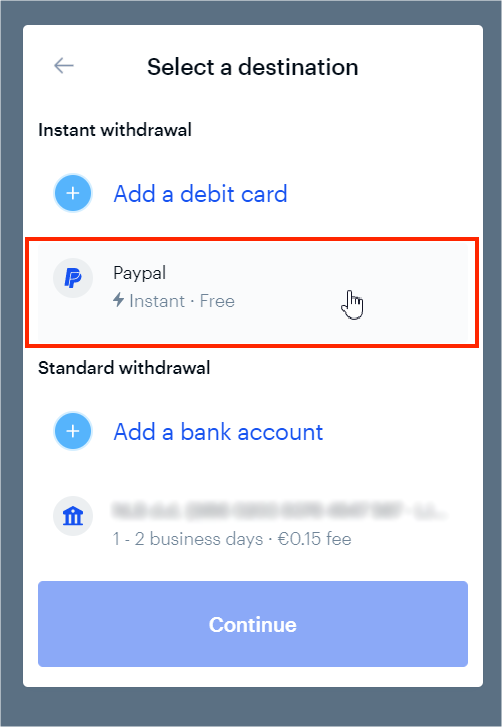
Select PayPal and click Continue.
Confirm the transaction, and you should see your money arrive in your PayPal account!