How to power up a mining rig automatically after power loss?
In this guide, we will show you how to set motherboard BIOS so that the rig will automatically start up after a power outage.
If you are hosting your rig or might not be able to physically turn it on after power outage, it is recommended that you set BIOS settings to automatically turn the rig on when the power comes back. Note that this will happen only if the rig shuts down because there was a power failure. If you shut down the rig via the Windows shut down function, this will not apply.
Note that each setting might be located and named differently, depending on your motherboard manufacturer and bios version. We will try to cover the vast majority of manufacturers. In case you do not find it, feel free to ask on our Reddit forum or our Discord server.
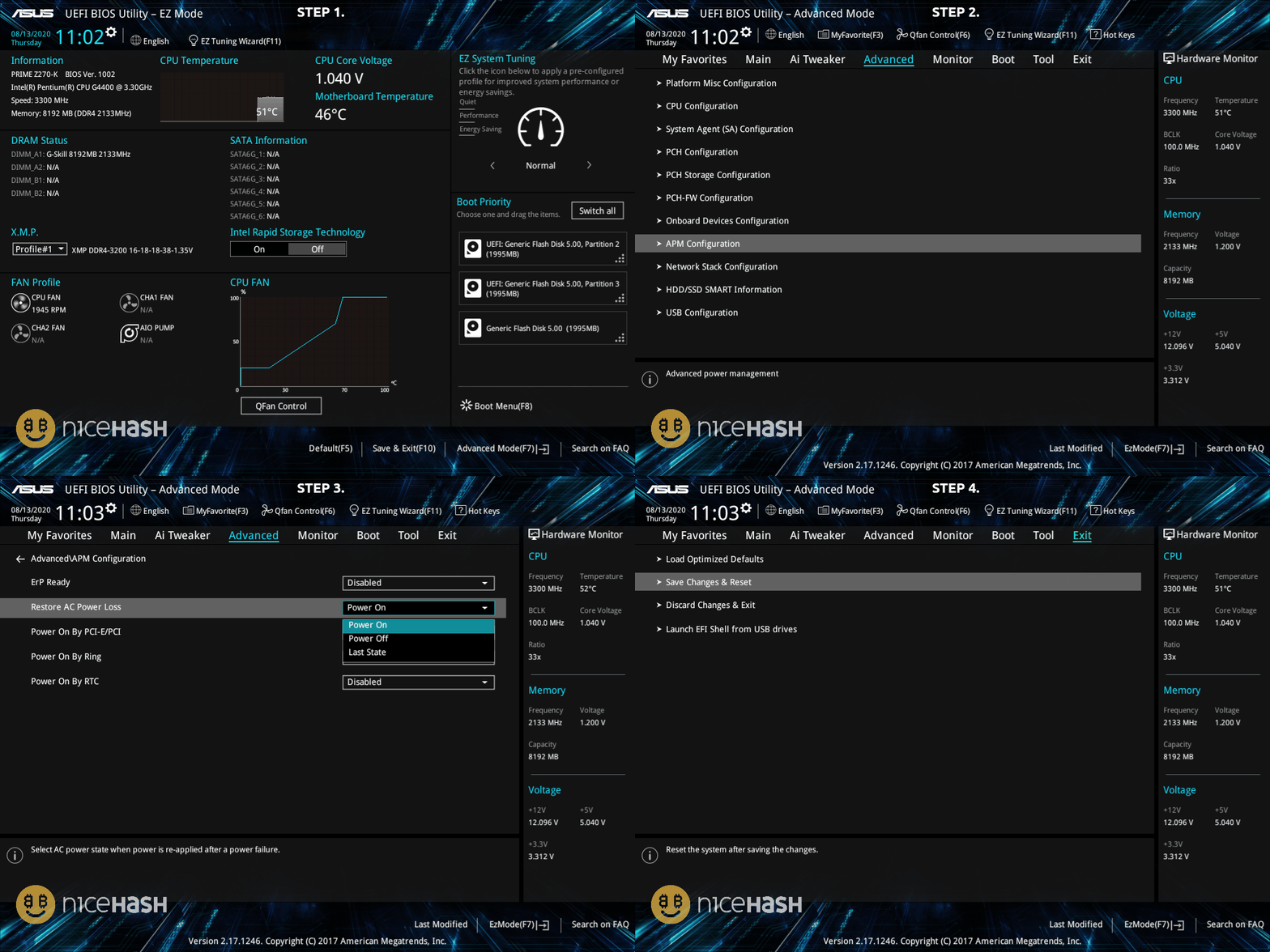
Asus motherboards
- Restart your rig and enter BIOS by pressing DEL or F2 button repeatedly when the rig is booting up.
- If you are located on EZ Mode press F7 to open Advanced Mode.
- Navigate to Advanced Tab > APM Configuration.
- Set Restore AC Power Loss to Power On.
- Navigate to Exit Tab.
- Select Save Changes & Reset.
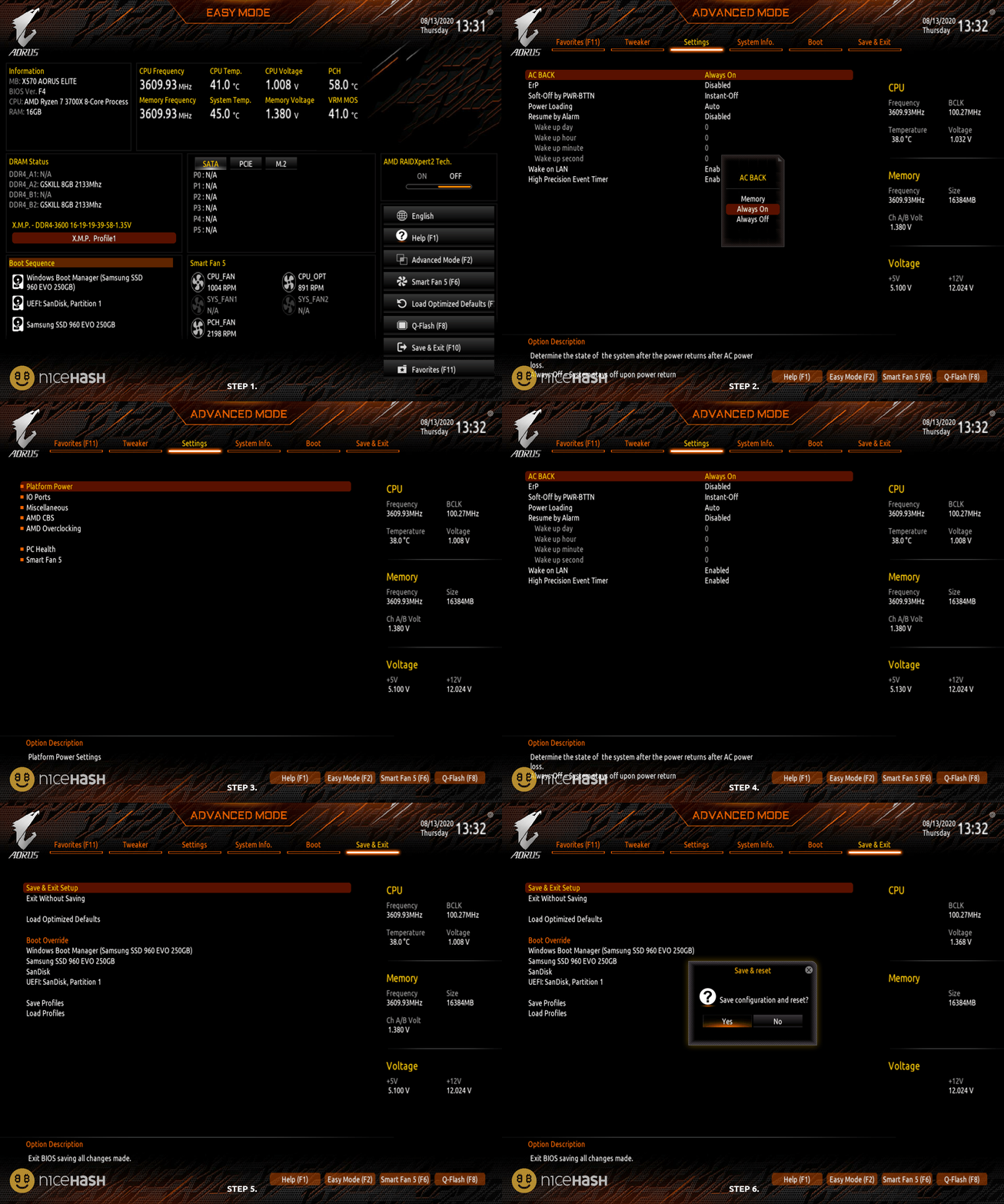
Gigabyte motherboards
- Restart your rig and enter BIOS by pressing DEL or F2 button repeatedly when the rig is booting up.
- If you are located on EZ Mode, press F2 to open Advanced Mode.
- Navigate to Settings > Platform Power.
- Set AC BACK to Always On.
- Navigate to Save & Exit tab.
- Select Save & Exit Setup.
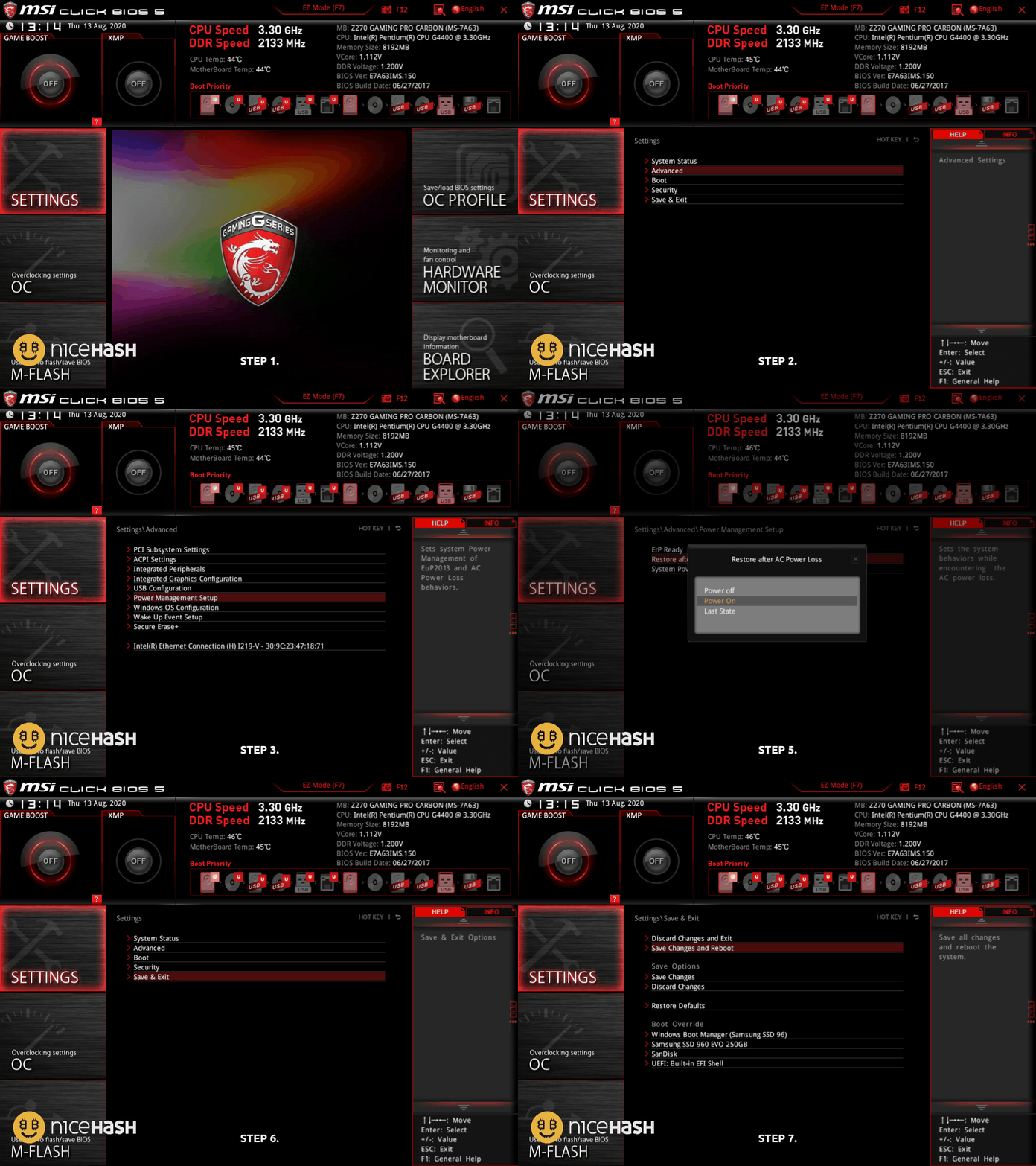
MSI motherboards
- Restart your rig and enter BIOS by pressing DEL or F2 button repeatedly when the rig is booting u.
- If you are located on EZ Mode, press F7 to open Advanced Mode.
- Navigate to Settings > Advanced > Power Management Setup.
- Set Restore after AC Power Loss to Power On.
- Navigate to Settings > Save & Exit.
- Select Save Changes and Reboot.
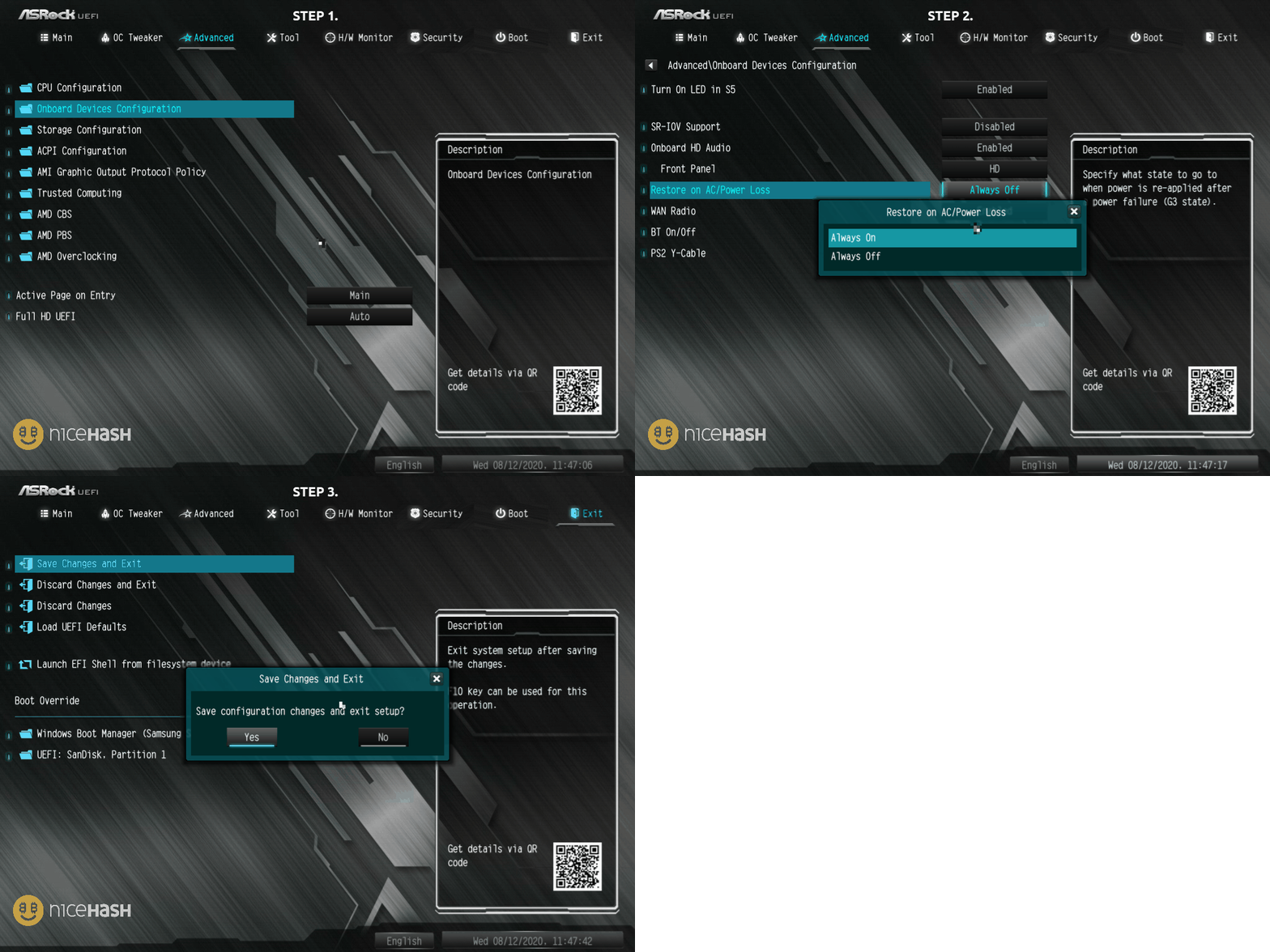
ASRock motherboards
- Restart your rig and enter BIOS by pressing DEL or F2 button repeatedly when the rig is booting up.
- Navigate to Advanced Tab > Onboard Device Configuration.
- Set Restore on AC/Power Loss to Always On.
- Navigate to Exit Tab.
- Select Exit Changes and Exit.