Disable Windows 10 "Let's finish setting up your device" and Welcome experience prompt
If you are a miner, you want your rigs to be stable and with as high uptime as possible. Sometimes after rig reboot, Windows will show a Microsoft login prompt or “Welcome experience” as they call it. For us, miners, that welcome experience can be quite annoying as it prevents the PC or a mining rig to enter Windows Desktop, thus preventing starting the miner. Luckily, there is a very simple way of disabling any Windows pre-initialization screen.
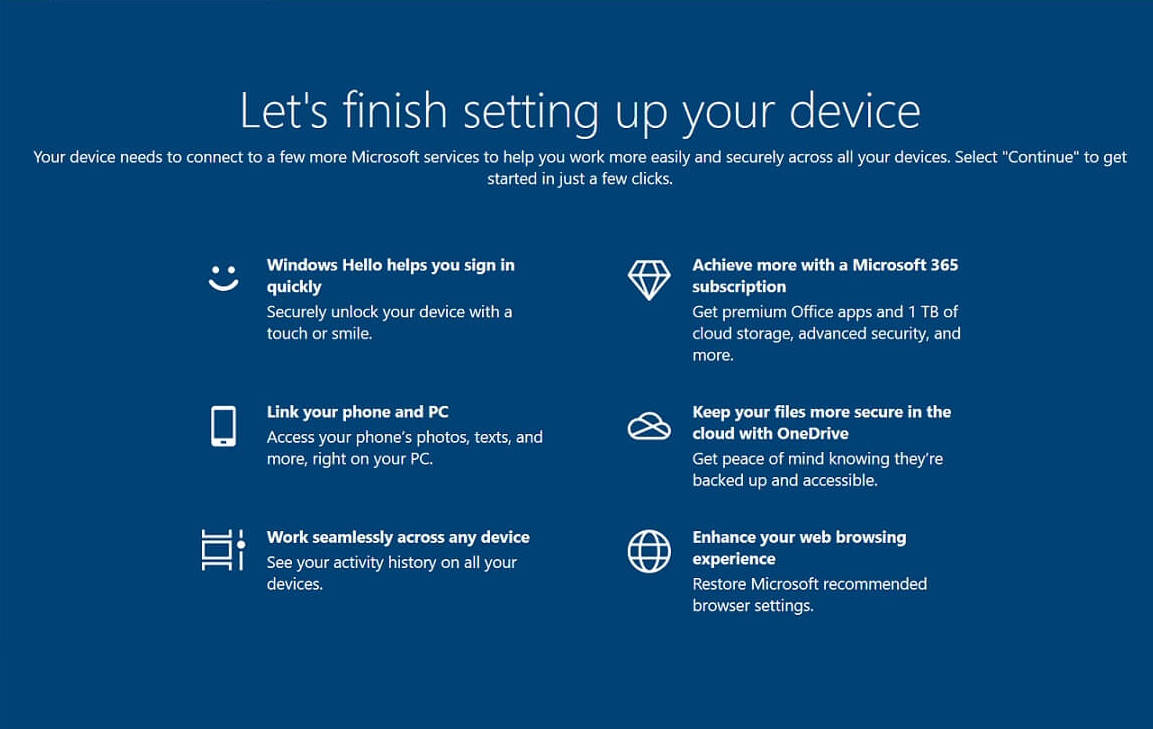

How to disable Windows 10 Let's finish setting up your device, welcome screen or Microsoft account login prompt on boot?
Follow these steps to disable Windows “Let's finish setting up your device”, Welcome screen, and Microsoft account login prompt:
- Open Windows search and type Notification (alternatively navigate to Settings > Notifications & actions)
- Disable all three checkboxes as shown in the image below.
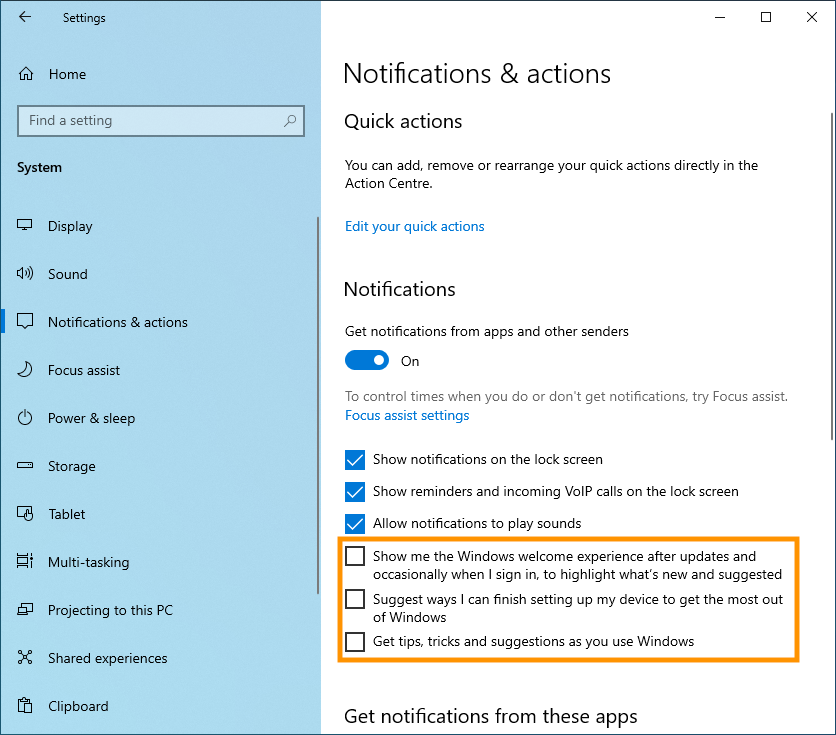
This is it! Now Windows will always load into Desktop directly instead of waiting for your manual interference.
As always, feel free to join our community and share your thoughts! You can chat with NiceHash representatinves and thousands of other miners in our Discord server and subreddit.